Actively Learn - Change Assignment Weight
Explore end-of-year Passion Projects in StudySync that support student choice, inquiry, and authentic assessment.
Tags
- Supplemental
- Getting Started & Orientation
- Literacy
- Actively Learn
- SSO & Manual-Rostering
- Customer Support
- Grades & Assignments
- Social Studies
- Direct Login & Auto-Rostering
- Middle School
- Direct Login & Manual-Rostering
- High School
- Classroom Teacher
- SSO & Auto-Rostering
- PreK-12
- Science
- Preschool
- Elementary School


You may have an assignment that you make more challenging and want to designate a higher point value to reflect the difficulty of the assignment. Or you may have an assignment that's meant to be supplemental reading with less complex questions and want to adjust the weight of the assignment to have less of an impact on final grades. Actively Learn will allow you to adjust assignment weights higher or lower.
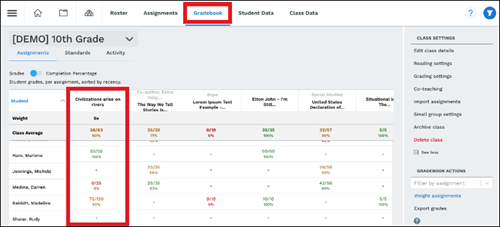
- Select a class and click on Gradebook. Click Weight Assignments under Gradebook Actions on the right.
- Select the dropdown menu for the text you would like to adjust the weight.
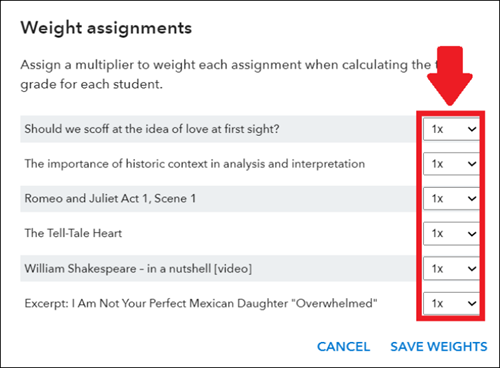
- Select the multiplier and click on Save Weights.
You will now see the adjusted scores.