Manage Actively Learn Teacher Book Credits and Text Rentals
Understand how to rent text and use teacher book credits within Actively Learn.
- Customer Support
- PreK-12
- Classroom Teacher
- Elementary School
- Middle School
- High School
- Direct Login & Auto-Rostering
- Direct Login & Manual-Rostering
- SSO & Auto-Rostering
- SSO & Manual-Rostering
- Supplemental
- Literacy
- Science
- Social Studies
- Actively Learn
- Plan & Present
- Tools & Resources
- Products & Licenses


Article Contents
Purchase Additional Rental Licenses
Rent Text Resources
In addition to a diverse range of free content you can access from the Actively Learn catalog, you can also rent popular titles that are still copyright protected. We have partnered with publishers such as HarperCollins and Simon and Schuster to provide you with titles that are most relevant in today's classrooms.
Paid text in our catalog is marked with a $ (dollar sign) icon on the cover tile.
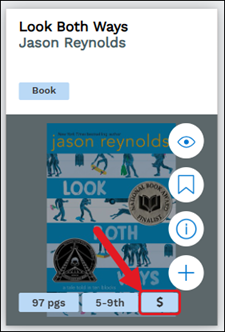
We have over 18,000 titles that can be rented and can be rented in a few simple steps.
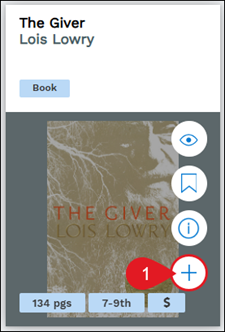
1. Hover over the text tile and click the assign to class (plus icon) button.
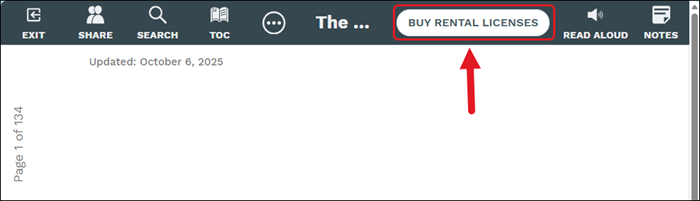
Another option is to click on the the text resource tile and click the Buy Rental Licenses button at the top.
Note: Some publishers have disabled certain features to their text. There will be a note in the payment popup if there are features disabled.
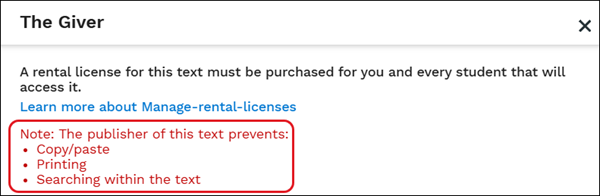
There are multiple ways teachers and schools can pay for rental licenses:
- Unlimited rental add-on is purchased by the district/school.
- Purchase a rental license through our catalog with a credit card.
- Teachers can submit an invoice request to their admin. This sends a request to the admin's email for which text and the number of licenses a teacher needs. The admin can approve the request and select to pay via a credit card or PO.
- Schools and/or districts may choose to add school book credits as part of their School Plan. This is a bucket of credits that can be used by any teacher at the school to purchase rental licenses.
- Teacher book credits - Like school book credits, schools and/or districts can choose to add book credits as part of their school plan. These credits are given to individual teachers and can only be used by them.
Unlimited Rental Add-On
If your school has purchased the rental add-on, you have access to over 18,000 copyrighted texts from (HarperCollins, Simon & Schuster, HMH, Penguin Random House). To access and use the rental texts, select a rental text from the catalog, and assign it as you would for free texts.
Book Credits
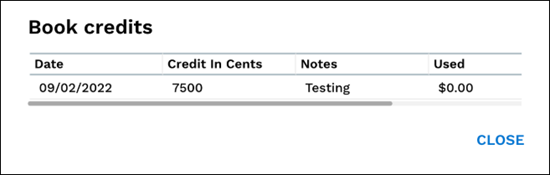
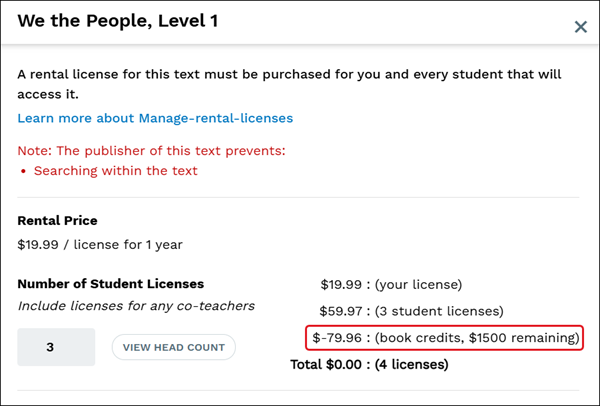
Book credits are funds that live within a teacher's account and can be used to purchase rental texts from within Actively Learn. If teachers have book credits, they will be applied automatically. Also, if a teacher's purchase exceeds the credits available, they'll be asked to complete the purchase using a credit card.
Note: Teacher book credits differ from school content credits. Teacher credits are only available to a single teacher. School content credits are available to all teachers rostered at that school and are managed by administrators.
If teachers have book credits available, they will see a View Book Credits menu option.
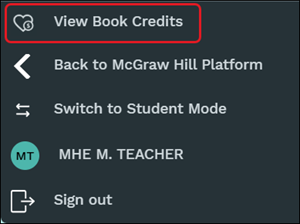
Click on the book credit icon for a more detailed overview.
When making a purchase, credits will automatically be applied.
Paying for Rental Texts
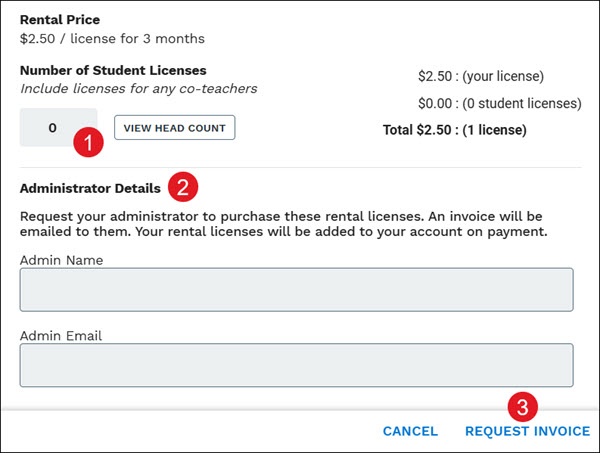
Teachers will need to send an invoice request to their administrator to be able to purchase rental texts within Actively Learn. The invoice option sends a request to the administrator's email for which text and the number of licenses a teacher needs. The administrator can approve the request and continue with purchasing the text credits for teachers to then be able to use the text with their classes.
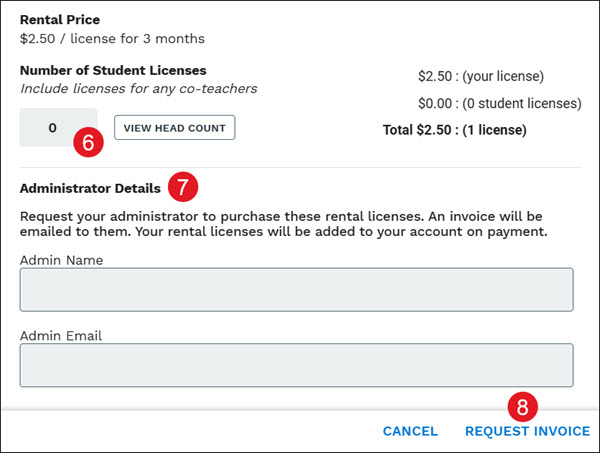
1. On the rental license pop-up, enter the Number of Student Licenses. One extra license will be added to the final price for the teacher.
Note: Books published by HMH and HarperCollins require a 5 license minimum when renting.
2. Enter Administrator Details to for who should receive the invoice request.
3. Click the Request Invoice button.
Purchase Additional Rental Licenses
If your license expires before you're finished using the text, or you need additional licenses, you'll have the option to extend your license by purchasing a new rental license.
Note: Assignments on expired licenses will not be deleted. In order to access an assignment with an expired license, just purchase a new rental license.
1. Click Menu at the top-left.
2. Select the class from the Classes section.
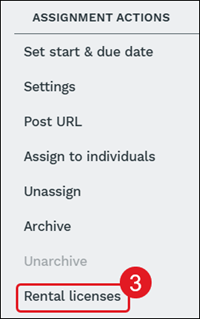
3. On the Assignments page, click Rental licenses in the right panel.
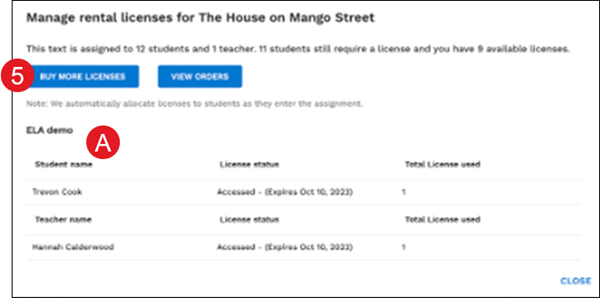
4. Select the rental text.
A. The pop-up will show which students have licenses allocated and the expiration dates.
5. Click the Buy More Licenses button.
6. Enter the Number of Student Licenses.
7. Enter Administrator Details depending on what was selected.
8. Click the Request Invoice button.