Emulate Actively Learn Users as an Administrator
Use the emulate user feature as an administrator to view Actively Learn as another user.
- Customer Support
- PreK-12
- School Administrator
- Elementary School
- Middle School
- High School
- Direct Login & Auto-Rostering
- Direct Login & Manual-Rostering
- SSO & Auto-Rostering
- SSO & Manual-Rostering
- Supplemental
- Literacy
- Science
- Social Studies
- Actively Learn
- Dashboard & Navigation Overview
- Tools & Resources


Administrators can use the Emulate feature to log in as any teacher in their district or school. While emulating as a teacher, the administrator can see class- and student-level data and easily take actions the teacher can, such as adding a co-teacher to their class or assigning texts for students.
Note: Any actions taken in an account while in Emulate mode will be saved to that account.
1. Click Menu at the top-left.
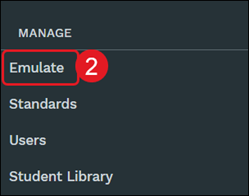
2. Under Manage, click Emulate from the menu.
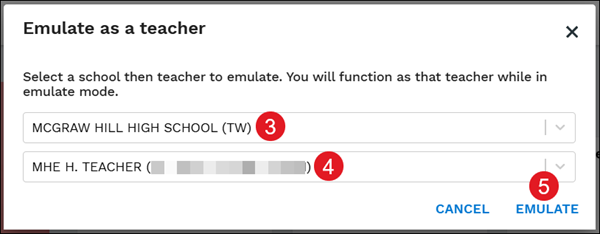
3. On the pop-up, Select school from the drop-down.
4. Select the Teacher to emulate.
5. Click the Emulate button.
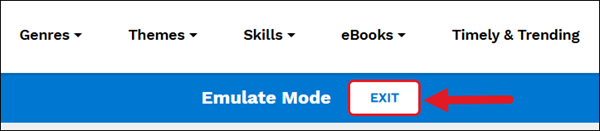
Click the Exit button in the Emulate Mode banner to navigate back to your administrator account.
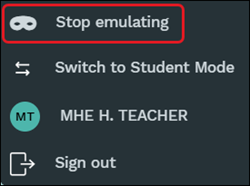
You can also click Stop emulating from the Menu.