Achieve3000 Literacy - View Student Lessons
View individual student lessons in Achieve Literacy to monitor completion and progress.
- Supplemental
- Getting Started & Orientation
- Literacy
- SSO & Manual-Rostering
- Customer Support
- Direct Login & Auto-Rostering
- Tools & Resources
- Middle School
- Direct Login & Manual-Rostering
- High School
- Classroom Teacher
- SSO & Auto-Rostering
- PreK-12
- Preschool
- Achieve3000 Literacy
- Elementary School


Teachers can view student responses for some of the steps they completed with their Lessons.
1. Launch the Lesson you want to review the work of students for.
2. On the Lesson page, select the student from the Students drop-down.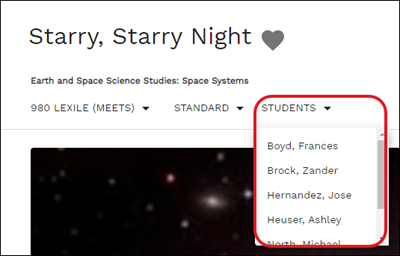
The student's lesson will load in a separate browser window.
3. Navigate through the different steps by clicking on the steps at the top of the page to review the submitted student work. 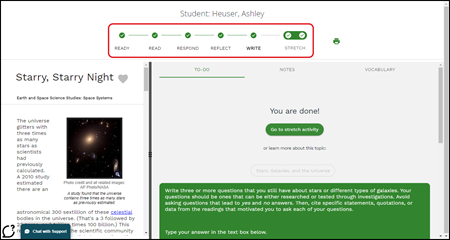
You will be able to also view any annotations the student had made in the article, and any notes they may have taken. 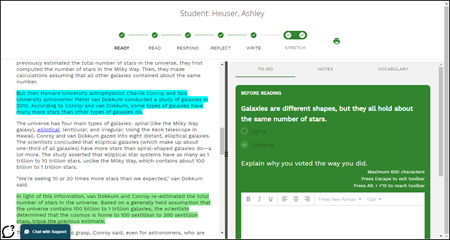
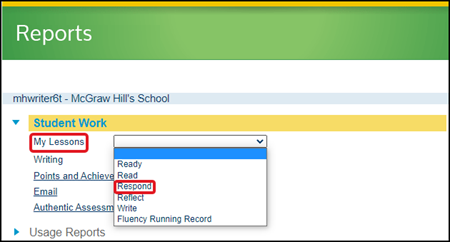
To view the answers the student had selected for the Respond step, you will want to generate a Student Work Report. For more information on generating Student Reports, read the Achieve3000 Literacy - Student Reports article.