Accessing and Navigating the Achieve3000 Literacy Student Lexile Tracker and Scoreboard
Use the Lexile Tracker on the Student Scoreboard tab to monitor reading growth in Achieve3000 Literacy.
- Customer Support
- PreK-12
- School Student
- School Parent
- Elementary School
- Middle School
- High School
- Direct Login & Auto-Rostering
- Direct Login & Manual-Rostering
- SSO & Auto-Rostering
- SSO & Manual-Rostering
- Supplemental
- Literacy
- Achieve3000 Literacy
- Dashboard & Navigation Overview
- Reports & Analytics


Achieve3000 Literacy encourages students to take ownership of their own learning, which includes tracking and monitoring their own reading growth. The Lexile Tracker was designed to help students do just that.
Article Contents
Lexile Tracker
If you're unable to access the Lexile Tracker, reach out to your teacher as they may have turned the feature off.
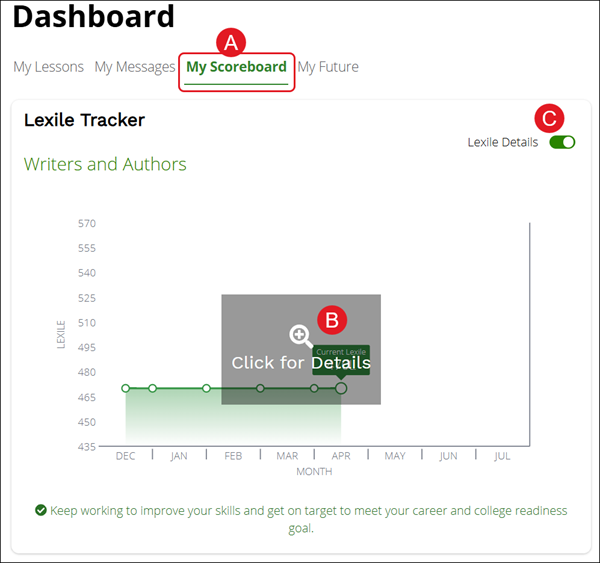
A. The Lexile Tracker can be accessed by students from their Achieve3000 Literacy home page by clicking the My Scoreboard tab under the Dashboard.
B. To view the details on the Lexile Tracker, click on the Click for Details section.
C. Students can hide their Lexile measure by sliding the Lexile Details toggle to off and can toggle it back on at any time.
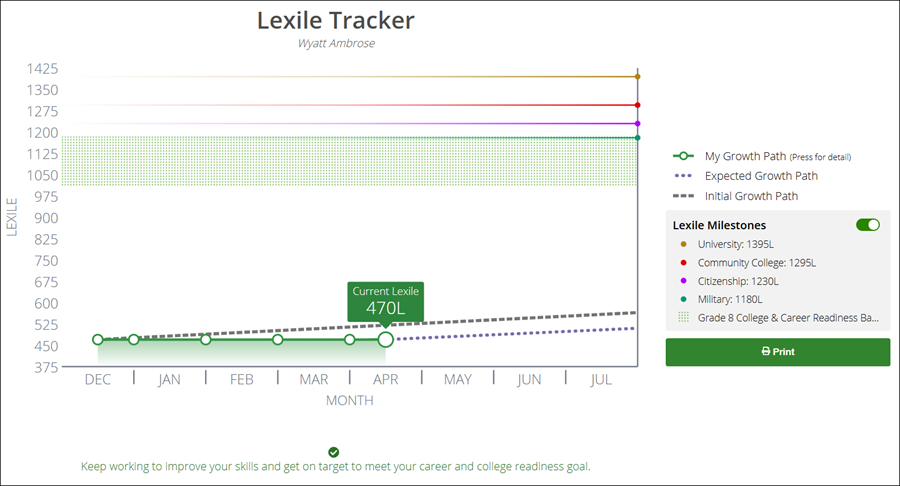
With its clearly labeled key, students will be able to understand most information in the Lexile Tracker without support.
There are three different paths in the detailed view:
- My Growth Path – this student’s actual current Lexile and past Lexile adjustments, with each dot representing an adjustment since the LevelSet pre-test.
- Initial Growth Path – the path this student would be forecasted to take, based on the LevelSet pre-test score.
- Expected Growth Path – the path this student is now forecasted to take, based on the student’s most recent Lexile measure.
Achievements
Achievements can also be viewed under the My Scoreboard tab. This section displays the Badges that students have earned in the program, automatically earned or awarded by the teacher.
This section also includes the number of points earned each day and for the school year.
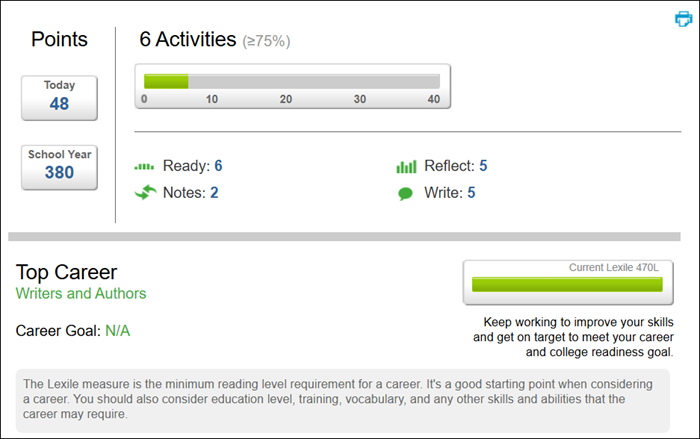
Click the View the Rules button to view a breakdown of Points, Activities completed, and the Top Career that was selected.
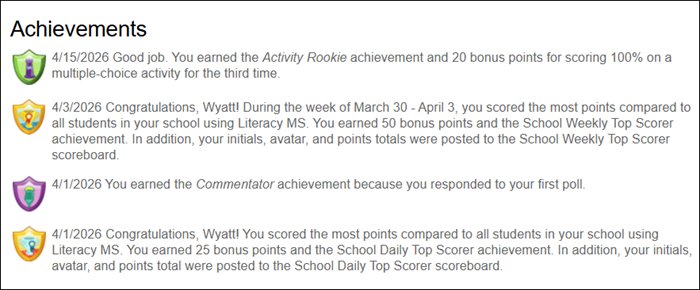
The Achievements section provides a description of each badge that has been earned and the date it was awarded.
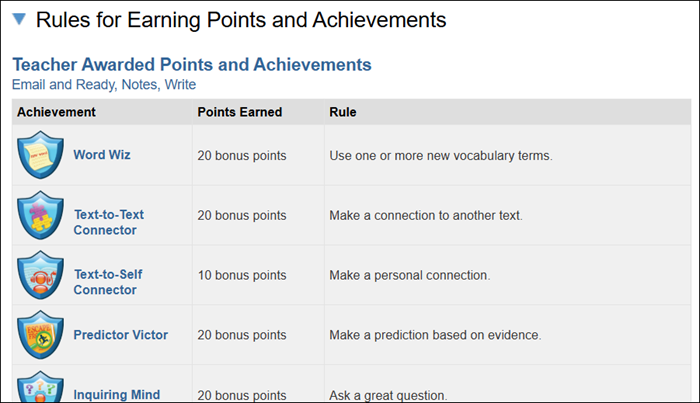
Expand the Rules for Earning Points and Achievements section to view the number of points the badge is worth as well as what is needed to be awarded that badge.
Badge Key
- Rows with gray shading and bold Achievements - Points and achievements that can only be earned once per student.
- Rows without any shading - Points that can be earned continuously, as students cycle through the five-step routine throughout the school year.
- Achievements that are underlined - The most difficult achievements that can be earned.
The first group listed are those that are Teacher Awarded.
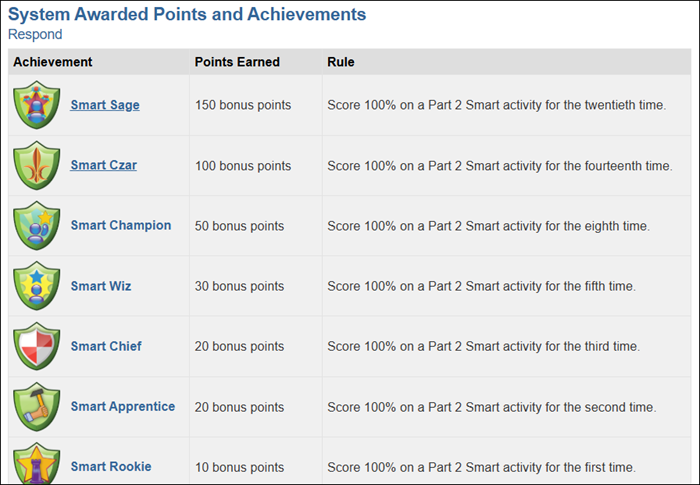
All of the following groupings are System Awarded that are separated into different sections: Respond, Ready & Reflect, Lexile Reading Level Progress, and Daily & Weekly Contests.
Points
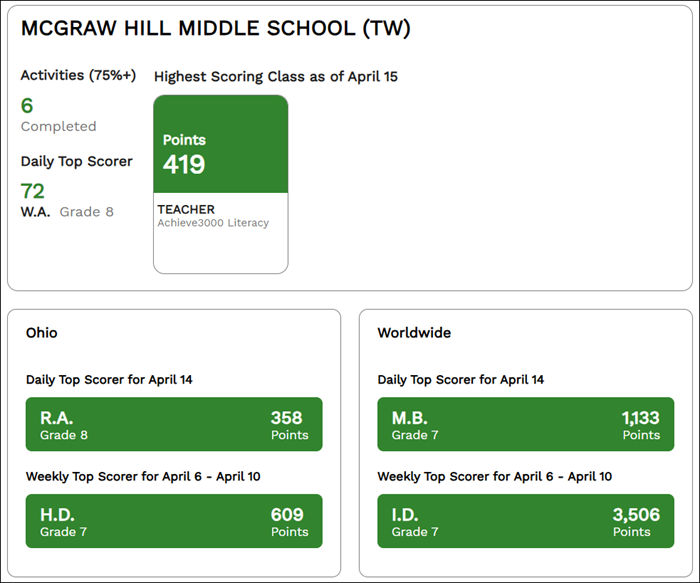
Back on My Scoreboard, the number of activities completed and the points awarded can be viewed. It's broken up into sections of what the student has earned, what the ranking is for the state, and then worldwide.