
Achieve3000 Literacy - Lesson Page Navigation
Learn how to navigate lesson pages in Achieve Literacy as a teacher or student.
- Supplemental
- Getting Started & Orientation
- Literacy
- SSO & Manual-Rostering
- Customer Support
- Direct Login & Auto-Rostering
- Middle School
- Plan & Present
- Direct Login & Manual-Rostering
- High School
- Classroom Teacher
- SSO & Auto-Rostering
- PreK-12
- Preschool
- Achieve3000 Literacy
- Elementary School


Sections Covered:
Access Lesson Plans
Lesson Plan Navigation
5-Step Literacy Routine
Additional Lesson Tools
Access Lesson Plans
If the lesson is showing in the Lesson Carousel at the top of the dashboard, you can click on the View Lesson button to open the lesson. 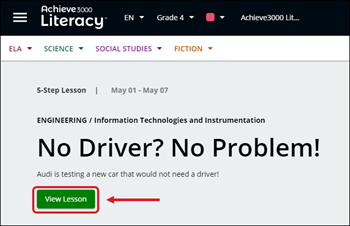
Another option is to click on the lesson tile under one of the lesson sections below the Lesson Carousel. 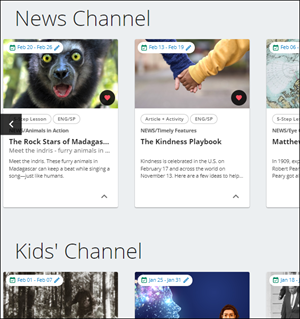
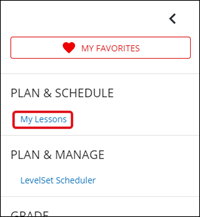
A third option is to access the My Lessons option from the Side Menu.
Lesson Page Navigation
Each lesson is separated into two distinct sides – the left will present the lesson article, also known as the "reading panel", while the right panel, also known as the "instructional panel", is where student work is completed and other supporting materials are accessed.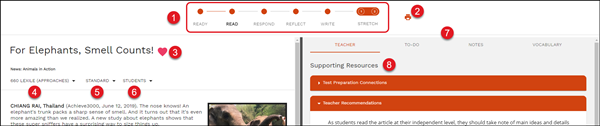
1. Lesson Steps - Click the bullets to navigate through the different steps of the lesson.
Note: Not all lessons have the same number of steps. Lesson steps are gated by default in the Student edition.
2. Print - Click the print icon to print the selected lesson.
3. Favorites - Click the heart icon to add the lesson to your selected favorites.
4. Lexiles - Select the drop-down to choose a different Lexile option for the lesson view.
5. Standards - Select the drop-down to choose a certain set of standards for the selected lesson.
6. Students - Select a student from the drop-down to see the student's view of the selected lesson.
7. Resource Tabs - Select the different tabs to access additional supporting resources for the lesson.
8. Supporting Materials - The section contains various resources to help you prepare and teach the lesson.
9. Assigned Dates - Click on the dates to change the assigned dates for the lesson.
10. Next - Click the Next button to move to the next Lesson Step as an alternative option to clicking on a Lesson Step at the top of the page.
The 5-Step Literacy Routine
The 5-Step Literacy Routine is a proven method for developing the core skills that are essential to success in college & career, including the independent reading of complex texts.
Each step reinforces specific literacy skills and standards. These steps are presented as bullets on the Lesson page.
Step 1 – Ready
Step 2 – Read
Step 3 – Respond
Step 4 – Reflect
Step 5 – Write
Stretch Lessons & Activities
The Stretch Article provides students with the opportunity to demonstrate independence with complex informational texts. This gives students the option to work with the same article they saw in Step 2 of the 5-Step Literacy Routine, but this time at their Stretch level. Students that are currently below grade-level expectations will be stretched to grade level, while students currently meeting grade-level expectations will be stretched one lexile band higher.
This encourages them to apply reading skills with material of greater complexity. The Stretch Activity measures student mastery of specific standards after reading the Stretch Article. The Stretch Article and Activity can be accessed from the Lesson Page by clicking on the tabs above the lesson content.
Additional Lesson Tools
For more information on the available Lesson Tools, read the Achieve3000 Literacy - Lesson Tools article.