
Achieve3000 Literacy - Career Center
Explore the Achieve Literacy Career Center and related student resources.
- Supplemental
- Resources
- Getting Started & Orientation
- Literacy
- SSO & Manual-Rostering
- Customer Support
- Direct Login & Auto-Rostering
- School Student
- Middle School
- Direct Login & Manual-Rostering
- High School
- Classroom Teacher
- School Parent
- SSO & Auto-Rostering
- PreK-12
- Preschool
- Achieve3000 Literacy
- Elementary School


The Career Center is designed to help students track the Lexile progress required for the career(s) of their choice. It provides students with a list of careers to explore and is intended to help motivate students to work toward a career goal. In the Student Edition, students can also select a Top Career and track their ongoing progress toward the Lexile range for the selected career.
To help students learn more about careers of interest, 75 new videos were added to the Career Center! These candid videos help students learn more about their chosen career's academic & Lexile requirements from someone in the field. Videos are linked on the career selection page.
Planning Your Career and Monitoring Lexile® Growth with Achieve3000 PDF
1. Click on the Main Menu icon at the top left of the Student Dashboard.

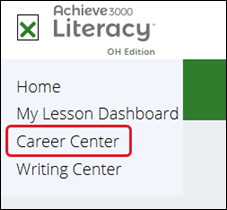
2. Select Career Center from the menu.
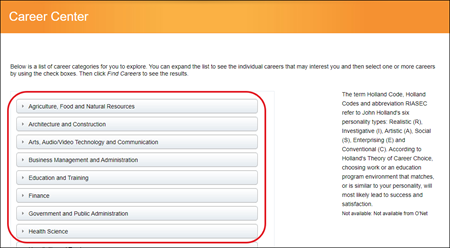
3. Click one or more of the career categories to open the category and see the specific careers within that group.
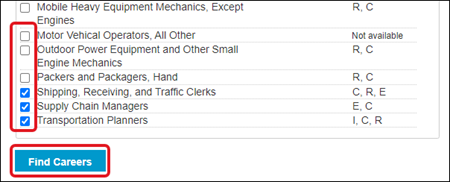
4. Check the box next to one or more of the careers listed, and click the Find Careers button at the bottom to see the details for the selected careers.
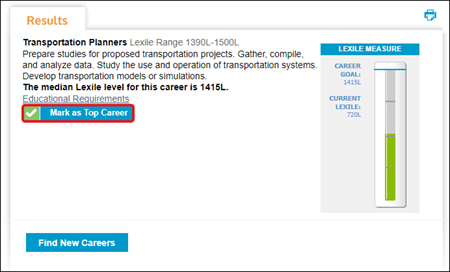
5. Review the details for each career, including a summary, the Lexile range, and the educational requirements for the selected careers. You can also see your progress toward that career using the thermometer graphic.
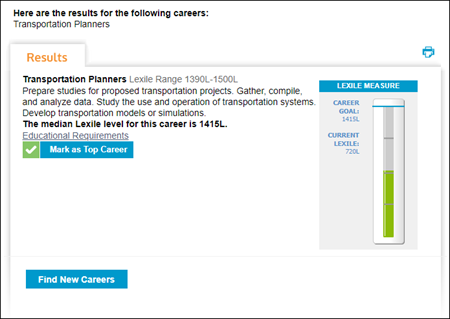
6. To track your progress toward a specific career, select the Mark as Top Career button. Your top career selection is now visible on the Home Page in the dashboard, where you can also track your progress towards the Lexile goal for that career.
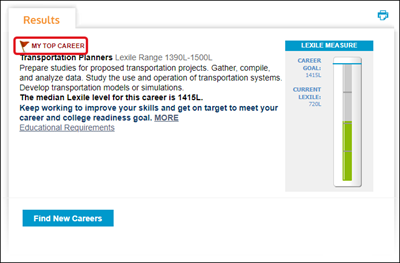
You can change your Top Career at any time by going to the Career Center, and searching for another career.