Navigating the Achieve3000 Literacy Student Career Center
Explore the Achieve3000 Literacy Career Center and related student resources.
- Customer Support
- PreK-12
- School Student
- School Parent
- Elementary School
- Middle School
- High School
- Direct Login & Auto-Rostering
- Direct Login & Manual-Rostering
- SSO & Auto-Rostering
- SSO & Manual-Rostering
- Supplemental
- Literacy
- Achieve3000 Literacy
- Dashboard & Navigation Overview
- Student Resources


The Career Center is designed to help students track the Lexile progress required for the career(s) of their choice. It provides students with a list of careers to explore and is intended to help motivate students to work toward a career goal. In Achieve3000 Literacy, students can select a Top Career and track their ongoing progress toward the Lexile range for the selected career.
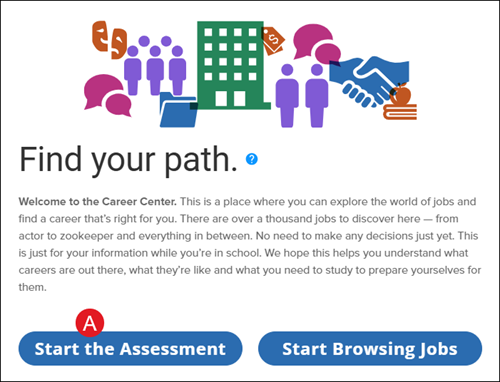
This is a place where you can explore the world of jobs and find a career that’s right for you. There are over a thousand jobs to discover here — from actor to zookeeper and everything in between. No need to make any decisions just yet. This is just for your information while you’re in school. We hope this helps you understand what careers are out there, what they’re like and what you need to study to prepare yourselves for them.
Access the Career Center
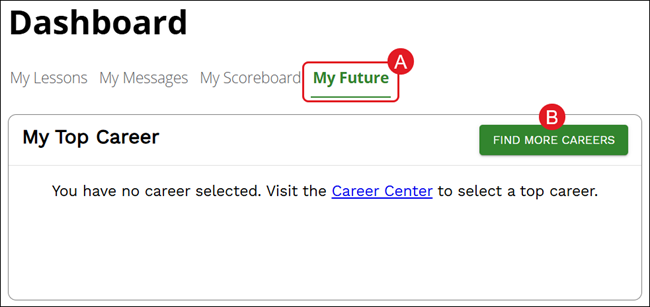
The Career Center can be access from the Achieve3000 Literacy home page by clicking on the My Future tab (A) of the Dashboard. Then click the Find More Careers button (B).
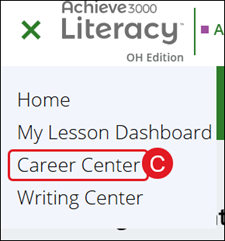
Another option is by clicking on the Main Menu button at the top-left of the page and selecting Career Center (C) from the menu.
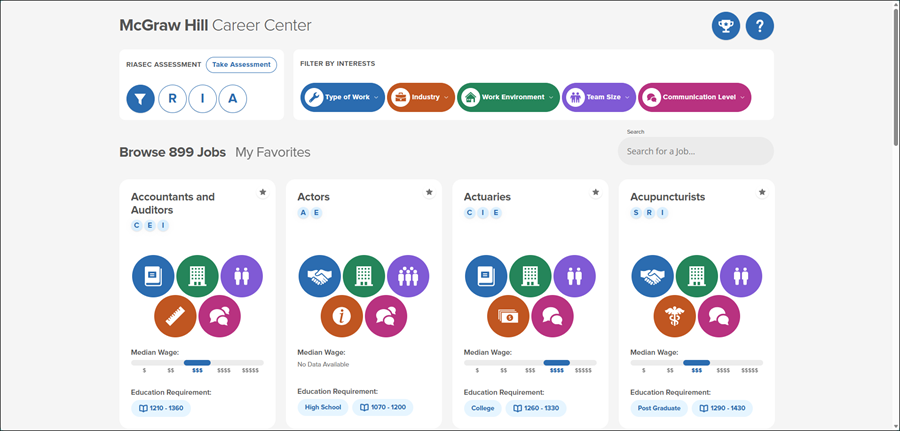
The Career Center will open in a new browser tab.
Interest Profile Assessment
When first accessing the Career Center and to help find your career path, students will want to complete the interest profile assessment. It's a quick and easy way to show how you feel about completing certain tasks. If you're not satisfied with your results, you are able to retake the assessment at any time.
To complete the profile assessment, you can click the Start the Assessment button (A) on the pop-up.
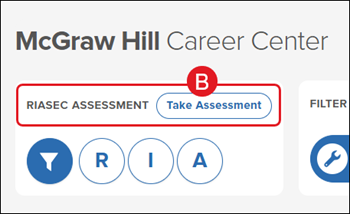
Or you can click the Take Assessment button (B) at the top-left of the Career Center page.
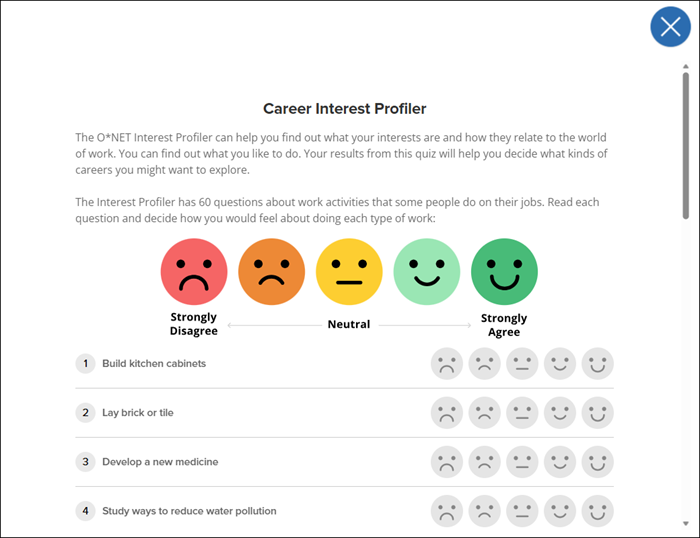
For each question (60 in total), select the emoji that best fits how you feel about that task.
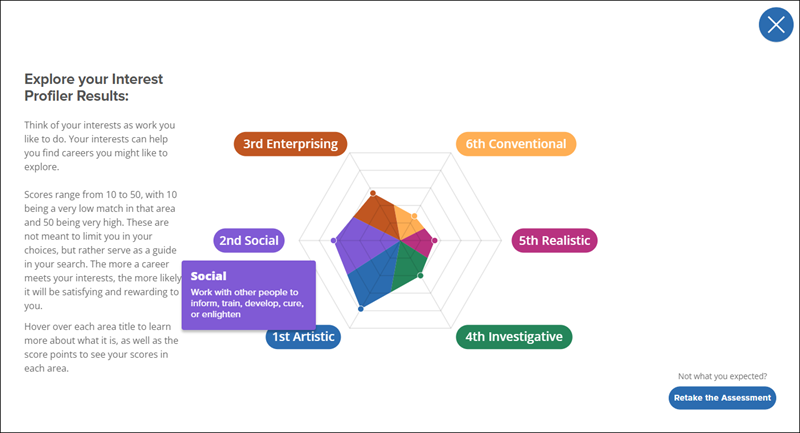
After completing the assessment you'll be able to view your Profiler Results.
Think of your interests as work you like to do. Your interests can help you find careers you might like to explore.
Scores range from 10 to 50, with 10 being a very low match in that area and 50 being very high. These are not meant to limit you in your choices, but rather serve as a guide in your search. The more a career meets your interests, the more likely it will be satisfying and rewarding to you.
Hover over each area title to learn more about what it is, as well as the score points to see your scores in each area.
Browse Careers
Now that you have narrowed down the types of careers you may be interested in, you can navigate through the Career Center and learn more about many of the different options available based on your assessment results.
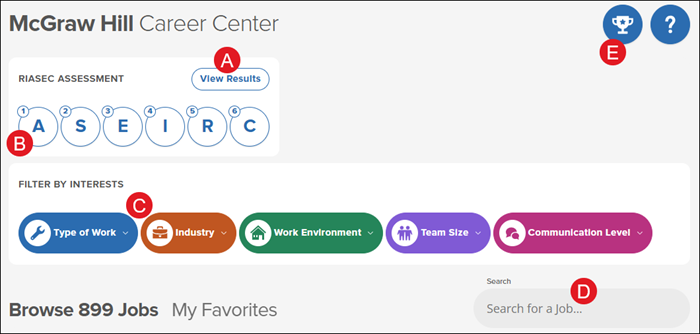
A. Click the View Results button to review the outcome of your interest profile assessment. This is also where you would go to retake the assessment.
B. Click an option in the Riasec Assessment section to filter jobs by specific categories. For example, if you want to find jobs that align with the strongest categories from your results, click the first three options.
Holland Codes and abbreviation RIASEC refer to John Holland's six personality types: Realistic (R), Investigative (I), Artistic (A), Social (S), Enterprising (E) and Conventional (C).
C. You can also Filter By Interests by selecting options from the different drop-downs provided.
D. Enter keywords in the Search for a job field to find jobs that correspond with your entry.
E. Click the My Top Job (trophy icon) to view the job you selected as the one you would like to work towards.
Each career card has a variety of information available for review:
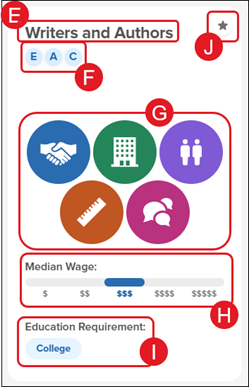
E. The job title
F. The Riasec codes that align with that job.
Holland Codes and abbreviation RIASEC refer to John Holland's six personality types: Realistic (R), Investigative (I), Artistic (A), Social (S), Enterprising (E) and Conventional (C).
G. Hover over each icon to view the Type of Work, Work Environment, Team Size, Industry, and Communication Level for the job.
H. The average wages earned.
I. The educational requirements needed.
J. Click the star icon to mark the job as a Favorite.
Click on a job title to view additional details such as the job description, activities, and skills.
K. Click the Top Job (trophy icon) to select the career as your target career.
Only one Top Job can be selected, however, this can be changed as many times as you would like.
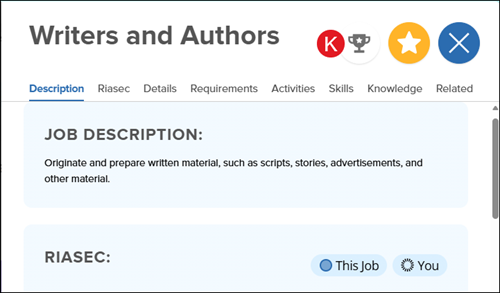
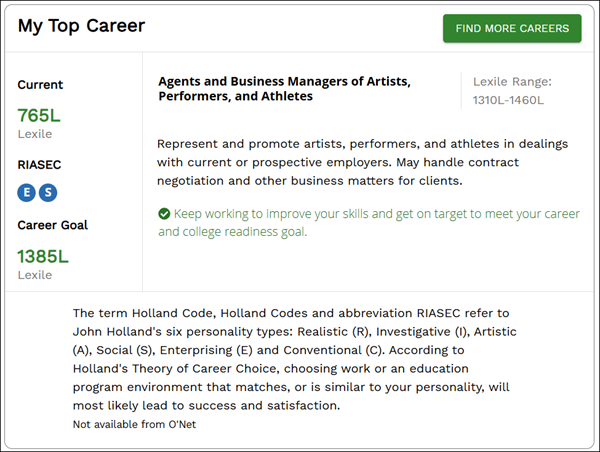
Once you've selected a Top Job, you can view the selected option from your Dashboard under the My Future tab.
The section will show your current Lexile score and the Career Goal Lexile that you'll want to try and obtain as you work through your lessons.