Why can’t I edit an approved Project?
Learn why approved projects can't be edited in Create and what to do if you need to make changes.
- Higher Education
- Customer Support
- Create
- User Guides & Account Management
- Instructor


An approved Project has been finalized for publishing and cannot be edited. You can, however, duplicate an approved Project and then edit the duplicate.
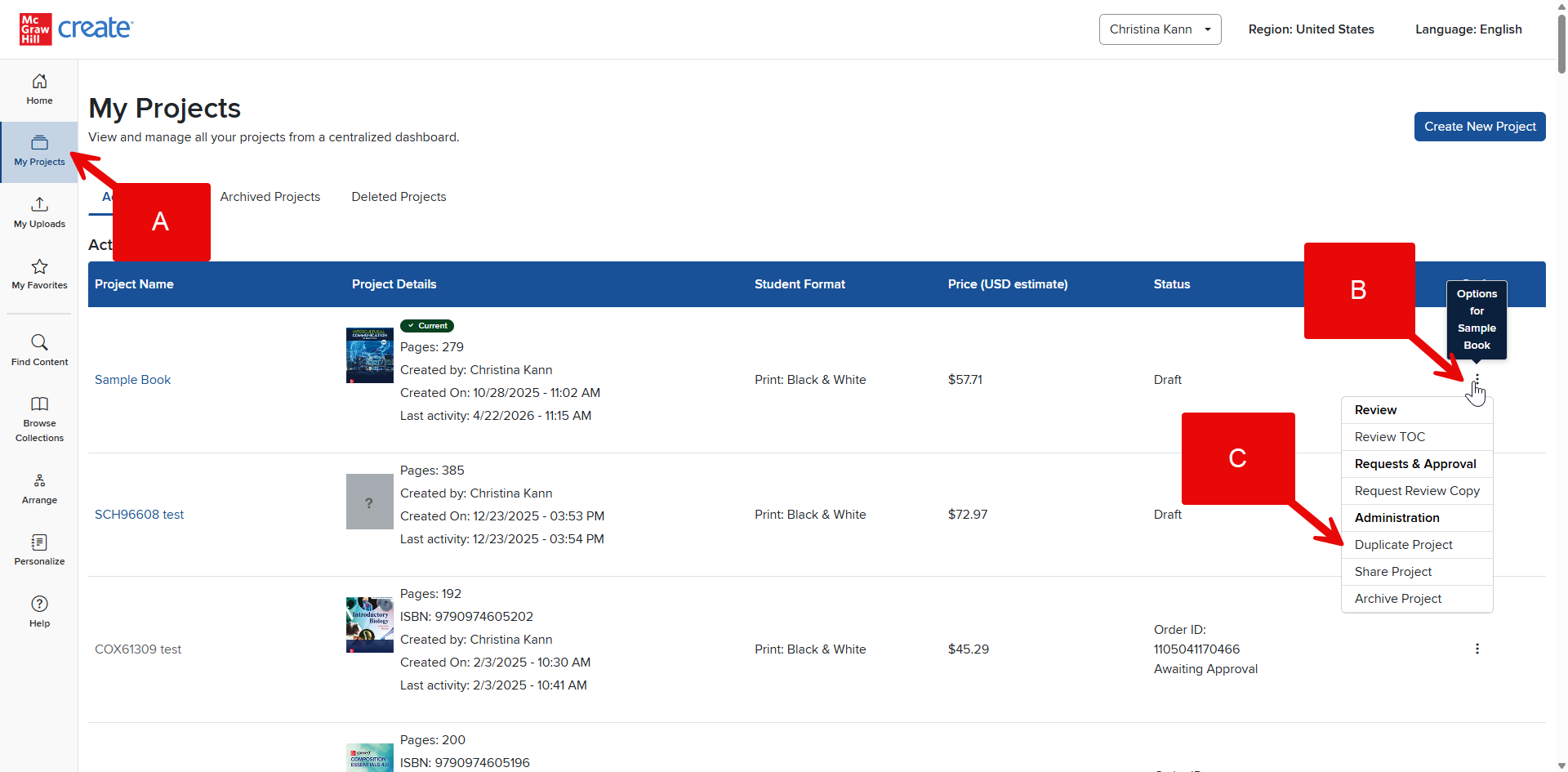
Step 1: Click My Projects (A) in your Account Menu to view a list of all your Projects.
Step 2: On the far right of the Project’s listing, click the three dots under Options (B).
Step 3: Click Duplicate Project (C).
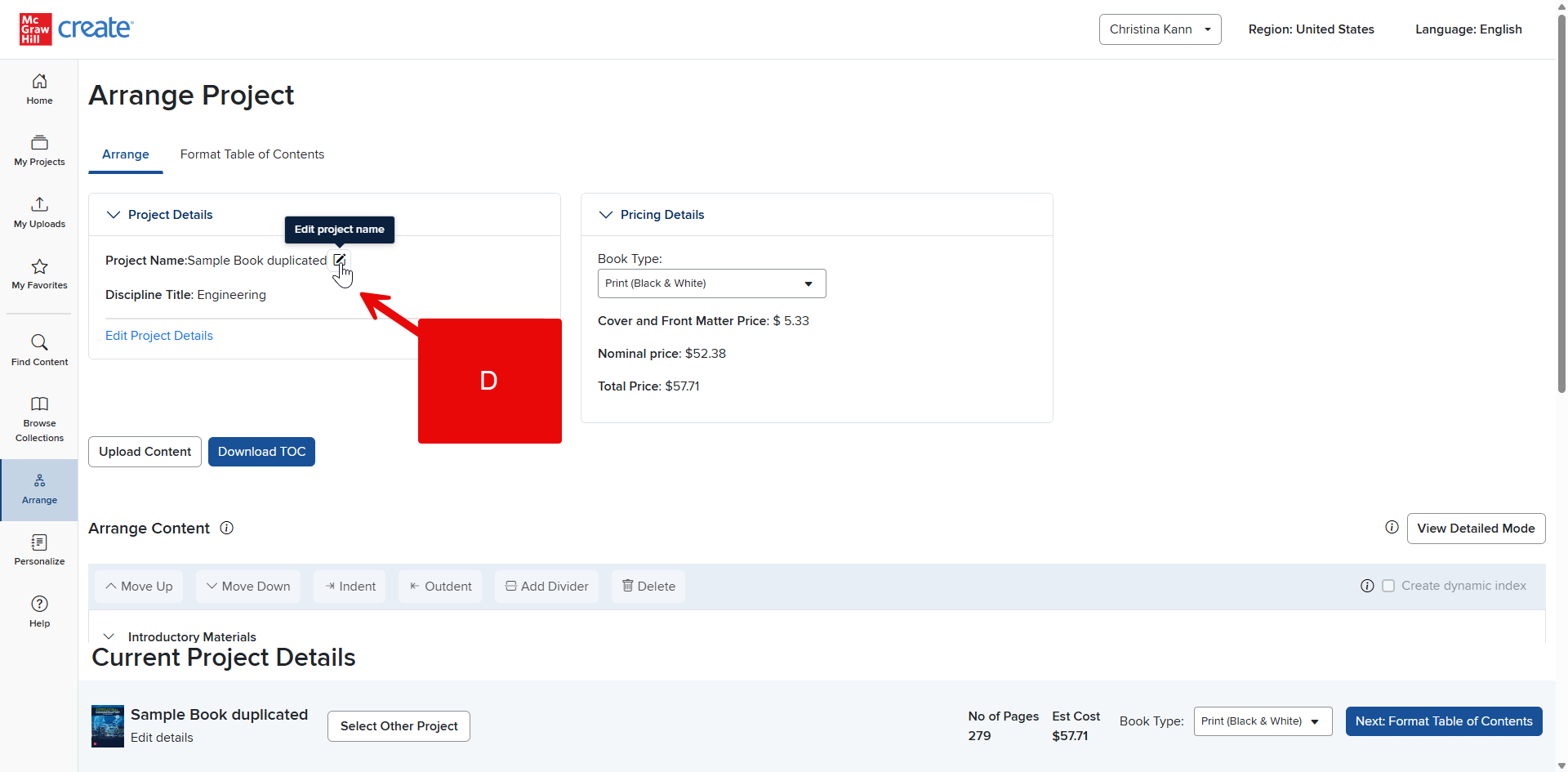
Step 4: You’ll receive a confirmation message indicating that your Project has been duplicated and prompt you to arrange that new Project.
Step 5: The duplicated Project will have the same title as the original with the word “duplicated” tacked onto the end. To rename your duplicated Project, go to the Arrange tab and click the edit button next to its current name (D).