What is an archived project?
Find out what an archived project is in Create, why Projects are archived, and what actions are available.
Tags
- Higher Education
- Customer Support
- Create
- User Guides & Account Management
- Instructor


An archived Project is a Project you no longer want to be listed in your Active Projects list for whatever reason. An archived Project can be made active again at any time.
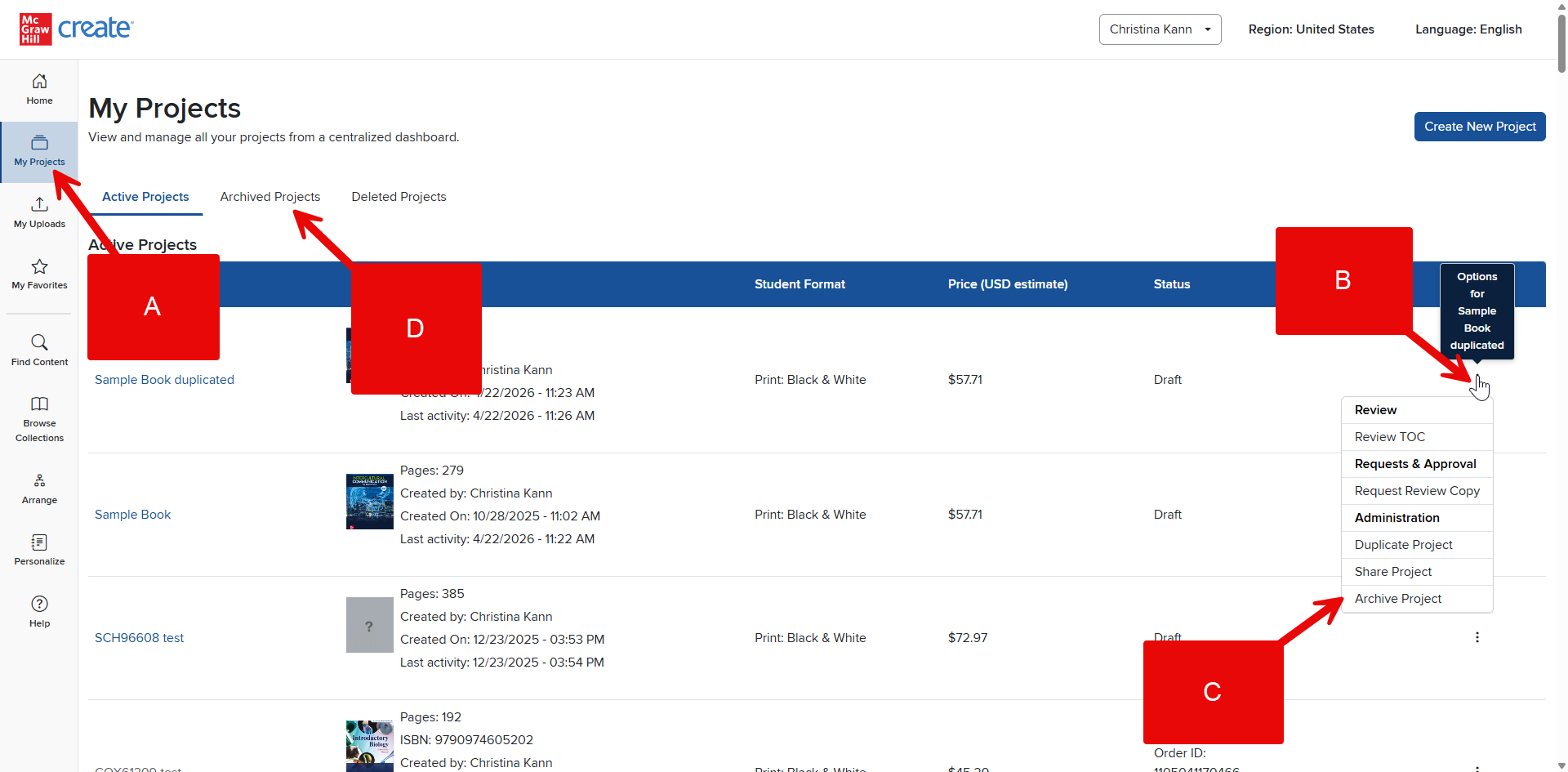
Step 1: Click My Projects in your Account Menu to view a list of all your Projects (A).
Step 2: On the far right of the Project’s listing, click the three dots under Options (B).
Step 3: Click Archive Project (C).
Step 4: Your Project will be moved to Archived Projects (D).