
Out-of-Print Content
Learn how out-of-print content is handled in Create and what options are available for your project.
Tags
- Higher Education
- Customer Support
- Create
- User Guides & Account Management
- Instructor


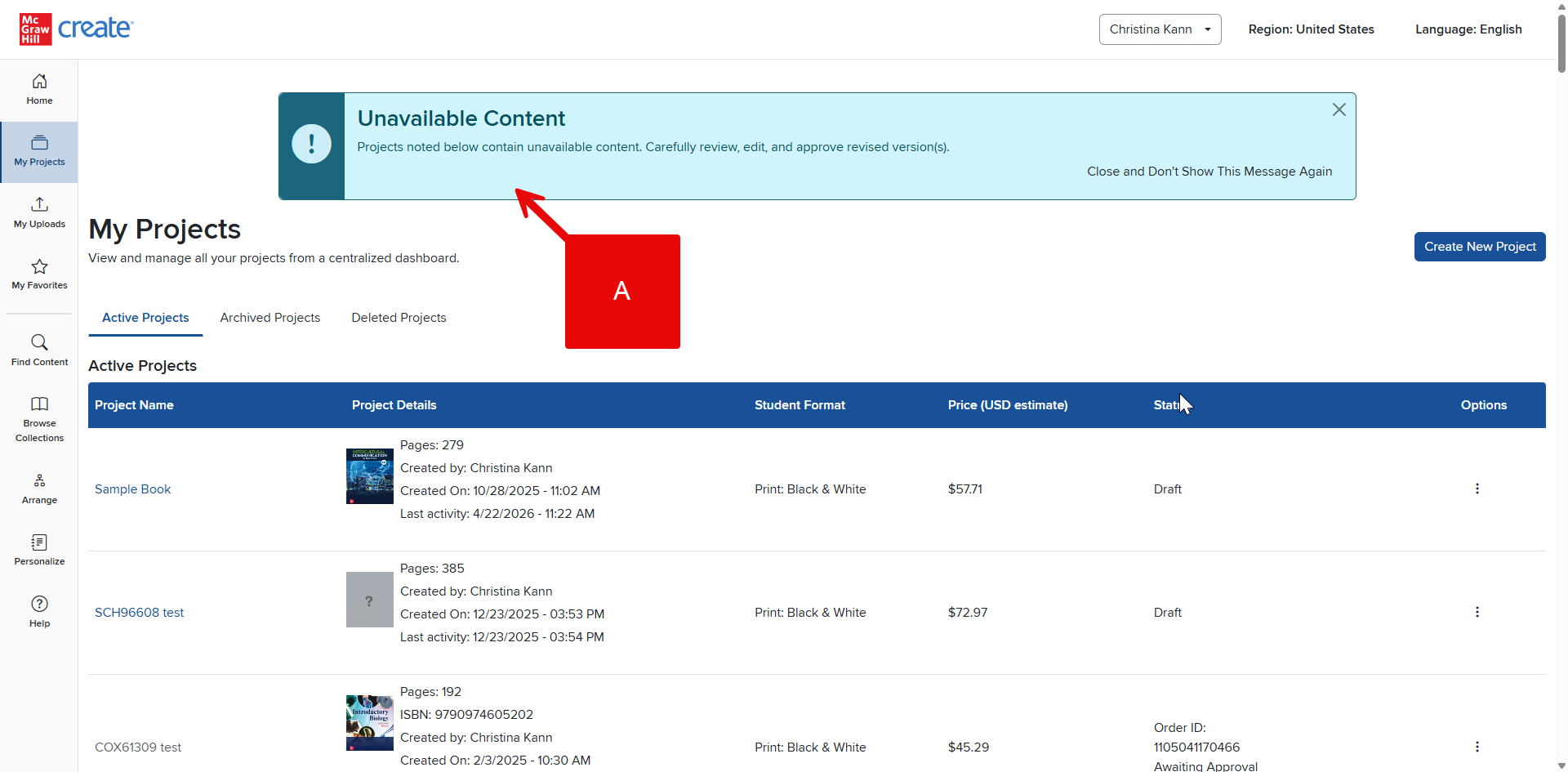
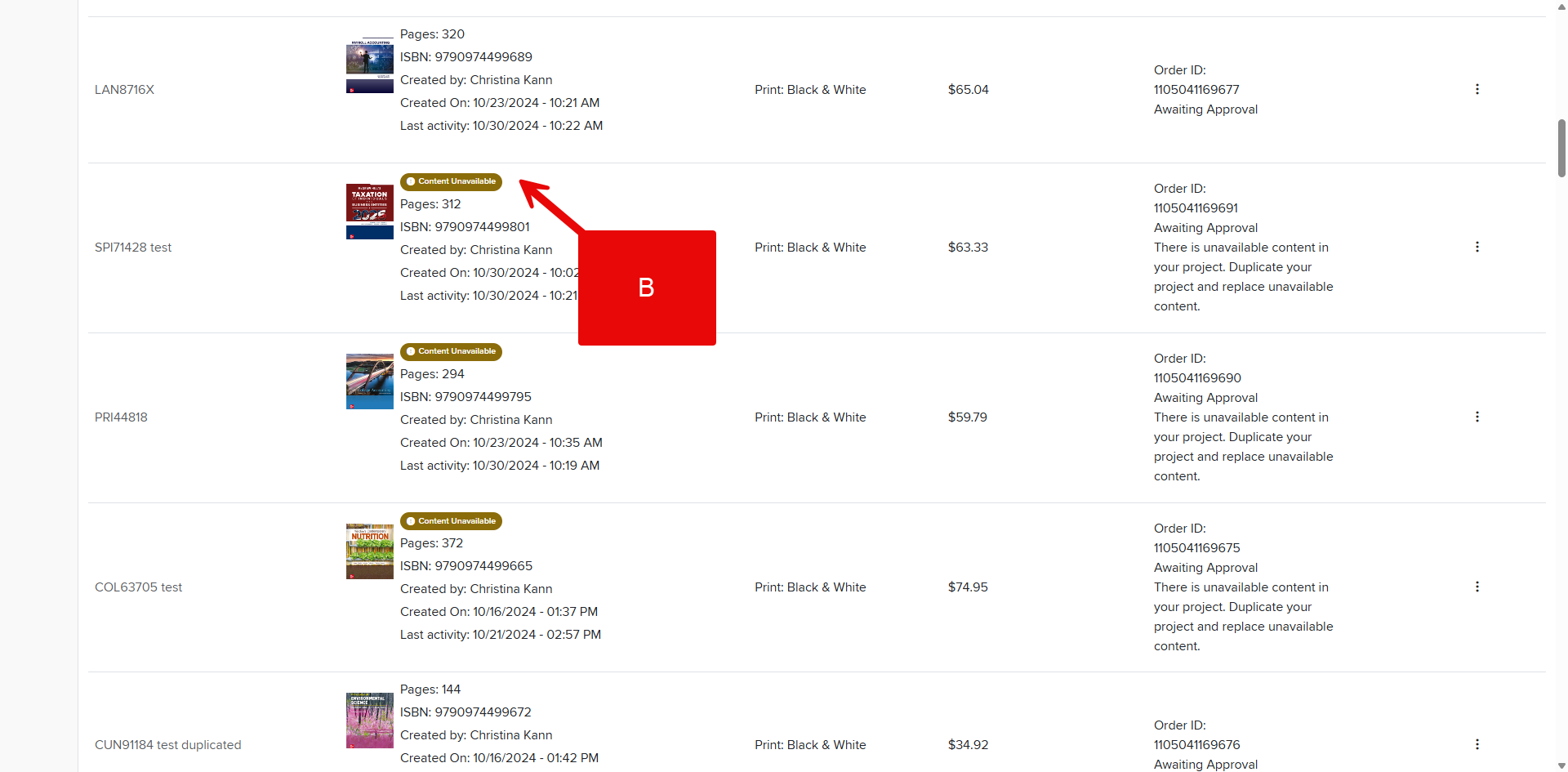
If you duplicate a Project containing content that is now out of print, you'll be able to see that at the top of the My Projects page as a banner (A) as well as in your list of Projects (B).
If you have out-of-print content in your Project, you must delete or replace it to move forward with publication.
