
McGraw Hill Go - Change selected book
Access and use MH GO book content within supported learning platforms.
Tags
- Higher Education
- Customer Support
- Instructor


The following steps will allow you to change the book selection for your McGraw Hill GO course:
- Click on the McGraw Hill GO tool link in your LMS.
- Click on Change Paired Product option from the Course Options Kebab menu.
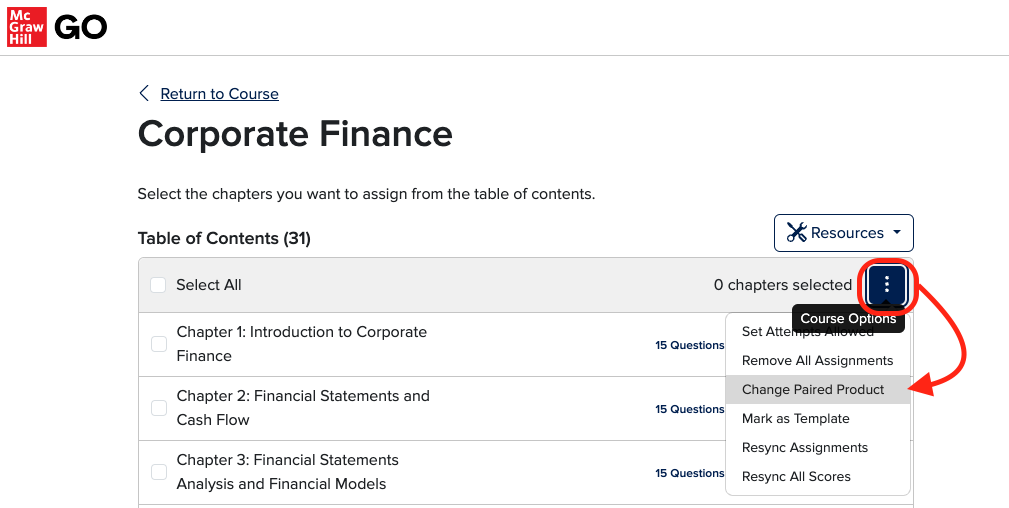
- Click on Confirm.
- The product will be reset and you will be returned to your LMS.
- Relaunch McGraw Hill GO and choose another product.
