
How do I share a Project?
Learn how to share a Create project with colleagues for review, collaboration, or approval.
Tags
- Higher Education
- Customer Support
- Create
- User Guides & Account Management
- Instructor


Step 1: Access My Projects in your account menu (A).
Step 2: Select Share Project from the Options menu (B) of the Project you wish to share. 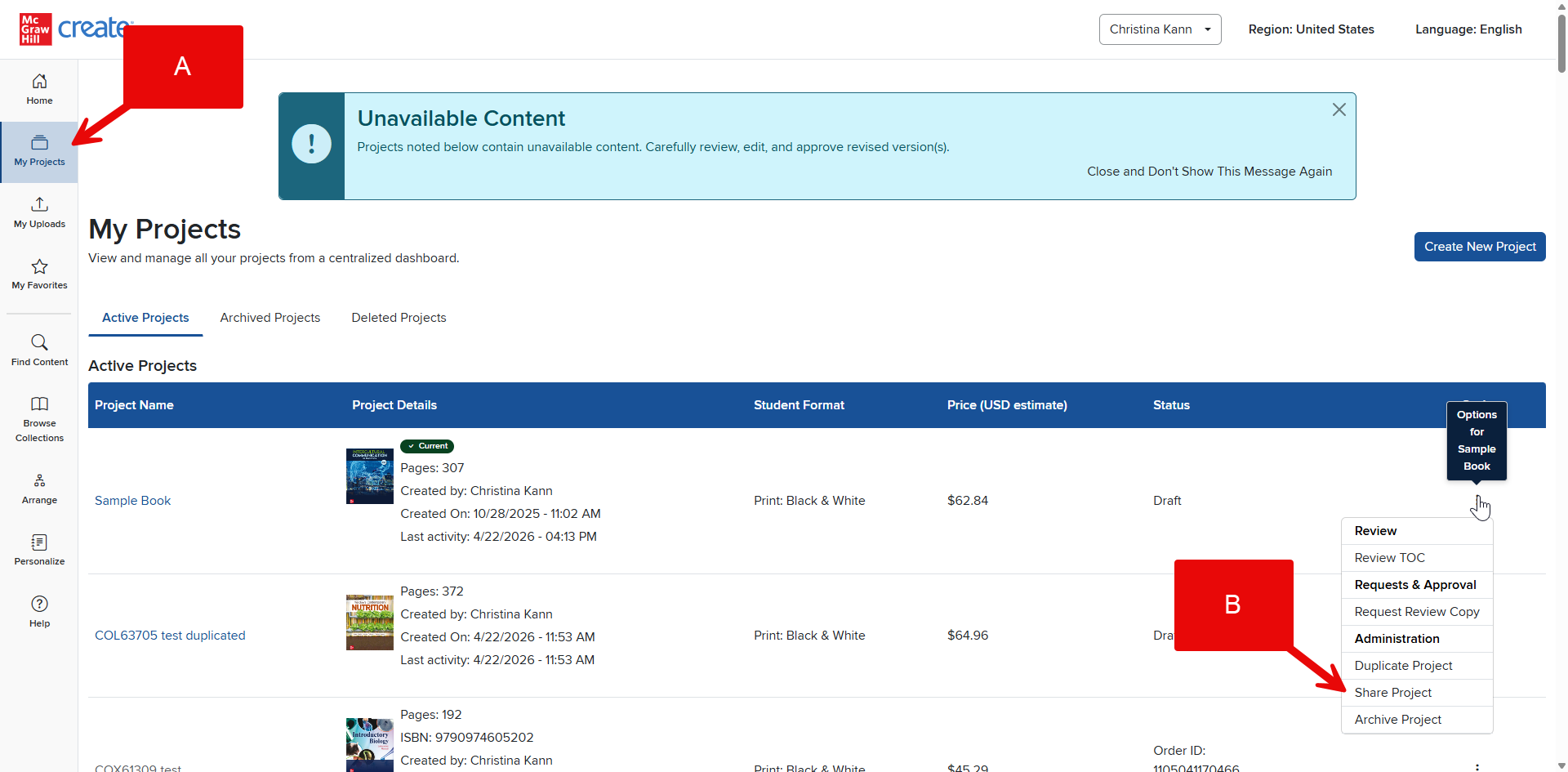
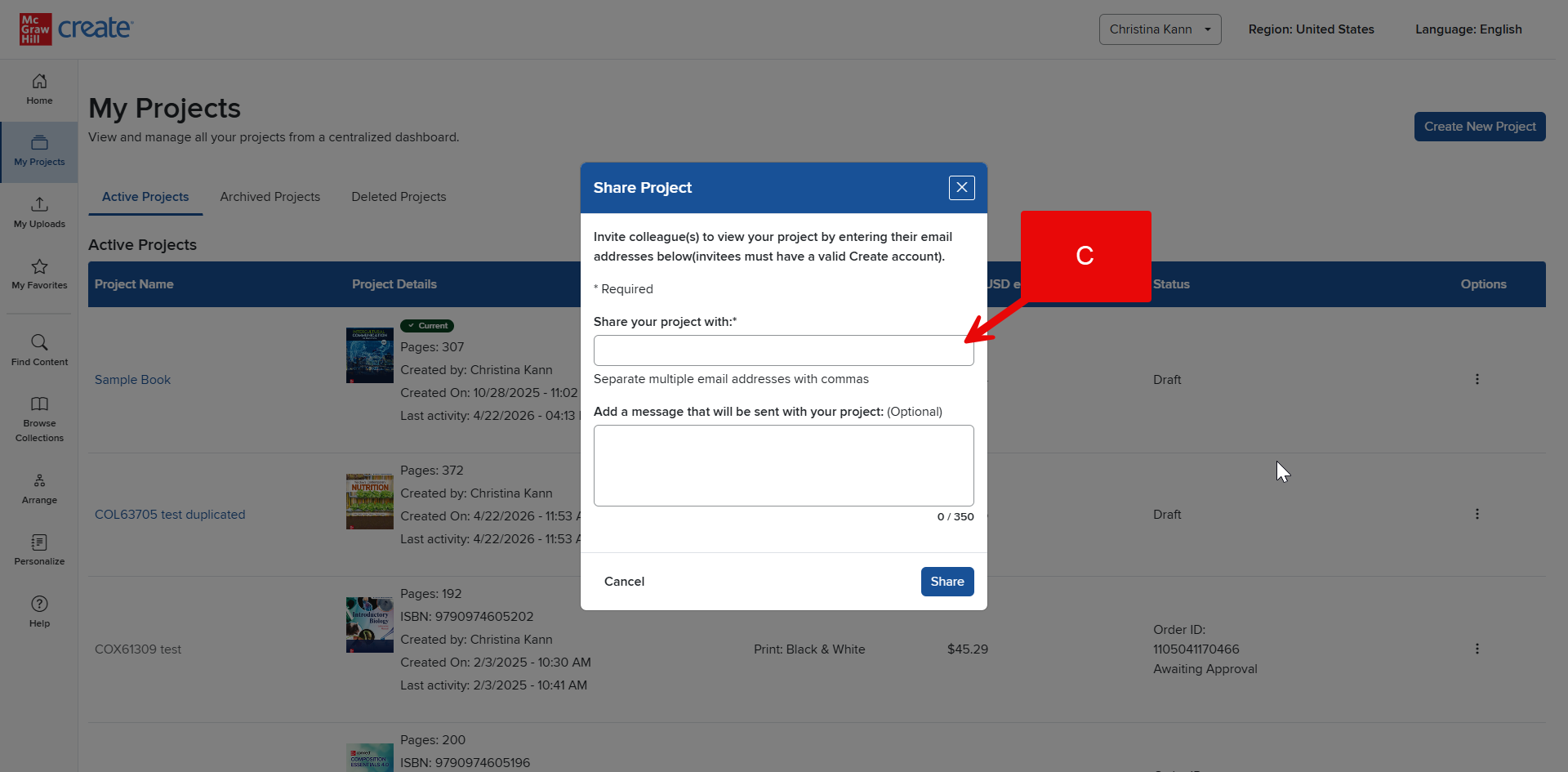
Step 3: Insert the email address of the colleague with whom you wish to share your Project (C) and click the Share button.
Note: Projects with custom uploaded content cannot be shared.
