
How do I know if I'm using LTI Advantage?
Check whether your course is paired using LTI Advantage.
Tags
- Higher Education
- Customer Support
- Connect
- Course Management
- Instructor


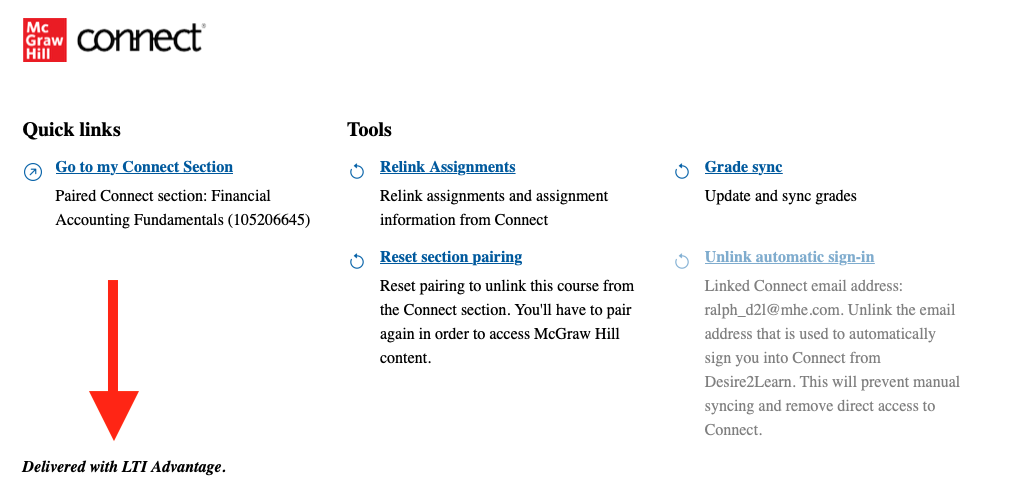
When you launch Connect from your LMS, you will see the Connect widget. You will see the message
Delivered with LTI Advantage in the lower-left corner. If you do not see this message, the tool you are using is not LTI Advantage. In some LMS', you may need to scroll down to see this message.
If your Connect section is paired, you can quickly find out which integration it was paired with by accessing the section pairing screen.
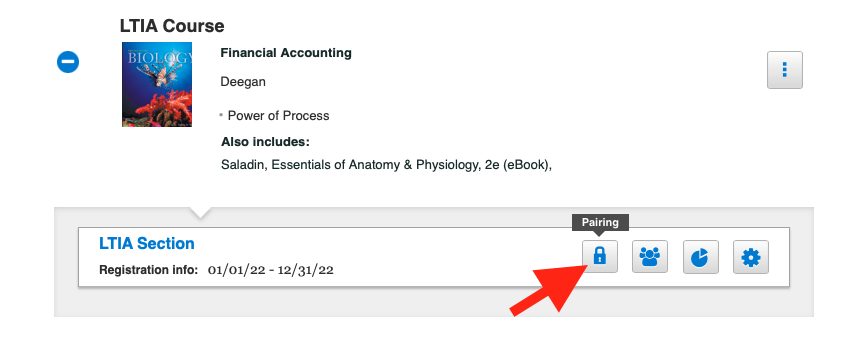
If you do not see a padlock icon next to the section title, your Connect section is not currently paired with an LMS. If you need help pairing your course or account, please take a look at the Getting Started section for your specific LMS.
If your Connect section is paired, you can quickly find out which integration it was paired with by accessing the section pairing screen.
- Navigate to the Connect My courses page.
- Click on the padlock icon to the right of the section title.
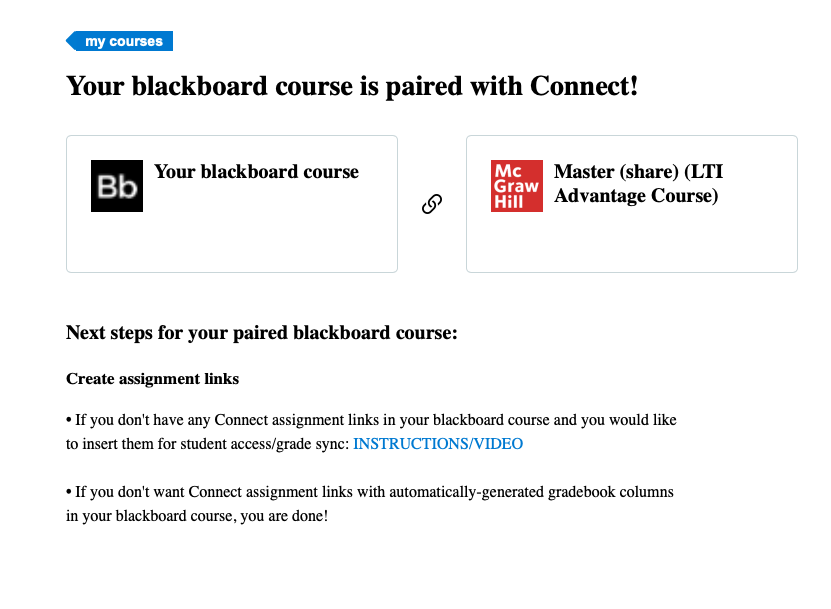
- If the screen looks like this, you are using the LTI Advantage integration.
If you do not see a padlock icon next to the section title, your Connect section is not currently paired with an LMS. If you need help pairing your course or account, please take a look at the Getting Started section for your specific LMS.