How do I indent and outdent content?
Find out how to indent and outdent content in Create to organize sections or chapters within your project.
Tags
- Higher Education
- Customer Support
- Create
- User Guides & Account Management
- Instructor


Indenting and outdenting content allows you to place content within chapters or sections or pull it out of the current content hierarchy it is currently in.
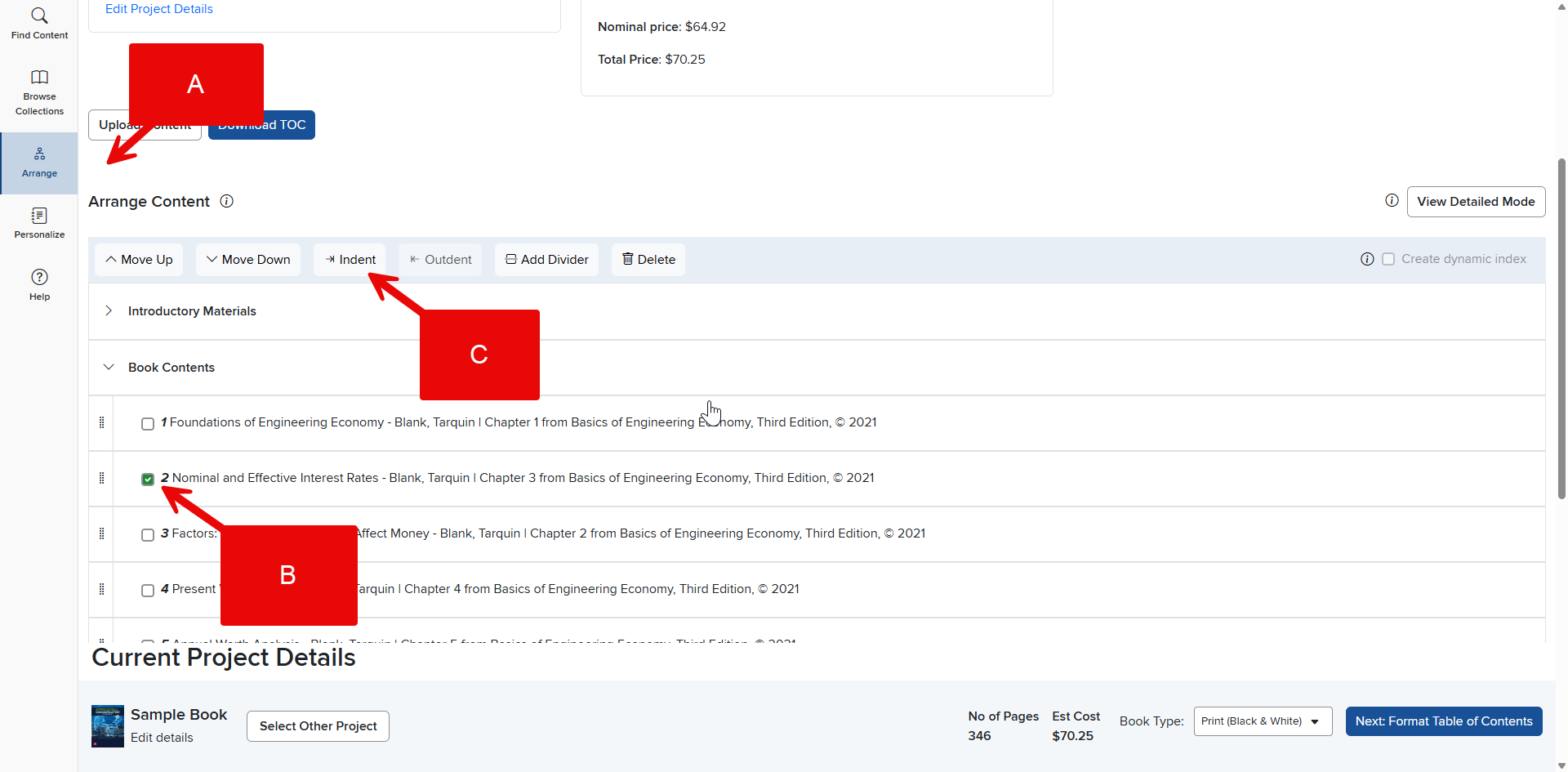
- Click the Arrange tab in the Create Menu (A).
- Click the check box in the content row you want to adjust to select it (B).
- Click the Indent or Outdent icon in the pop-up menu at the top of the contents list (C). Your content will be adjusted and renumbered automatically.
Note: If the selected content you want to adjust is at the top level, the outdent icon will be disabled. If the content is a fifth level sub-item, then the indent icon will be disabled. Create has a maximum of five levels of content.