How do I delete a project?
Follow these steps to delete a project in Create when it's no longer needed.
Tags
- Higher Education
- Customer Support
- Create
- User Guides & Account Management
- Instructor


Create allows you to move Projects you no longer want to an area called Deleted Projects. You must archive a Project before you can move it to Deleted Projects. Deleted Projects can be duplicated or made Active again if needed.
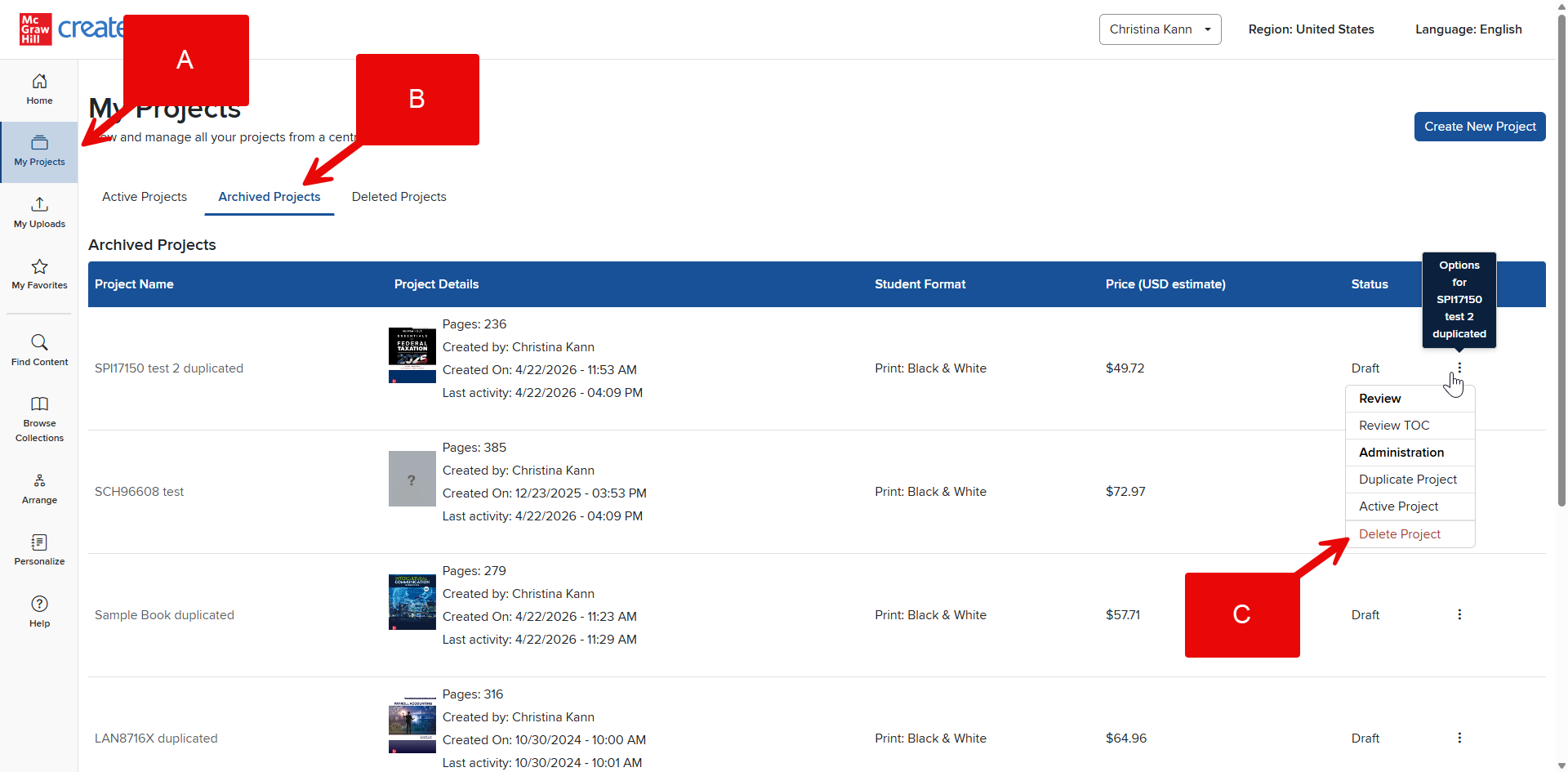
Step 1: Click My Projects in your Account Menu (A).
Step 2: Navigate to your Archived Projects (B).
Step 3: In the Project’s Options menu, select Delete Project (C).
Step 4: Your Project will be moved from Archived Projects to Deleted.