How do I create a new Project?
Learn how to create a new project in Create and begin building your custom course materials.
Tags
- Higher Education
- Customer Support
- Create
- User Guides & Account Management
- Instructor


In order to create a new Project, you will need to have registered for a Create account and be signed into Create.
There are two ways to create a new Project.
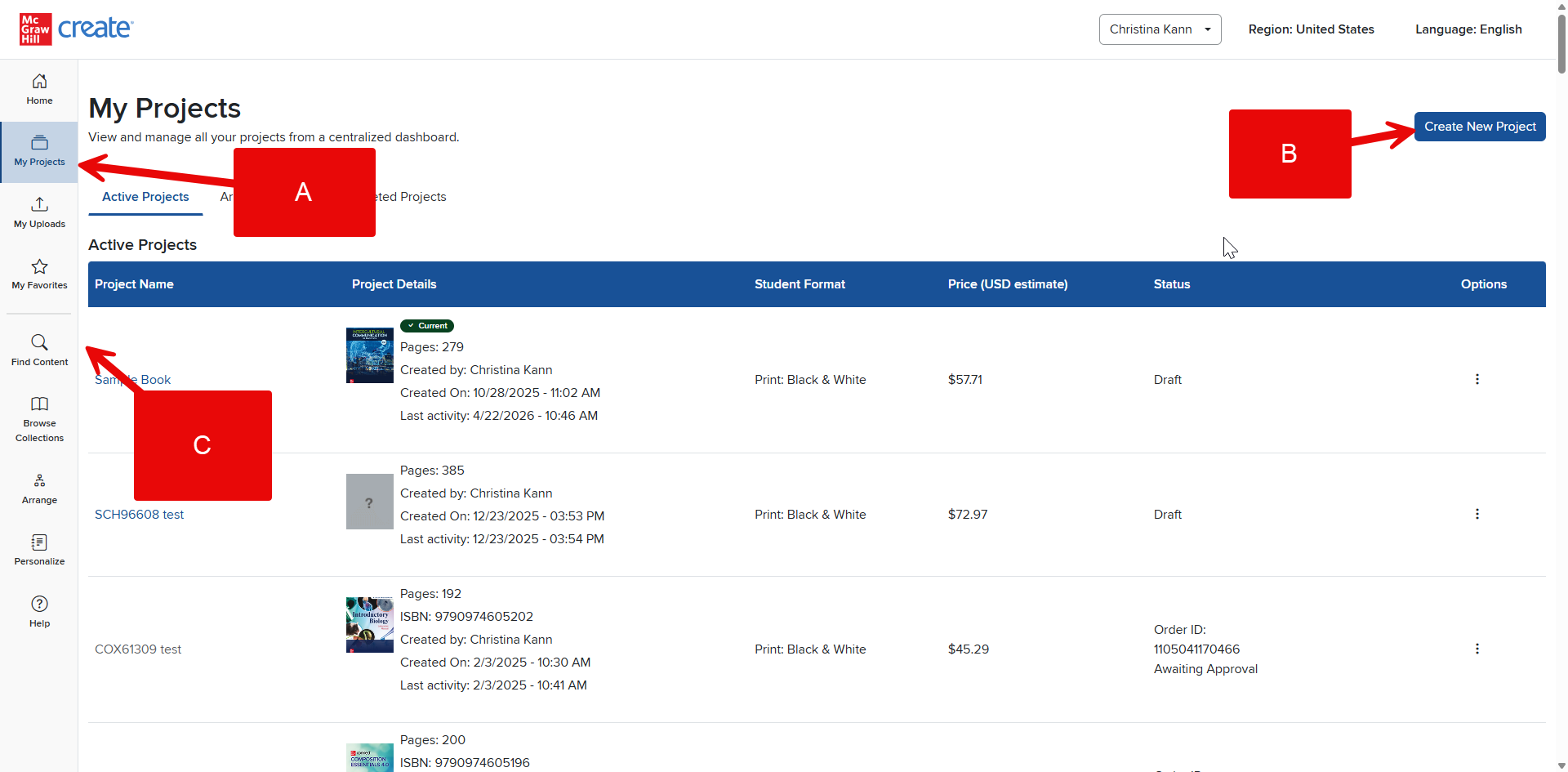
Click My Projects in your Account Menu (A). You’ll see a list of all your projects, if you have any. At the top of the page, you can select Create New Project (B) to start a new Project.
Alternatively, click Find Content (C) to return to the Create homepage if you are not already there. From here, you can begin searching for the content you wish to include in your text. As you add content to the book, Create will automatically start your new Project.