How do I build a 6 x 9 custom book?
Learn how to build a 6 x 9 custom book in Create, including layout, formatting, and setup considerations.
Tags
- Higher Education
- Customer Support
- Create
- User Guides & Account Management
- Instructor


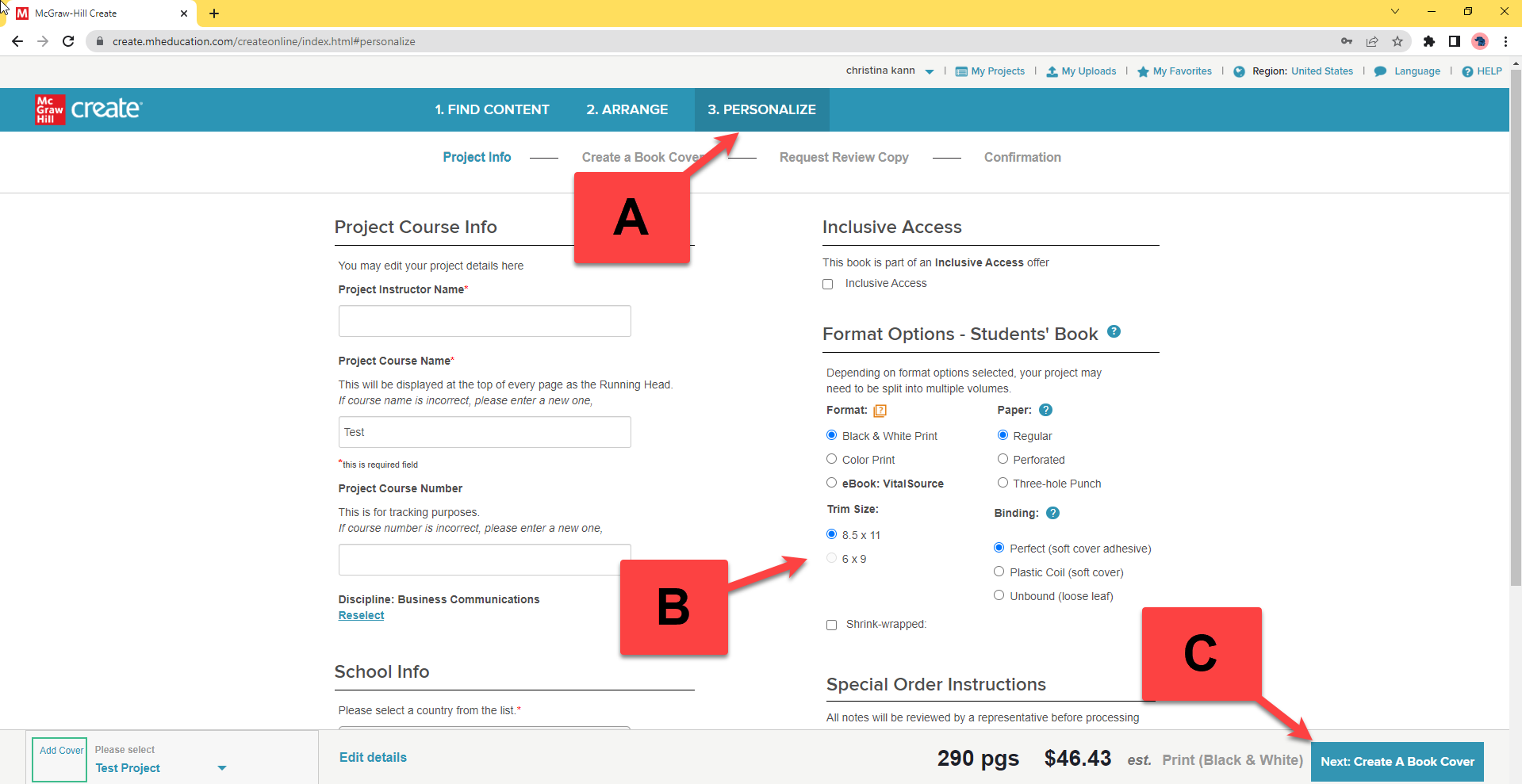
Step 1: After you’ve selected and arranged content for your custom book, click Personalize in the Create Menu (A). Input your course info.
Step 2: Locate the option to Choose Trim Size and select 6x9” (B).
Step 3: Click Next: Create a Book Cover (C). Then customize your book cover.
Note: If your Project contains content only available in 8 ½ x 11”, the 6x9” custom book option will not be available.