How can I delete content added to my Project?
Follow step-by-step instructions to delete content from your Create project and keep your materials up to date.
Tags
- Higher Education
- Customer Support
- Create
- User Guides & Account Management
- Instructor


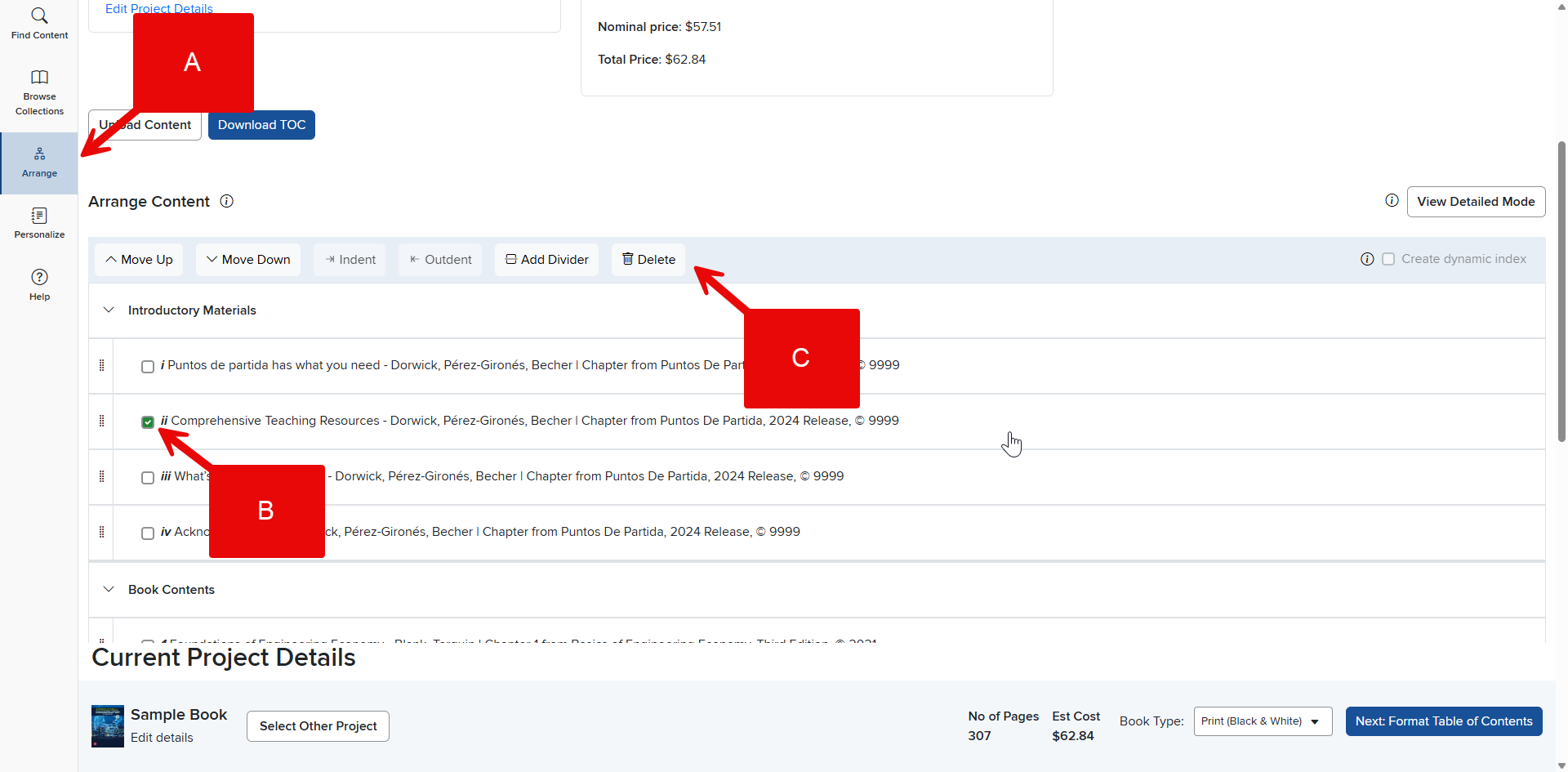
Step 1: Make sure you have the correct Project selected. Click the Arrange tab in the Create Menu (A).
Step 2: Locate the content you wish to delete and click on the corresponding checkbox to the left of the name (B). You can select multiple boxes to delete multiple pieces of content.
Step 3: Click Delete next to the trashcan icon at the top of the content list (C).