How can I add a divider to my content?
Learn how to add dividers in Create to organize content and improve readability within your custom project.
Tags
- Higher Education
- Customer Support
- Create
- User Guides & Account Management
- Instructor


You can add dividers between any top-level items. Dividers help you organize content into logical groups and appear at the same level as a top-level item. You cannot indent dividers.
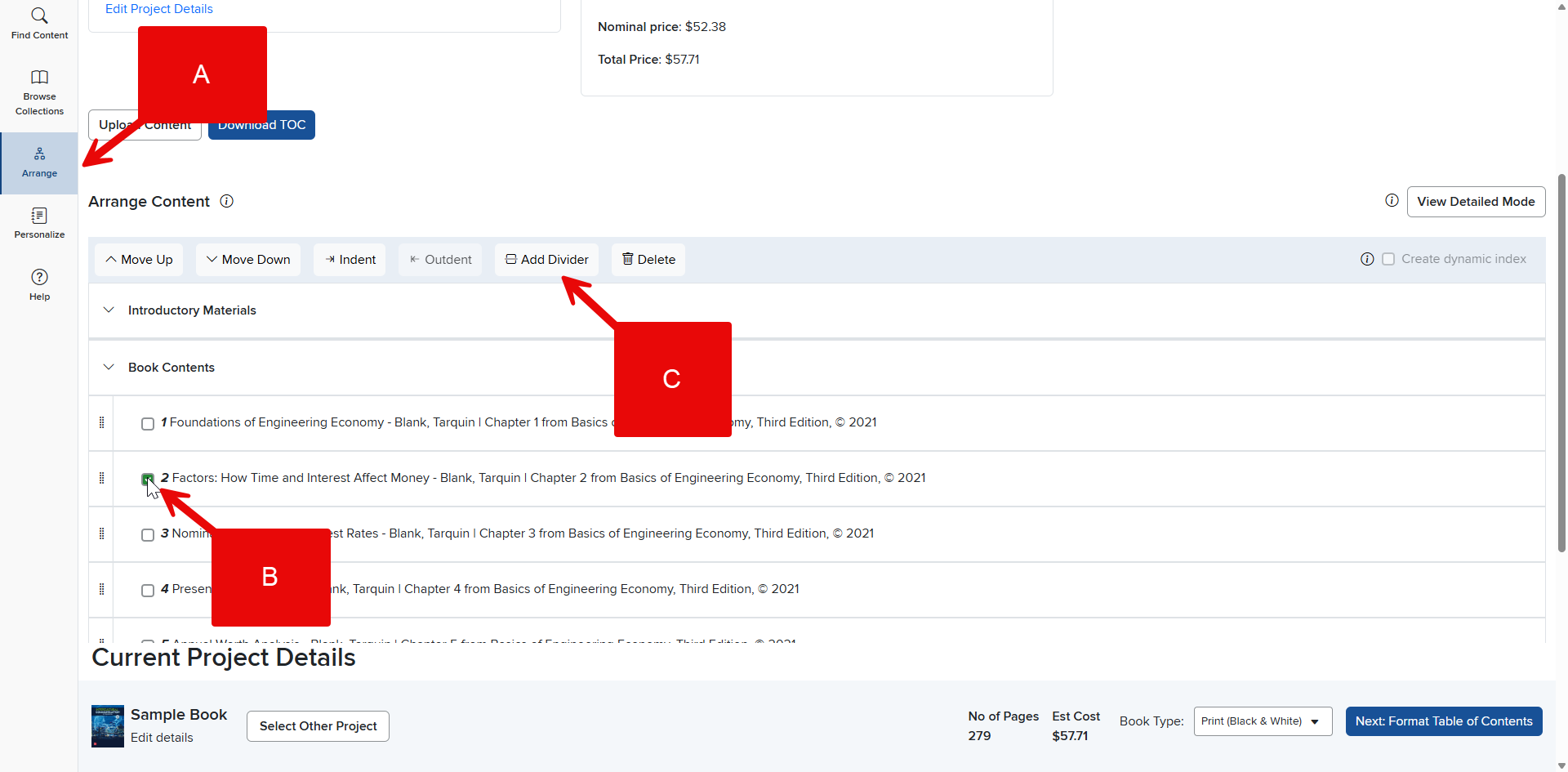
Step 1: Click the Arrange tab in the Create Menu (A).
Step 2: Click the check box in the content row you want to add a divider before (B). That is, check the first content row you want to come after the divider.
Step 3: Click Add Divider (C) at the top of the content list.
Step 4: Enter a name for the divider and hit Enter. The new divider is now part of your content, and you can move it up and down in the content list.