
Connect - View Assignment Submission Details
Review detailed submission information for Connect assignments.
Tags
- Assignment Issues
- Higher Ed Student
- Higher Education
- Customer Support
- Connect


To view the details of your assignment submission, follow the steps below:
- Navigate to your Connect section home page.
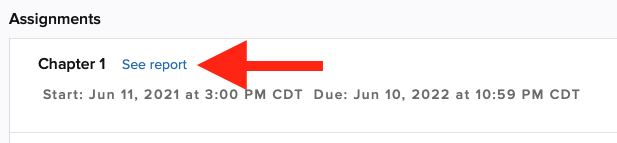
- Click on the See report link next to the assignment name.
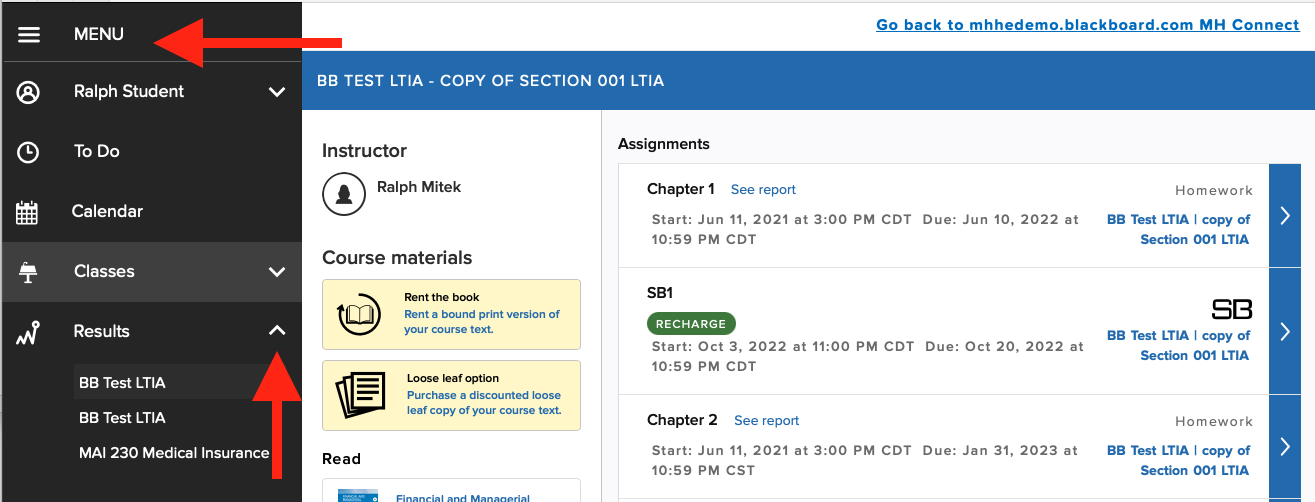
- Alternatively, you can click the Menu in the upper-left corner and click on the name of your section under the Results section.
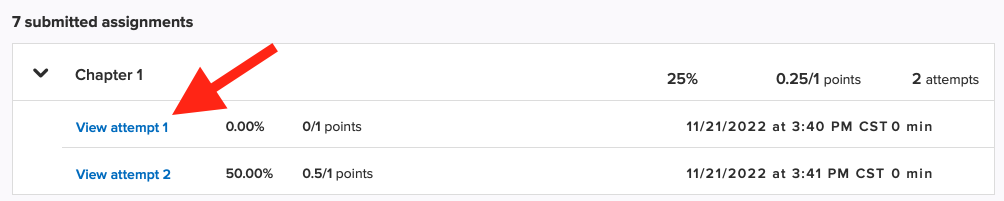
- Click on your submitted assignments to view more information about each attempt you've submitted.
- You can view additional feedback for some assignments by clicking on View attempt.
Note: Your instructor can limit the feedback that is available to you upon submission. If you see a dash (-) instead of a score, it means the score is hidden and may become available at a later time.
