
Connect - Using the Section Performance Widget
Run class reports in Number Worlds to monitor student progress.
Tags
- Higher Ed Student
- Higher Education
- Customer Support
- Connect
- Course Management
- Instructor


At a glance see how well your students are doing on your course assignments using this widget (found on your Section Home page).
Each bar represents an assignment that has been completed by your students in this section. You can customize the default set of assignments and choose the assignments you want to appear by clicking the gear (options) icon.
Rolling your mouse over any of the bars in the chart provides additional details on that assignment, and clicking a bar in the chart takes you to the Assignments Results detail report.
You can easily look up specific students by typing their name in the field at the bottom of the widget.
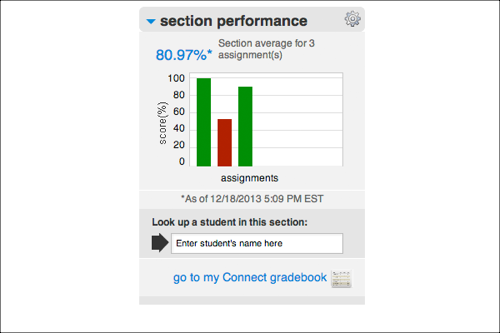
Each bar represents an assignment that has been completed by your students in this section. You can customize the default set of assignments and choose the assignments you want to appear by clicking the gear (options) icon.
Rolling your mouse over any of the bars in the chart provides additional details on that assignment, and clicking a bar in the chart takes you to the Assignments Results detail report.
You can easily look up specific students by typing their name in the field at the bottom of the widget.
