Connect - Using the Instructor Information Widget
Access student reports in Number Worlds to review performance.
Tags
- Higher Ed Student
- Higher Education
- Customer Support
- Connect
- Course Management
- Instructor


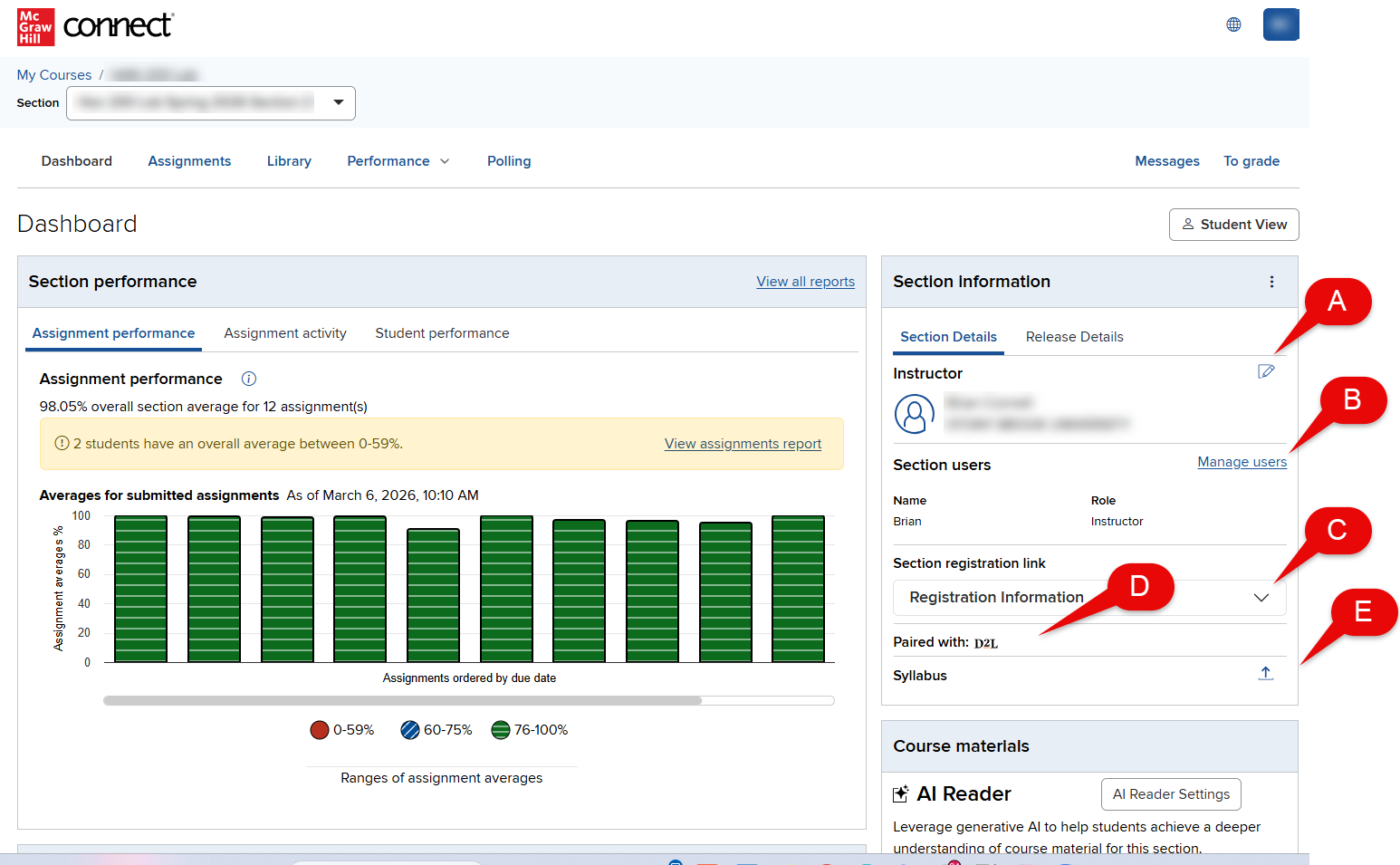
To add instructor information, such as a photo, email address or office hours, click the Edit instructor information (A). In the widget you can Manage Section users (B) - Co-Instructors/Teaching Assistants, access the Section Registration Information (C), Pairing Information (D) and Syllabus (E).
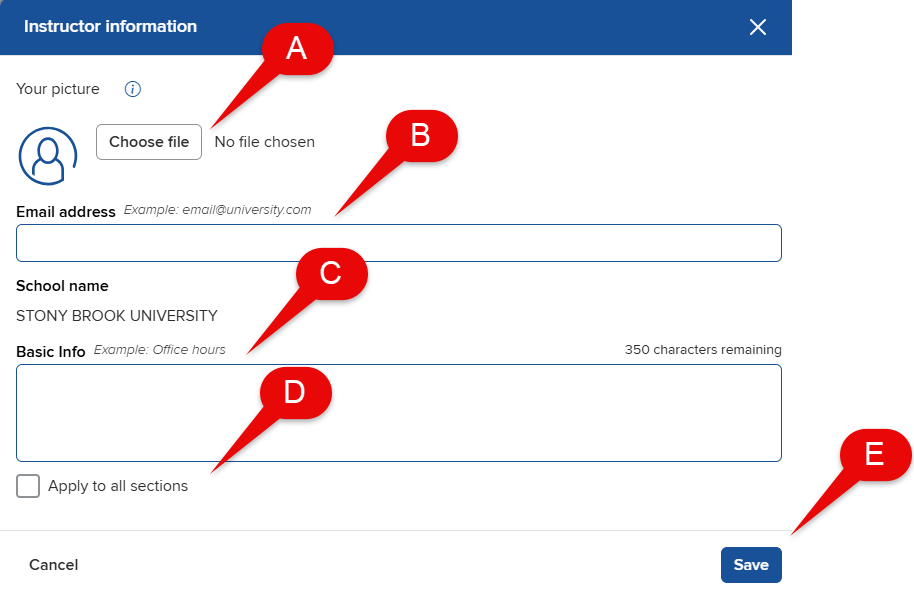
To add your picture (optional), click Choose file (A) and select the photo from your computer. Enter your Email address (B) and add additional information, such as your office hours under Basic Info (C). To have this instructor information appear in each of your course's Section Home pages, check the box Apply to all sections (D). Click Save (E).