
Connect - Access Code and Registration Support
Learn how students register, create accounts, and access Connect courses.
- Higher Ed Student
- Resources
- Higher Education
- Customer Support
- Connect


Help with Access Codes
- Access codes are title specific.
- Each access code can only be used once.
- If your access code is for a different version or edition of a title, the code will not work.
Access Code Troubleshooting
- Carefully enter your code paying close attention to similarities between 1 and I’s and zero and O’s.
- If you have a damaged or scratched-off code, call or chat our support team. You'll need to provide a photo or scanned copy of the front and back of the access card showing the damaged or scratched-off code. We can provide a replacement code if your code has not been used.
- If you receive an error message when entering your code, call or chat our support team.
- Click here if you did not receive a registration code with your textbook purchase.
General Registration Information
When registering for Connect, navigate to the Connect section URL provided by your instructor. From there, you have 3 registration options:
- Use a Connect access code
- Purchase Connect Access
- Register for Temporary Access
Option 1: Access Code
Enter your 20-digit Connect access code and click REDEEM.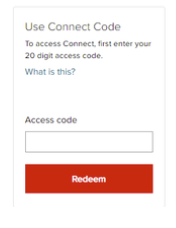
Option 2: Purchase Connect Online
Purchase access with either a credit card by clicking Purchase or Paypal account by clicking PayPal under the desired option.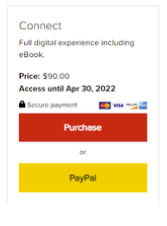
Option 3: Temporary Access
Early in the semester, you may be able to register for 14-day free access by selecting the Access now option. Click here for more details related to 14-day free access.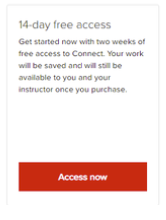
If any of the following scenarios apply:
- You have a Connect license for a textbook that extends to another semester
- You need to change sections during the term
- You registered under the wrong section
you can register directly without entering a new access code or purchasing access again. You can do this via the new Connect course URL provided by your instructor or via your school’s Learning Management System (LMS).
Important Notes:
- Any assignment grades from your previous section cannot be transferred to a new Connect course.
- Remember to purchase full access to Connect before the 14-day free access period ends in order to avoid interrupted access to your course.
- When purchasing full access, use the same email address you used to sign up for 14-day free access.
