Connect - Student Class Archive
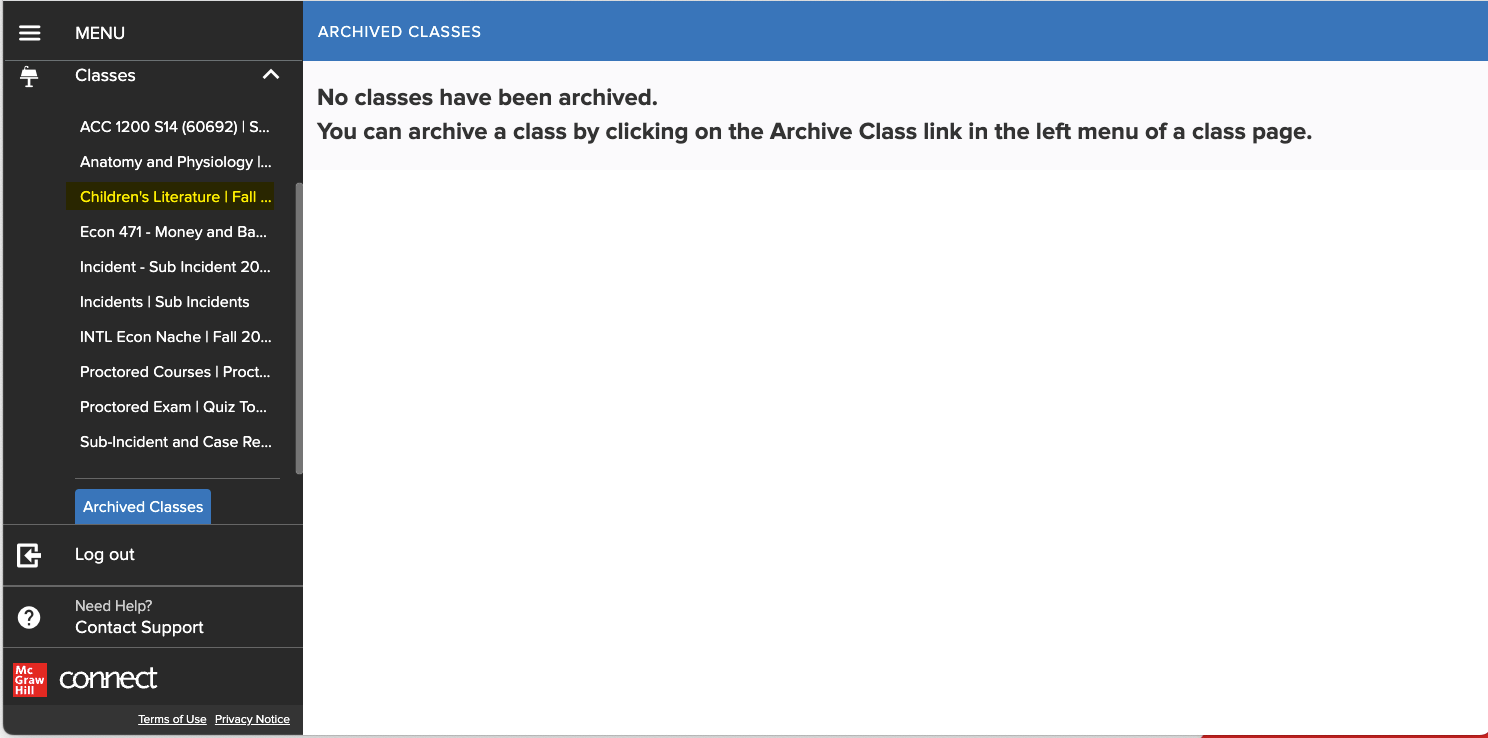
Access archived Connect classes to review past coursework.
Tags
- Higher Ed Student
- Higher Education
- Customer Support
- Connect
- Course Management


Student Class Archive
Feature Summary: Provides the student the ability to archive and restore a class from the section home page.
- Will remove that class from the classes section
- Will remove any assignments from the To Do and Calendar pages
- Will remove messages and notifications associated with that class
Steps to archive the class:
From Left navigation menu => Click Classes link in left menu
Select the class you would like to archive
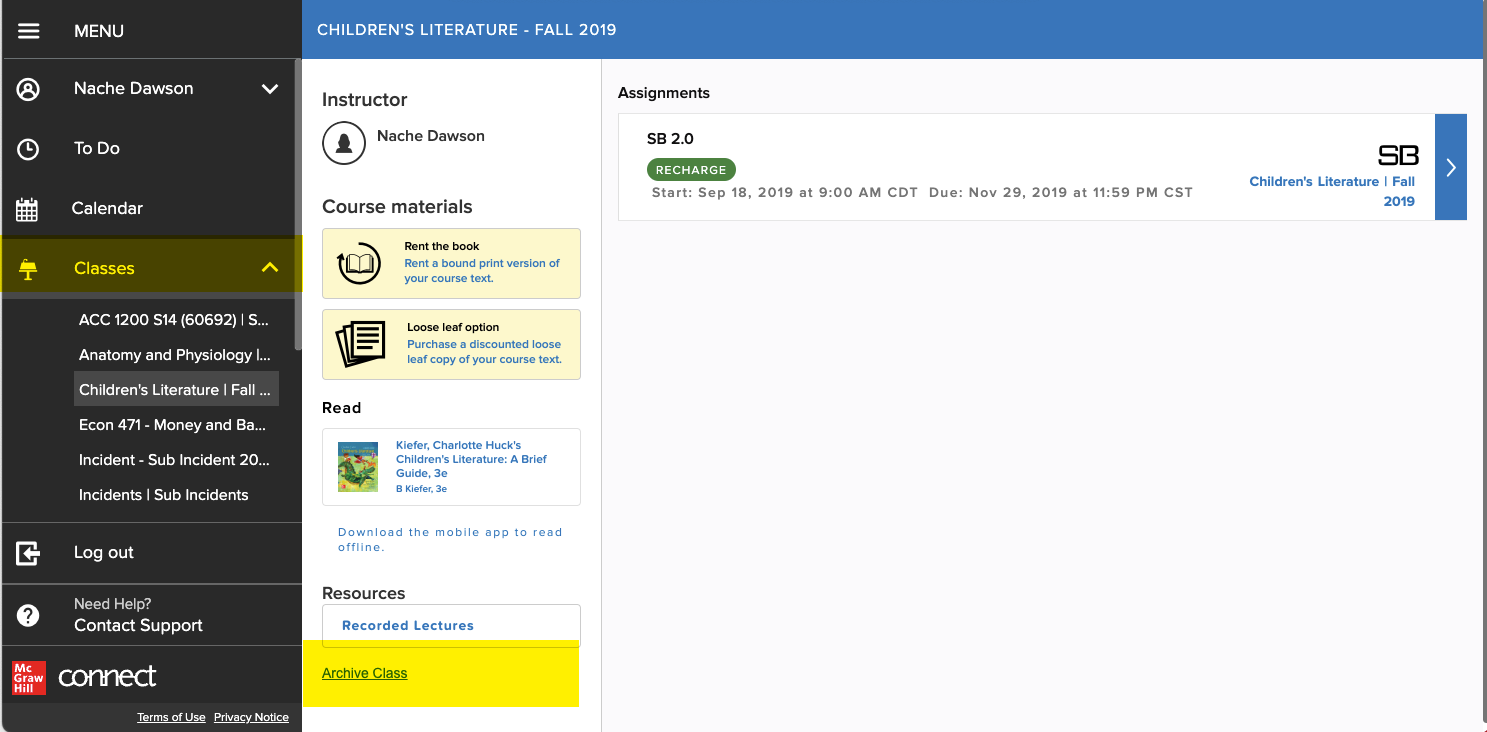
From the class homepage click the Archive Class link in the left menu
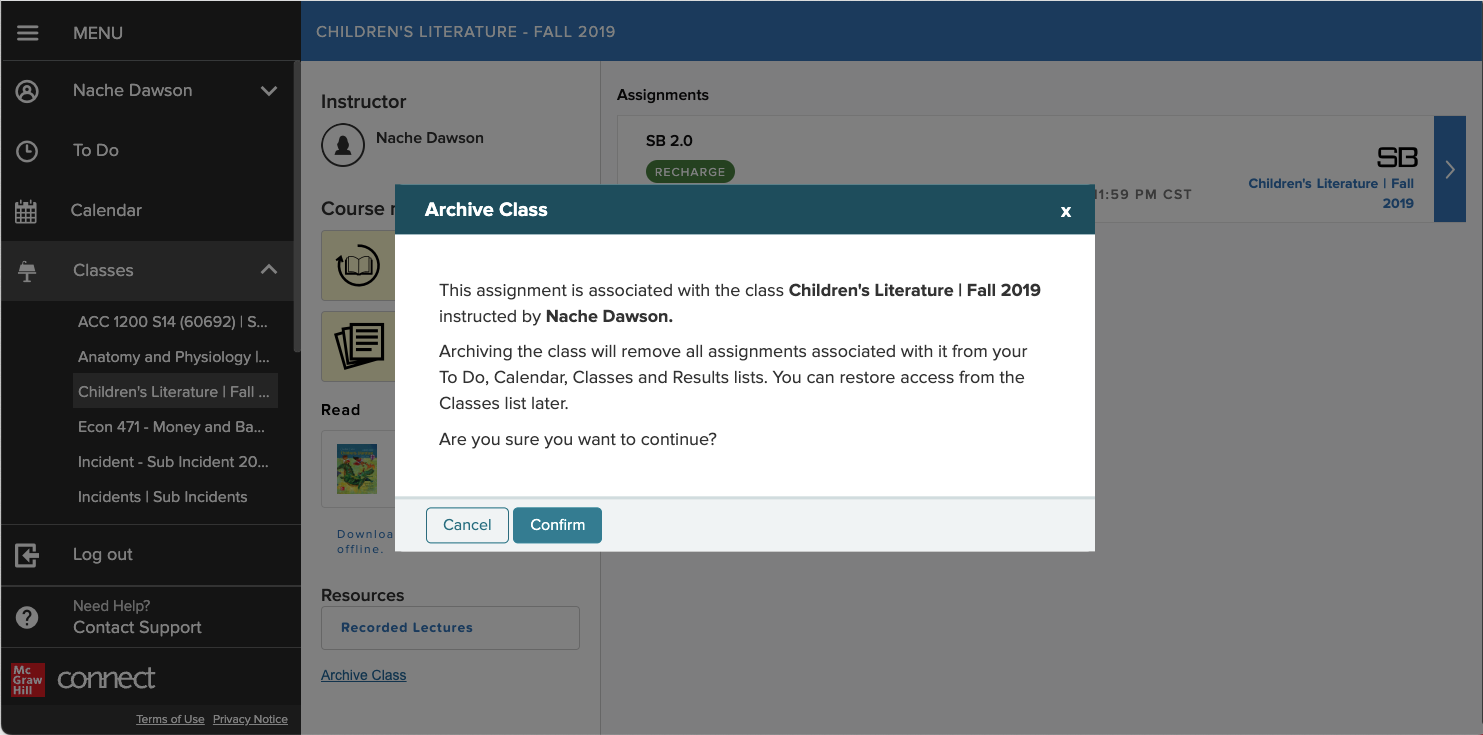
Students will receive a warning message advising them which class they are about to archive and who the instructor is.
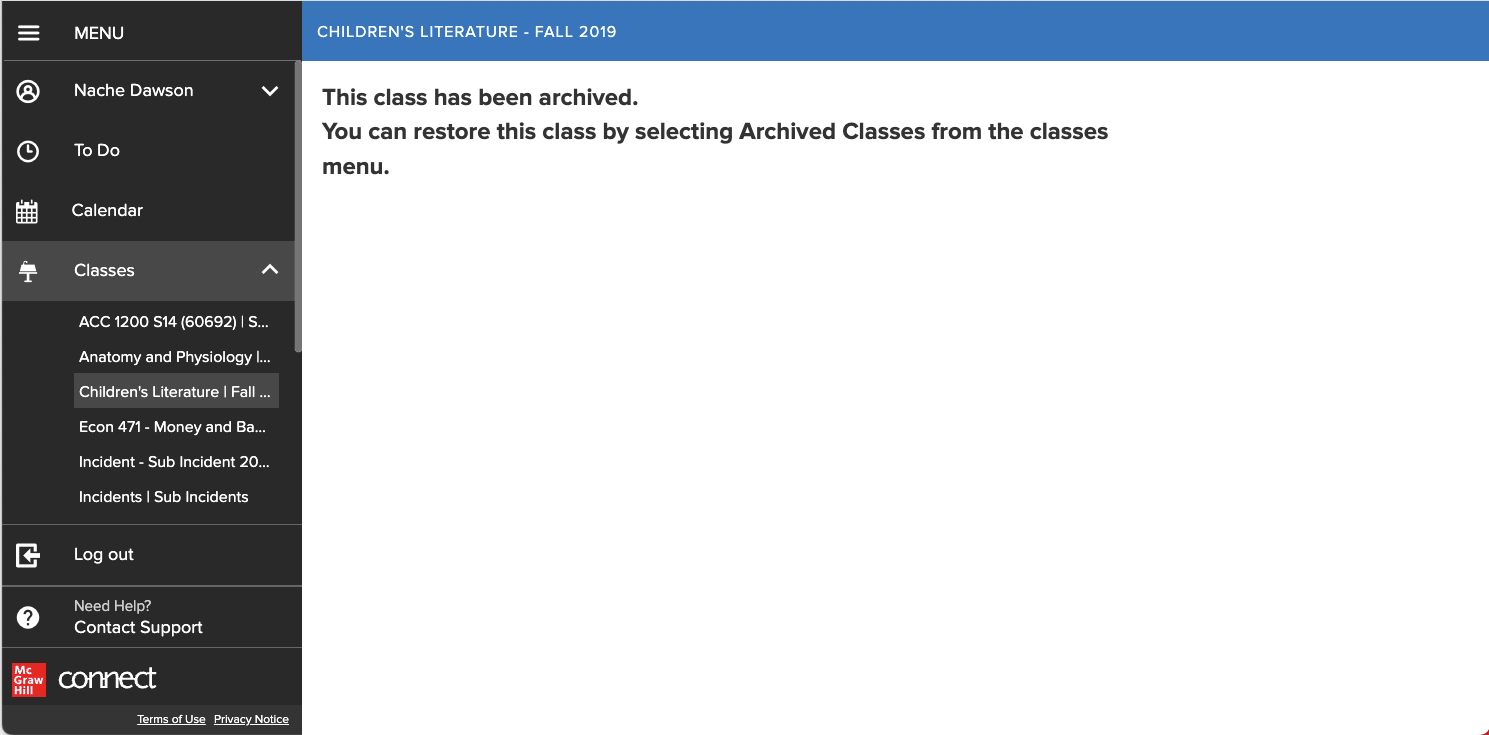
Click Confirm
Steps to restore the class:
From the Left navigation menu => Click Classes link in left menu
Click the Archived Classes link
Click Restore Class
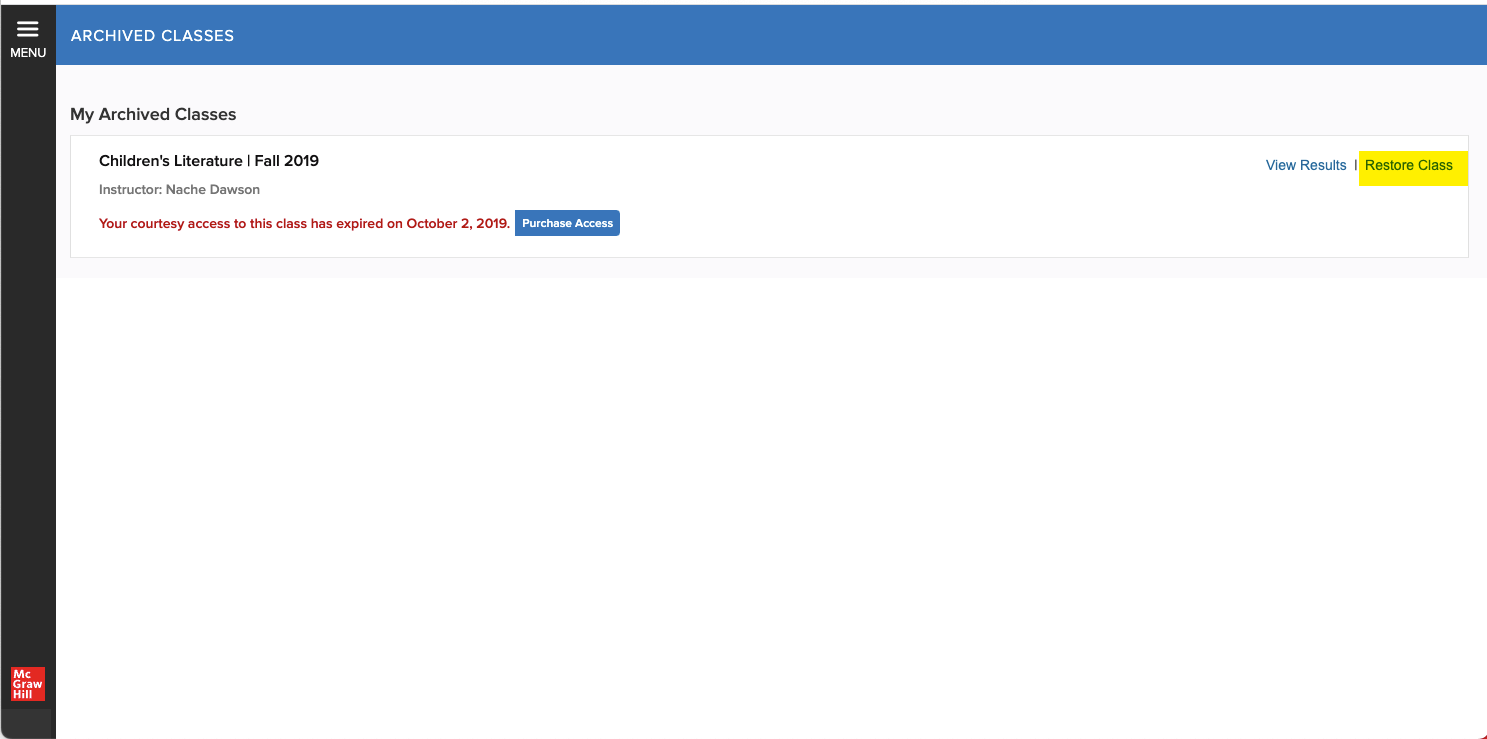
Once restored that class will show up in the Classes section
- Assignments will reappear on the To Do and Calendar pages
- Any messages or notifications associated with that class will reappear