Connect - Prepare your students for Connect and Blackboard
Learn how to prepare students to use Connect with Blackboard.
- Higher Education
- Customer Support
- Connect
- Instructor


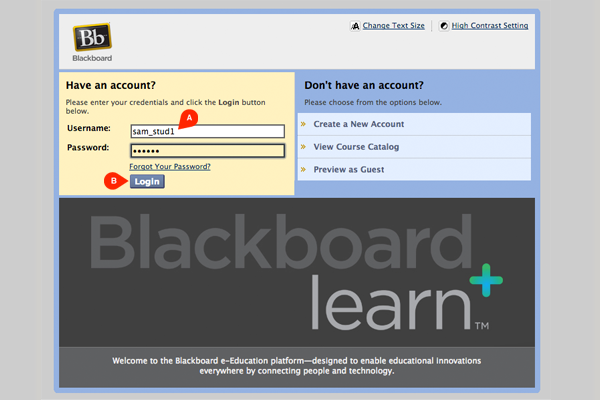
First your students will need to login to Blackboard. Have them enter their username and password (A), and then click Login (B).
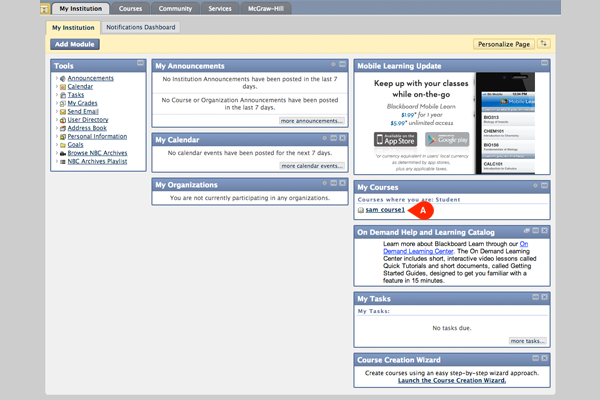
If you have already paired your Connect course with Blackboard, then your course will appear in the My Courses module for your students. Ask them to click the course title (A).
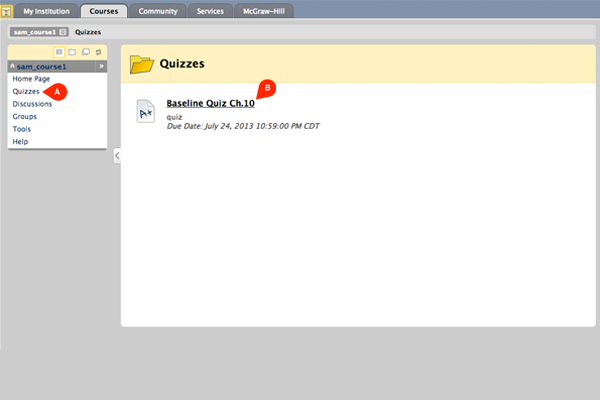
In order to access their assignments students will have to select the appropriate file, for this example Quizzes (A), and then click the assignment title (B). Remember that you must first deploy assignments from Connect for your students to see them in Blackboard.
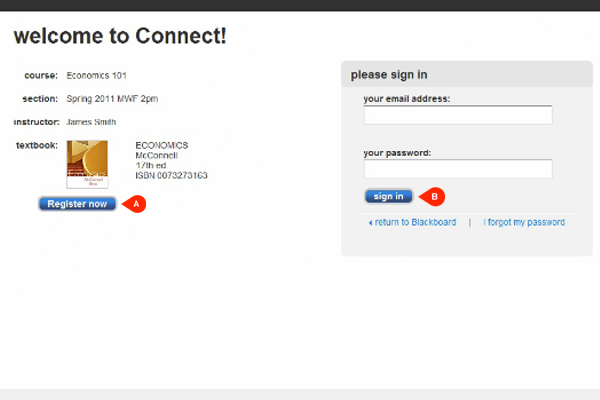
The first time your students access a Connect assignment through Blackboard they will be shown a Connect welcome screen. They will either need to click Register now (A) to register for your Connect course or enter their email and password, and click Sign in (B).
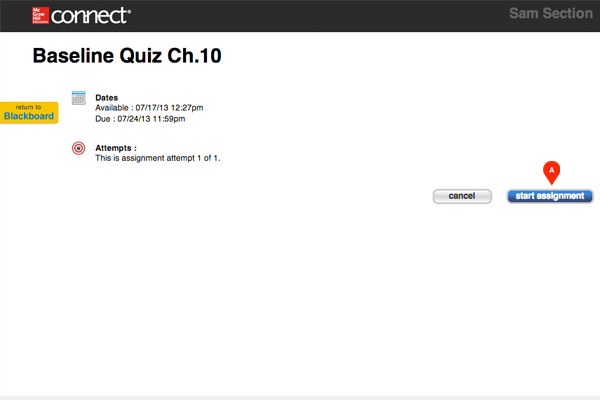
Once students sign in they can click start assignment (A) to get going. The next time students click on any of your Connect assignments while in Blackboard they will be automatically signed into Connect and seamlessly presented with the assignment.