Connect - Auto Submit In Progress Assignments on Due Date
Understand how Connect automatically submits in-progress assignments when the due date is reached.
Tags
- Higher Ed Student
- Higher Education
- Customer Support
- Connect
- Instructor
- Assignment Management


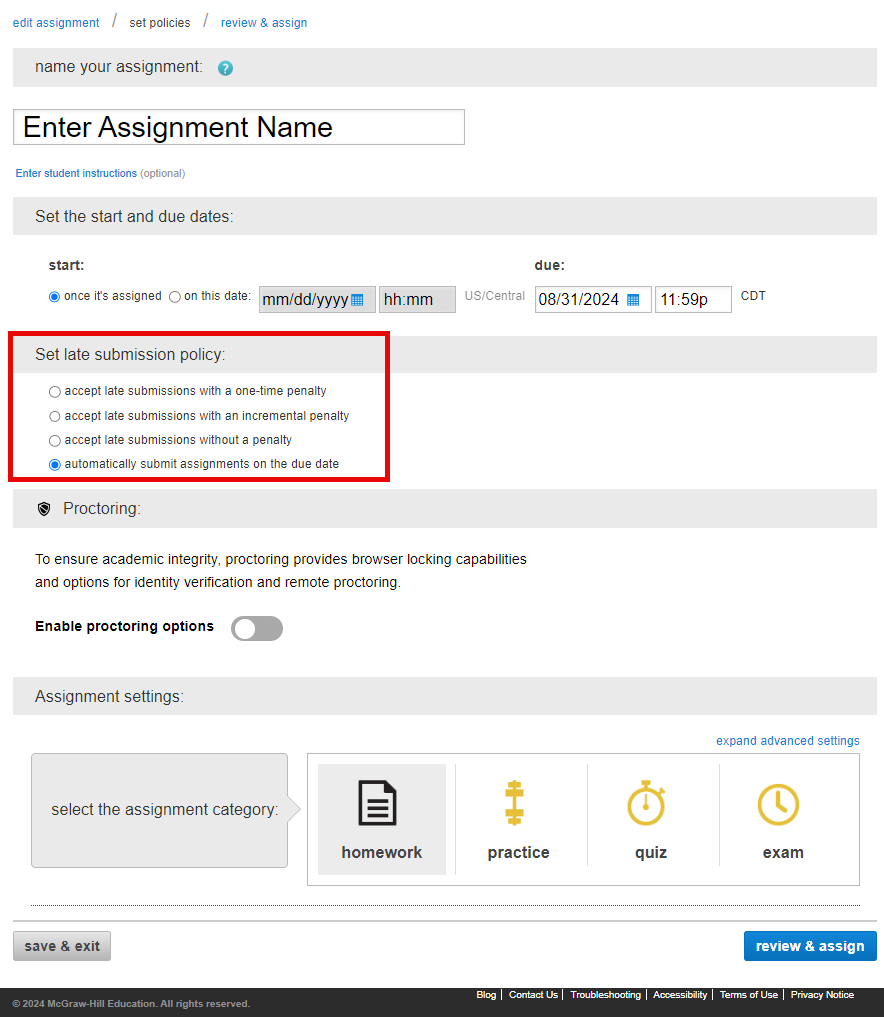
If you want Connect to automatically submit any student "in progress" assignments at the due date, follow the steps below:
- Create a new assignment or edit an existing assignment
- Navigate to the set policies tab (2nd step)
- Enter an assignment name and due date
- Check the automatically submit assignment on due date check box located under Set late submission policy
- Click the review & assign button
- Click the assign button