Connect - Applying Default Settings to Existing Assignments
Apply default assignment settings to existing Connect assignments.
Tags
- Higher Education
- Customer Support
- Connect
- Instructor


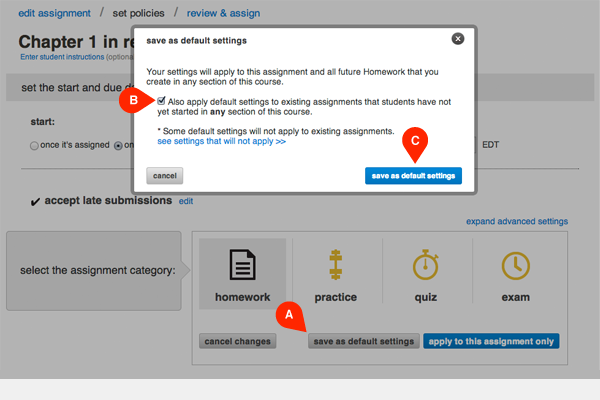
After editing the policy settings of an existing assignment, click save as default settings (A). In the popup module select the checkbox (B) to apply your changes to all existing assignments students haven't started. Click save as default settings (C), please note that if you do not assign the assignment then your changes will not be saved.
Note: All policies will change to the default settings except for the due date.