
Connect - Answering “Voice Record” Questions in Spanish (Student)
Learn how students answer voice recording questions in Spanish in Connect.
Tags
- Higher Ed Student
- Higher Education
- Customer Support
- Connect


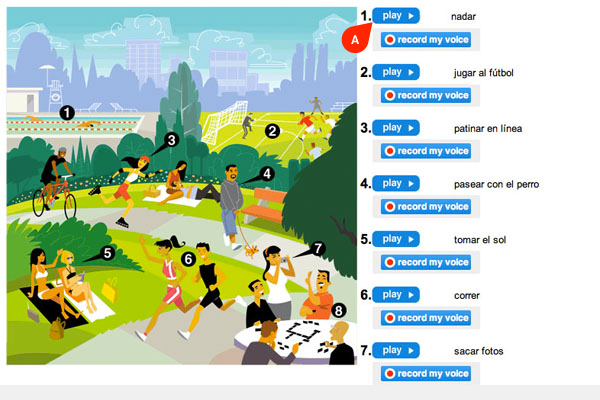
1. In Connect Spanish, your instructor may assign Voice Record questions, where you hear the pronunciation of each vocabulary item presented in the image and have the opportunity to record yourself saying the same word. Your instructor will be able to review your responses when you submit the assignment.
Click play (A) for each word, or phrase, and listen to it.
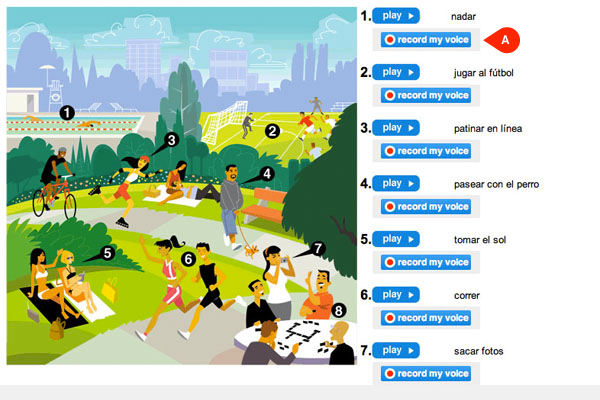
2. Click record my voice (A) and repeat the word or phrase.
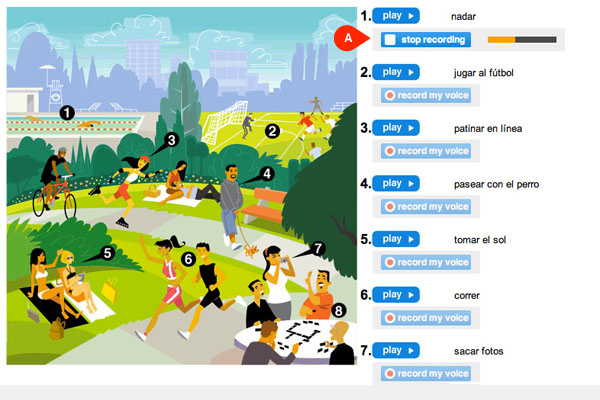
3. Click stop recording (A) when you are finished repeating the word or phrase.
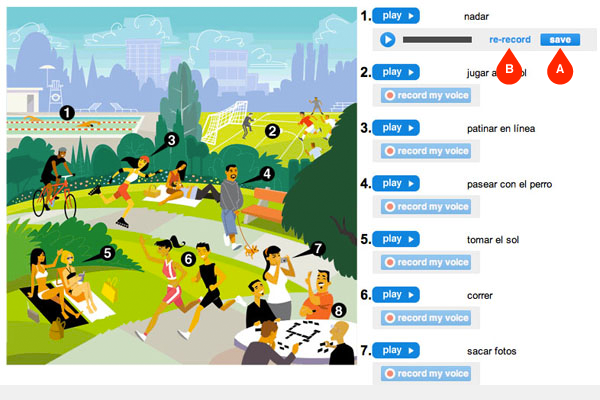
4. Click save (A) to keep your response or click re-record (B) to repeat until you’re satisfied with your response.
Note: you can also click the play button next to your recording to hear your response.
Click play (A) for each word, or phrase, and listen to it.
Note: you can also click the play button next to your recording to hear your response.