Connect - Sorry, We encountered a problem. Please try again. Error
Allow third-party cookies to ensure Connect features function properly.
- Higher Ed Student
- Higher Education
- Customer Support
- Connect
- Instructor


When launching Connect from Canvas or D2L (Brightspace), you may receive a "Sorry, We encountered a problem . . ." message. This may be related to recent changes in browsers and you may need to allow 3rd Party Cookies within your browser settings and/or clear your internet browser cache in order to resolve this issue. Please follow the instructions below for your specific browser. It is important that you close and re-open all browser windows after updating settings or clearing your internet browser cache before attempting to re-access the site.
Google Chrome - Enable 3rd Party Cookies
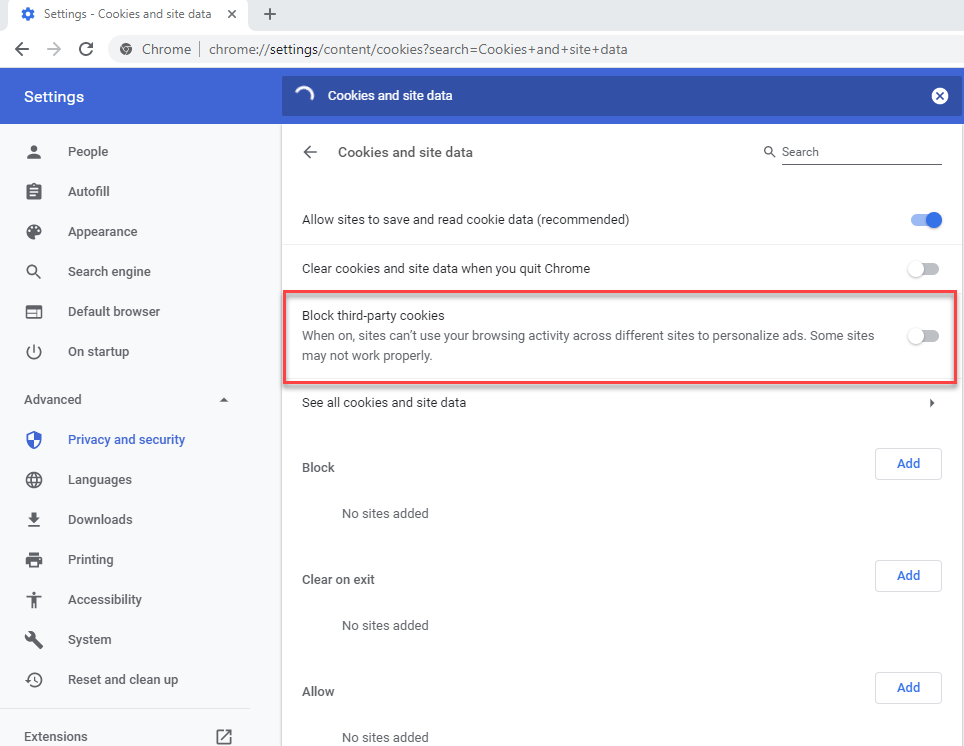
- In Chrome go to chrome://settings/content/cookies?search=Cookies+and+site+data
- Confirm Block third-party cookies is disabled
Google Chrome - SameSite Settings
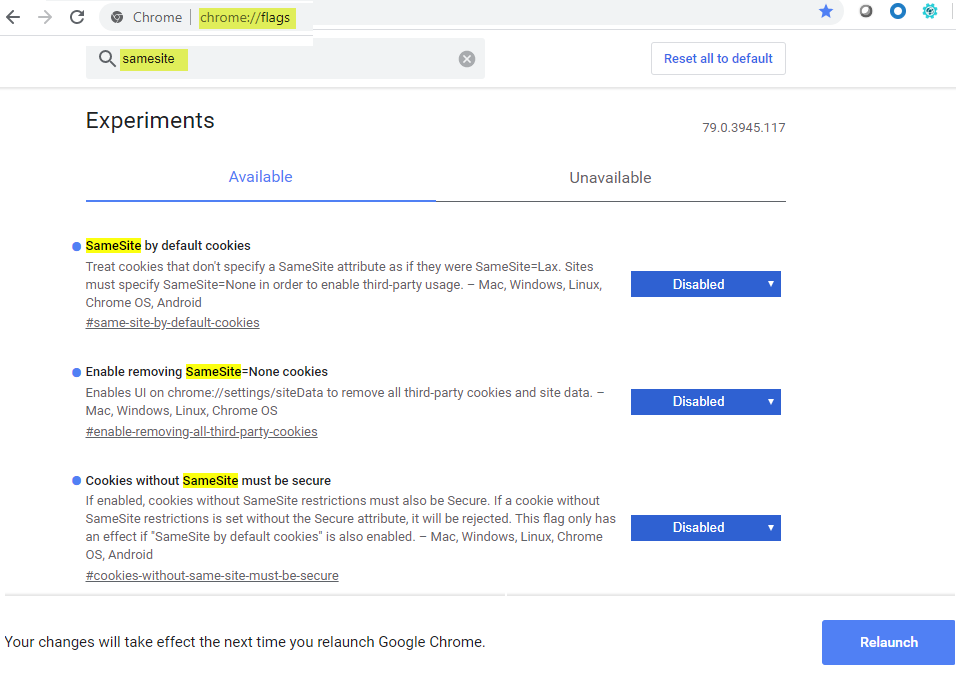
- In Chrome go to chrome://flags
- In the search field, search for samesite
- In the 3 results, change each to Disabled for
- SameSite by default cookies
- Enable removing SameSite=None cookies
- Cookies without SameSite must be secure
- Click Relaunch to confirm if issue is resolved.
- If the issue is still not resolved, follow the additional instructions provided below
Safari
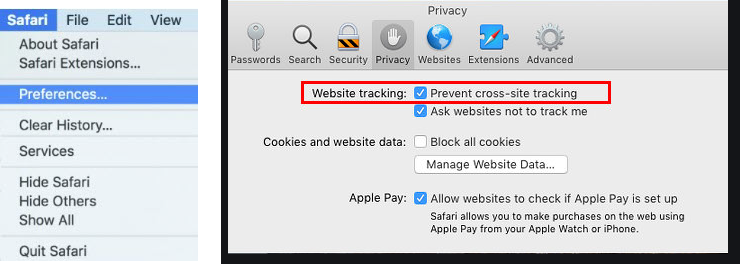
- Click Safari in the menu bar
- Click Preferences
- Under Privacy, un-check the option for Prevent cross-site tracking
- Force close and relaunch Safari to confirm if issue is resolved.
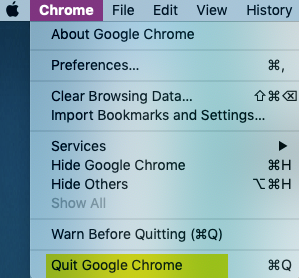
If the above instructions don't resolve the issue, please ensure you are closing / force quitting your internet browser (see screenshot below for instructions on how to force quit on a Mac). If closing / force quitting your browser does not resolve the issue, clearing your internet browser's cache may help. Click clear internet browser cache for instructions on how to clear your internet browser cache.
Click Here to Contact a Technical Support Representative for further assistance.