
Canvas: Ungraded Assignments No Longer Create Gradebook Columns
New ungraded assignments no longer create Canvas gradebook columns. Existing ones keep columns unless deleted in Canvas and redeployed.
Tags
- Connect
- Higher Education
- Customer Support
- Canvas
- Higher Ed Student
- Instructor


As part of our LTIA (1.3) integration with Canvas, starting April 24, 2026, newly deployed ungraded (0‑point) assignments will no longer generate a column in the Canvas gradebook.
What's new
Newly deployed ungraded assignments will not appear as a column in the Canvas gradebook.
What stays the same
- Ungraded assignments that were deployed before this release will remain as-is, including their existing gradebook columns. Copying those assignments between Canvas courses will also carry the gradebook column over.
- Cleaning up existing assignments
- To remove the gradebook column from a previously deployed ungraded assignment, delete the assignment in Canvas (not in Connect) and redeploy it. Once redeployed, the assignment follows the new behavior and won't create a column when copied to future term courses.
- *When launching into Connect from Modules, please allow a few seconds for the gradebook columns to disappear. If you deploy a larger number of ungraded assignments at once, it may take up to 15 seconds.
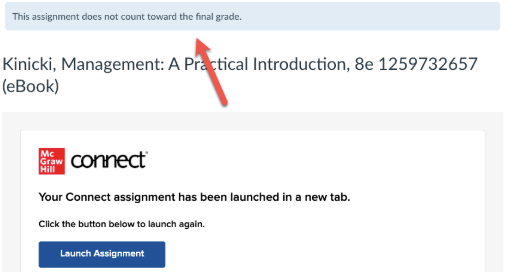
- Note: Automatic zeros will not apply to ungraded assignments without a gradebook column.
