
Add LTI Advantage shortcut to Canvas
Add a Connect tool link to a Canvas course using LTI Advantage integration.
Tags
- Higher Education
- Customer Support
- Connect
- Instructor


Add McGraw Hill Connect LTIA to Your Canvas Course
Note:
- The Tool Placement configuration will only be available if your Canvas administrator has configured it.
- Assignments deployed through this tool link will appear in a new module and can be moved if needed.
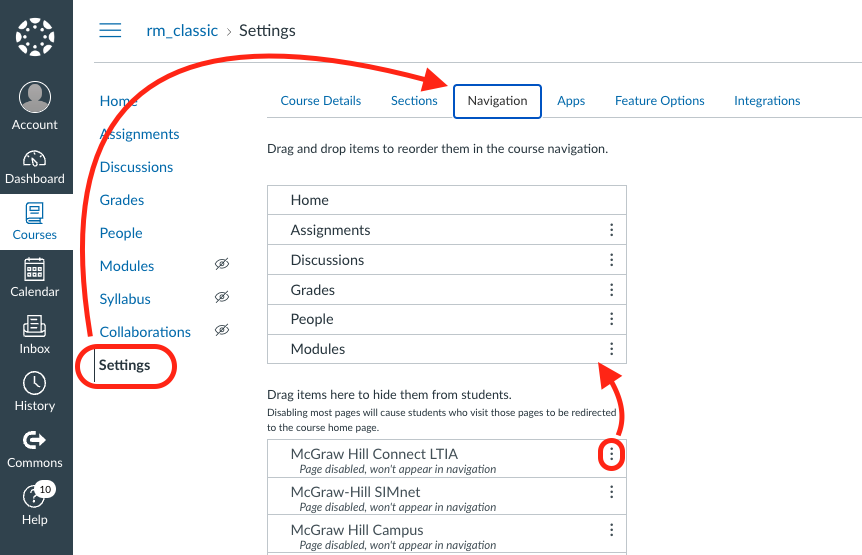
- Navigate to your Canvas course.
- Click on Settings in the left navigation bar.
- Click on the Navigation tab
- Find McGraw Hill Connect LTIA (this title may differ in your Canvas instance).
- Drag it to the top section where appropriate as illustrated below and click Save.
- The tool link will now appear in your course navigation menu.
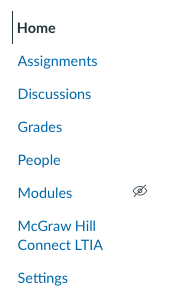
You and your students can now use this tool link to quickly launch the Connect section home page.
