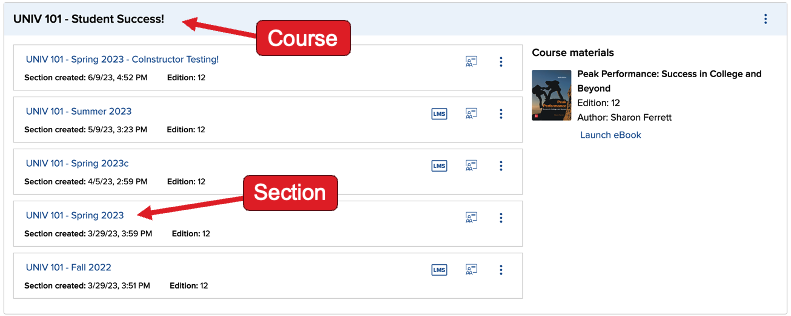
Connect - Add additional users
Add and manage co-instructors in Connect to share teaching and grading responsibilities.
Tags
- Resources
- Higher Education
- Customer Support
- Connect
- Instructor


Connect allows instructors to enroll collaborators into the same Connect section as either co-instructors or teaching assistants. There are two ways to enroll an additional user:
- If you are using an LMS integration** and your collaborators are also enrolled as instructors or teaching assistants in your LMS course, they can simply launch Connect and they will be automatically enrolled in the paired Connect section.
- Use the Manage users feature in Connect to add or remove co-instructors or teaching assistants.
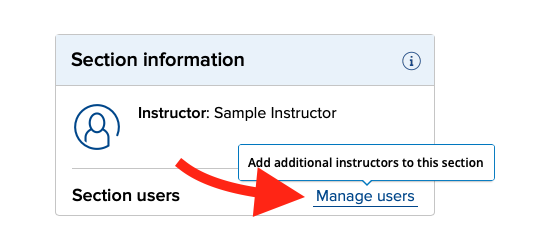
- In the Section information widget, click on Manage users
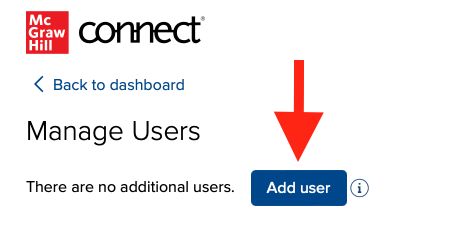
- Click Add user
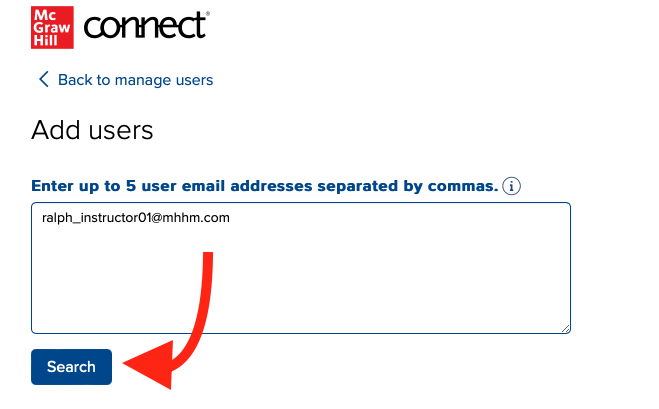
- Enter up to 5 valid Connect usernames.
- Additional instructors must have an existing instructor account
- Teaching assistants must have an existing learner (student) account
- Click Search, click the checkbox(es) next to the added user(s), and click Add user(s)

Limitations:
- Co-Instructors and Teaching Assistants have limited permissions within Connect.
- Only one role is allowed per instructor under the same Connect course:
- An instructor cannot be a co-instructor in any section if another section, under the same course, was already shared with this instructor.
- An instructor cannot receive a shared section if they are already a co-instructor in another section under the same course.