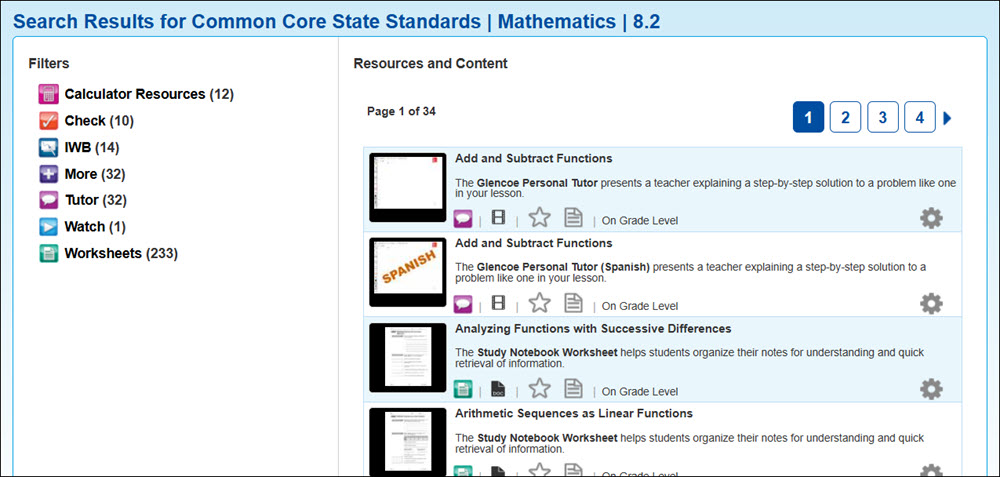
Search for ConnectED Resources by Standard
Search by Standards to locate associated resources.
Tags
- Customer Support
- PreK-12
- Classroom Teacher
- Elementary School
- Middle School
- High School
- Direct Login & Auto-Rostering
- Direct Login & Manual-Rostering
- SSO & Auto-Rostering
- SSO & Manual-Rostering
- Core
- Literacy
- Math
- Science
- Social Studies
- Health
- Visual & Performing Arts
- World Languages
- Networks 2014 (K-5)
- iScience 2017
- Glencoe Science 2017
- Inspire Science 2017
- Glencoe Health 2014
- McGraw Hill Health 2014
- McGraw Hill My Math 2013 & 2016
- McGraw Hill My Math 2018
- McGraw Hill My Math
- Glencoe Math Course 1
- Glencoe Math Course 2
- Glencoe Math Course 3
- Glencoe Math Accelerated
- Glencoe Math
- Glencoe Algebra 1 2014
- Glencoe Algebra 2 2014
- Glencoe Algebra 1 2018
- Glenoce Algebra 2 2018
- Asi se Dice 2016
- Tools & Resources
- Plan & Present


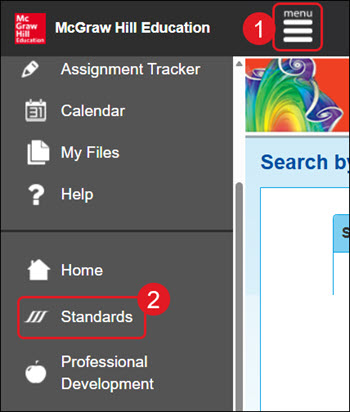
- Click Menu at the top left.
- Click Standards on the menu.
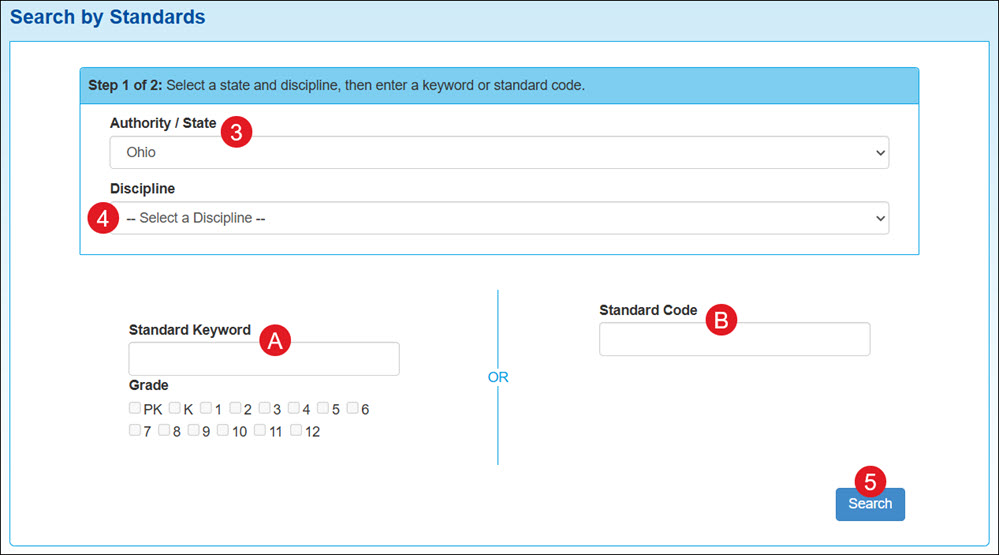
- Select an Authority/State from the drop-down.
- Select a Discipline.
A. Enter a Standard Keyword and select a Grade.
B. Or enter a Standard Code.
- Click the Search button.
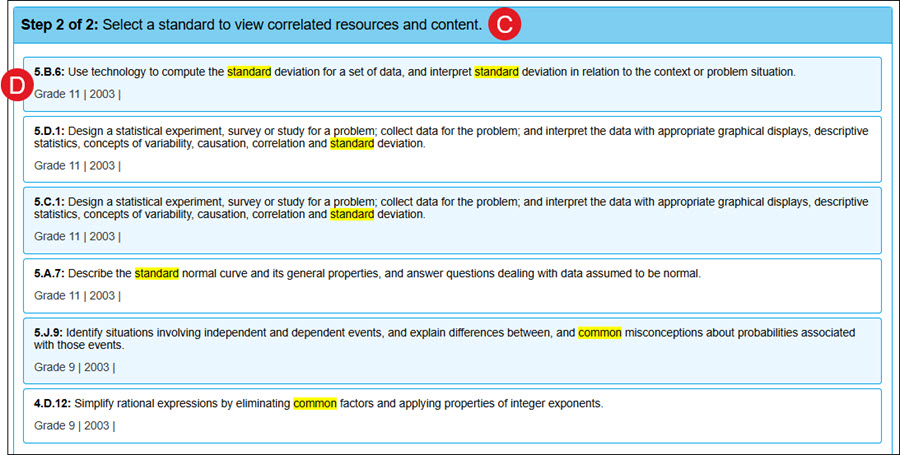
C. A list of standards will generate based on the selected and entered filters.
D. Click on a standard to access all resources with that associated standard.
For more information on navigating through the Resources, see the Search and Filter ConnectED Resources article.