Save Customized ConnectED Lesson Plans
Save customized lesson plans for reuse and future instruction.
Tags
- Customer Support
- PreK-12
- Classroom Teacher
- Elementary School
- Middle School
- High School
- Direct Login & Auto-Rostering
- Direct Login & Manual-Rostering
- SSO & Auto-Rostering
- SSO & Manual-Rostering
- Core
- Literacy
- Math
- Science
- Social Studies
- Health
- Visual & Performing Arts
- World Languages
- Glencoe Health 2014
- McGraw Hill Health 2014
- Glencoe Algebra 1 2014
- Glencoe Algebra 1 2018
- Glencoe Algebra 2 2014
- Glenoce Algebra 2 2018
- Glencoe Math
- Glencoe Geometry 2014
- Glencoe Geometry 2018
- Glencoe Math Course 1
- Glencoe Math Course 2
- Glencoe Math Course 3
- Glencoe Math Accelerated
- McGraw Hill My Math 2013 & 2016
- McGraw Hill My Math 2018
- McGraw Hill My Math
- Glencoe Science 2017
- Glencoe Science
- Inspire Science 2017
- iScience 2017
- Asi se Dice 2016
- Networks 2014 (K-5)
- End-of-Year Tasks
- Plan & Present


View the demo in a separate tab.
View the Spanish version of the demo.
Customized ConnectED lesson plans can be saved or printed as PDFs and will include any changes you made. This provides any content updates you made to the lesson plan, but it will not save any customizations to the interactive resources or ePresentation.
For steps on creating customized lesson plans, see the Access, Navigate, and Customize the Plan and Present Page article.
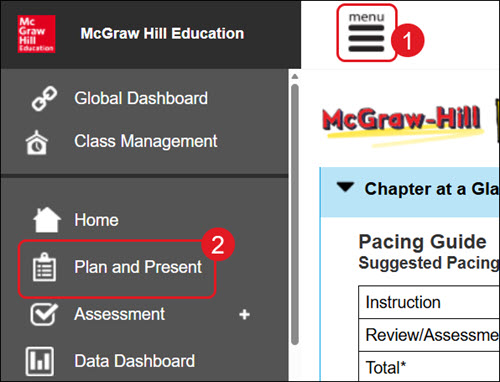
- Click Menu at the top left.
- Click Plan & Present or Lesson Plans from the menu, depending on the program.
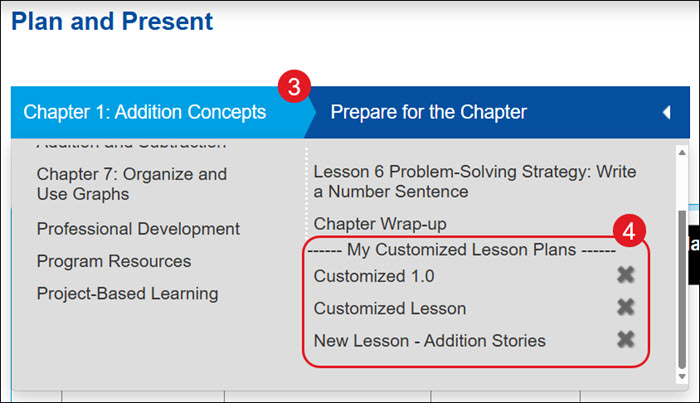
- Select the Chapter and Lesson from the drop-down.
- Click on your Customized Lesson Plan.
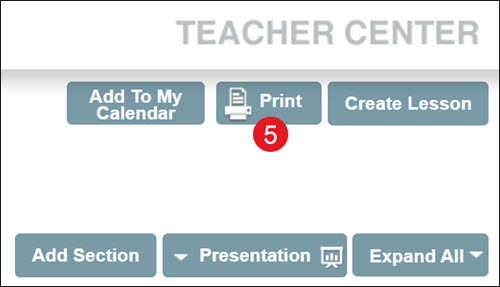
- Click the Print button.
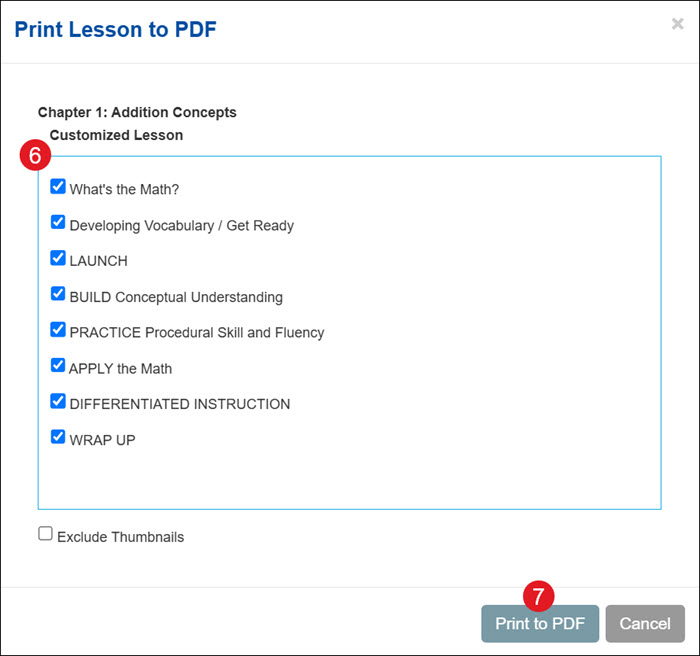
- On the pop-up, select the options you want to include.
- Click the Print to PDF button.