Your information will be used to provide you with the requested information and other information about McGraw Hill’s products and services. You may opt out at any time by contacting McGraw Hill’s local privacy officer or selecting “unsubscribe” at the bottom of any email you receive from us. For information on our privacy practices, visit the McGraw Hill Privacy Center.
Your information will be used to provide you with the requested information and other information about McGraw Hill’s products and services. You may opt out at any time by contacting McGraw Hill’s local privacy officer or selecting “unsubscribe” at the bottom of any email you receive from us. For information on our privacy practices, visit the McGraw Hill Privacy Center.
Validated Instructors Only
ISBN10:0071833471 |
ISBN13: 9780071833479
More information about this Print book can be found in the page section below.
Step 2. Register and authorize your Adobe ID (optional). To access your eBook on multiple devices, first create an Adobe ID. Then, open Adobe Digital Editions, go to the Help menu, and select "Authorize Computer" to link your Adobe ID.
Step 3. Open Your eBook. Use Adobe Digital Editions to open the file. If the eBook doesn’t open, contact customer service for assistance.
Publisher's Note: Products purchased from Third Party sellers are not guaranteed by the publisher for quality, authenticity, or access to any online entitlements included with the product.
Master the art of 3D printing with step-by-step tutorials and DIY projects
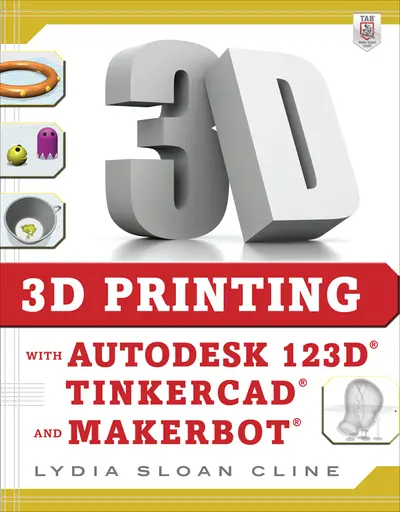
Are you ready to join the new industrial revolution?3D Printing with Autodesk 123D, Tinkercad, and MakerBot reveals how to turn your ideas into physical products that you can use or sell! You'll learn how tooperate powerful, free software from Autodesk and bring your creations to life with the MakerBot--a leading consumer printer--or an online service bureau.
Practical examples take you through the Design, Catch, Meshmixer, Tinkercad, Make, and CNC Utility apps, and the MakerBot Desktop. Fun projects, easy-to-follow instructions, and clear screenshots progress from installing the software to printing the design. Videos and digital files accompany this hands-on guide.
Make your own creations with Design and Tinkercad
Download editable, premade content
Generate construction documents with the LayOut feature
Create and edit a reality capture model with Catch
Edit and mash up .stl files with Meshmixer
Navigate the MakerBot Desktop
Print the model on your own machine or with a service bureau
Foreword
Chapter 1 Hello, Maker!
What is Making? What, Exactly, is a Modeling Program? Mesh vs. Solid ModelsSo Tell Me About the Autodesk 123D Suite Already! File Formats What is a 3D Printer? What is a CNC Machine? What is a Maker Space? So What's This Book About? What You Need, Computer-Wise to Run the 123d Suite Free and Pay Accounts Download 123 Design Desktop and Print Utility Sites to Check Out
Chapter 2 Getting Started with 123D Design
Open 123D Design Desktop Sketch plane Menu Bar Sign In/Help View Cube Navigation Panel Online Kits Window Snap and Units Units
Chapter 3 Model It! 123D Design Projects
How to Select and Erase Studded Bangle Bracelet Move, Rotate and Copy with the Box Gizmo Sketching: Tools, Planes and Editing Sketches vs. 2D Primitives Sun Sculpture Wall Decoration The Loft Tool Combining Solids Import a Picture File Star Cookie Cutter Jell-O Mold Tray Peace Sign Pendant Personalized Business Card Pacman Upload a File to Your 123D Account Model vs. Project Pinky Insert a File into an Open File Frog in a Tea Cup Summary Sites to Check Out
Chapter 4 Generate Construction Documents with LayOut
What is Autocad 360? Getting Started with LayOut The Design Screen Interface Add Text and Dimensions to the Drawing Layers Download and Print The Sheets Screen Interface Summary Sites to Check Out
Chapter 5 Capture It! with 123D Catch
What is 123D Catch? What Can You Catch? How to Photograph a Subject Catch on the iPhone/iPad The Catch Screen Submit the Catch Download the Capture Troubleshooting the iPhone/iPad App Open the Catch Web App The Web App Interface Edit and Repair with the Web App Troubleshooting the Web App The Catch Desktop App The Marketplace The Desktop App Interface Make an Animation Customize an Animation Manually Stitch Photos into the Photoscene Making and Deleting Reference Points Scale the Capture Add a Dimension Line Troubleshooting the Desktop App Export the Catch Summary Sites to Check Out
Chapter 6 Mix it Up! with 123D Meshmixer
The Interface Import a Textured Donut Model The Object Browser Box Navigating the Workspace Rotate the Donut with the Transform Tool Analyze the Donut Model with the Inspector Tool The Select Tool: Lassos and Brushes Facegroups Heal the Donut Model Scale the Donut Model Import the Chapter 5 Glass Head Capture to Make a Candy Jug The Plane Cut Tool The Plane Cut Tool's Slice Option Select and Smooth Change Face Texture with the Shader Tool Make the Mesh Visible and Reduce Its Density Make a Hole with the Stamp Tool Make a Custom Stamp Model a Bead Flip the Front (Normal) and Use Allow Back Faces Add and Extrude a Stamp to Pierce the Sphere Make the Bead Hole with Boolean Difference Add a Stencil to the Bead Modify Pacman with Volume Brushes Export the Model Duplicate and Modify Pinky The Object Browser Box Again The Meshmix Parts Bin Add a Parts Bin Arm to Pinky Mirror the Parts Bin Arm Duplicate the Original and Mirrored Arms Combine the Pinky Models with their Arms Summary Sites to Check Out
Chapter 7 For the Kids! Tinkercad
The Interface Tinker a Building Block Tinker Basics: Drag, Delete, Select, Move and Save Change the Block's Size with the Manipulators Snap Parts Together with the Workplane Make the Studs with the Cylinder Part M
Accessibility
Creating accessible products is a priority for McGraw Hill. We make accessibility and adhering to WCAG AA guidelines a part of our day-to-day development efforts and product roadmaps.
highered <p>Hello world</p> <ul> <li>Rent or purchase for a fraction of the printed textbook price</li> <li>Rental transaction occurs through McGraw Hill's authorized rental partner</li> </ul> <ul> <li>Purchase un-bound 3-ring binder ready textbook</li> <li>Flexibility and ease of selecting chapters to take where you want to go</li> </ul> <ul> <li>Rent or purchase for a fraction of the printed textbook price</li> <li>Easily highlight, take notes and search</li> <li>Download the free ReadAnywhere App for offline access and anytime reading</li> <li><b>Note:</b> the eBook does not include access to Connect. If your instructor assigned Connect, click the "Digital" tab.</li> </ul> Watch a quick video to learn more <p style="text-align: left;">* By purchasing <b>lifetime</b> access to this McGraw Hill eBook title, you have access to the title for as long as it is available through the McGraw Hill Bookshelf website.</p> <ul> <li><b>Note: Connect can only be accessed if your instructor is using Connect in your course.</b></li> <li>Personalize your learning, save time completing homework, and possibly earn a better grade</li> <li>Download free ReadAnywhere App for offline access to eBook for anytime reading</li> <li>Access to eBook, homework and adaptive assignments, videos, and study resources</li> </ul> Features <ul> <li>Rent for a fraction of the printed textbook price</li> <li>Complete text bound in hardcover or softcover</li> </ul> <div><b> Note:</b> Payment through authorized rental partners</div> Features <ul> <li><b>Digital access</b> to a comprehensive online learning platform</li> <li>Includes <b>homework</b>, <b>study tools</b>, <b>eBook, and adaptive assignments</b></li> <li>Download the <b>free </b><a href="/content/mhe/en_us/learning-solutions/digital-solutions/mhebook.html"><span class="link-dark-underline">ReadAnywhere app</span></a> to access the eBook offline</li> </ul> Features <p>Unbound loose-leaf version of full text</p> View shipping options <ul> <li>A <b>personalized </b>and dynamic learning experience</li> <li>Adaptive learning will <b>focus </b>your study time </li> <li>Integrated <b>eBook </b>for additional support</li> <li>Exercise and lecture videos, interactives, and extra practice materials</li> </ul> Features <p>Complete text bound in hardcover or softcover</p> View shipping options Features <p><b>Details</b> </p> <ul> <li>Includes: access to an online learning platform and full printed textbook rental available in hardcover or softcover</li> <li>Access resources and tools in one place: eBook, complete homework, and customized assignments based on your progress</li> <li>Easily access offline or on a mobile device by downloading the free<b> </b><a href="/content/mhe/en_us/learning-solutions/digital-solutions/mhebook.html"><span class="link-dark-underline">ReadAnywhere app</span></a></li> </ul> <ul> <li>Comprehensive online learning platform + unbound loose-leaf print text package</li> <li>Connect includes <b>homework</b>, <b>study tools,</b> <b>eBook, and adaptive assignments</b></li> <li>Download the <b>free </b><a href="/content/mhe/en_us/learning-solutions/digital-solutions/mhebook.html"><span class="link-dark-underline">ReadAnywhere app</span></a> to access the eBook offline</li> </ul> View shipping options Features <p><b>Receive instant access to:</b></p> <ul> <li>Personalize your learning, save time completing homework, and possibly earn a better grade</li> <li>Access to eBook, homework and adaptive assignments, videos, and study resources</li> <li>Diagnostic assessment platform combined with an online homework system</li> <li>Access to algorithmic homework assignments tied to textbook questions</li> <li>Immediate feedback and step-by-step solutions</li> </ul> <ul> <li>Comprehensive online learning platform + unbound loose-leaf print text <b>package</b></li> <li>ALEKS includes <b>videos</b>, <b>interactives</b>, and <b>practice materials</b></li> <li>Integrated <b>eBook </b>for additional support</li> <li><b>Adaptive learning</b> will focus your study time </li> </ul> View shipping options Features Features <ul> <li>Comprehensive online learning platform + bound traditional print text </li> <li>Connect includes <b>homework</b>, <b>study tools</b>, <b>eBook, and adaptive assignments</b></li> <li>Explore the <b>free </b><a href="/content/mhe/en_us/learning-solutions/digital-solutions/mhebook.html"><span class="link-dark-underline">ReadAnywhere app</span></a> app to access the eBook offline</li> </ul> <p><span><b>Note:</b> Connect can only be used if assigned by your instructor. </span></p> Learn more about Connect > <span><span><span class="link-dark-underline">Learn more about Connect ></span></span></span> Learn more about ALEKS 360> Features <ul> <li>Highlight, take notes, and search</li> <li>Download the<b> free </b><a href="/content/mhe/en_us/learning-solutions/digital-solutions/mhebook.html"><span class="link-dark-underline">ReadAnywhere app</span></a> for offline and mobile access</li> </ul> <div>Note:<b> Connect access NOT included.</b> If Connect is required for your course, click the "Connect" tab.</div> Check out this video to learn more about eBooks > Watch to learn more about the eBook <p><u>Watch to learn more about the eBook</u></p> <span><span><b>Note:</b> GO can only be used if assigned by your instructor. <a href="https://www.mheducation.com/highered/go"><span class="link-dark-underline"><b>Learn more about GO</b></span></a></span></span> Features <ul> <li><b>Digital access</b> to eBook+ embedded in your school's Learning Management System (LMS)</li> <li>Includes full <b>eBook</b> and chapter questions</li> <li>Download the<b> free</b> <a href="/content/mhe/en_us/learning-solutions/digital-solutions/mhebook.html" target="_self"><span class="link-dark-underline">ReadAnywhere app</span></a> for offline and mobile access</li> </ul> eBook Print Connect ALEKS GO GDP Online Only <p><span><b>Details:</b></span></p> <ul> <li>Normally the lowest price option for studen</li> <li>Integrates in your LMS</li> <li>Accessible tools for students, including read-aloud functionality, jump links and dynamic note-taking and highlighting features</li> </ul> <p><span><span><b>Details:</b></span></span></p> <ul> <li><span>Integrates in your LMS</span></li> <li><span>Prebuilt courses, presentation slides and instructor resources</span></li> <li><span>Test question banks, adaptive assignments, essay prompts, video content and more interactive exercises specific to your course subject</span></li> <li><span>eBook access (with included <a href="/content/mheducation/us/en/highered/digital-products/mhebook">ReadAnywhere app</a>)</span></li> <li><span><span>Print book add-on availability</span></span></li> <li><span><span>Remote proctoring</span></span></li> </ul> Connect - Take a Tour Connect - Take a Tour Connect - Take a Tour Take a Tour Connect - Take a Tour Connect - Learn More Connect - Learn More Connect - Learn More Learn More Connect - Learn More <p><b>Details:</b></p> <ul> <li>Rentable option</li> <li>Hardcopy and softcover formats</li> </ul> <p><b>Details:</b></p> <ul> <li>Integrates in your LMS</li> <li>Assignable readings</li> <li>Auto-graded chapter questions</li> </ul> Go - Take a Tour Go - Take a Tour Go - Take a Tour Take a Tour Go - Take a Tour Go - Learn More Go - Learn More Go - Learn More Learn More Go - Learn More <p><b>Details:</b></p> <ul> <li>Unbound loose-leaf version of full text</li> </ul> <p><b>Details:</b></p> <ul> <li>Comprehensive online learning platform + unbound loose-leaf print text package</li> <li>Connect includes <b>homework</b>, <b>study tools,</b> <b>eBook, and adaptive assignments</b></li> <li>Download the <b>free </b><a href="https://www.mheducation.com/highered/learning-solutions/digital-solutions/mhebook.html">ReadAnywhere app</a> to access the eBook offline</li> </ul> Features <ul> <li>Highlight, take notes, and search</li> <li>Download the<b> free </b><a href="/content/mhe/en_us/learning-solutions/digital-solutions/mhebook.html"><span class="link-dark-underline">ReadAnywhere app</span></a> for offline and mobile access</li> </ul> <div>Note:<b> Connect access NOT included.</b> If Connect is required for your course, click the "Connect" tab.</div> Check out this video to learn more about eBooks > Watch to learn more about the eBook <p><u>Watch to learn more about the eBook</u></p> Features <p>Access this eBook by following the instructions found below in How to access your eBook.</p> Features <p>More information about this Print book can be found in the page section below.</p> Features <p>More information about this eBook can be found in the page section below.</p> Request eBook Sample <p>Validated Instructors Only</p> Features <p>More information about this Print book can be found in the page section below.</p> <h2><span class="fs-5"><span class="fw-bolder">Product Information</span></span></h2> <p>First accordion item</p> <h2><span class="h3">Accessibility</span></h2> Review this product's accessibility information <p>Creating accessible products is a priority for McGraw Hill. We make accessibility and adhering to WCAG AA guidelines a part of our day-to-day development efforts and product roadmaps.</p> <p>For more information, visit our <a href="/content/highered/en_us/accessibility.html" target="_self">accessibility page</a>, or contact us at <a href="mailto:accessibility@mheducation.com">accessibility@mheducation.com</a></p> affordability icon <h2><span class="h3">Affordability</span></h2> Learn more about Inclusive Access <p>Reduce course material costs for your students while still providing full access to everything they need to be successful. It isn't too good to be true - it's Inclusive Access.</p> <p>Trouble downloading resources? Email <a href="mailto:MHPAcademic@mheducation.com">MHPAcademic@mheducation.com</a> for help.</p> <p><strong>Step 1<span aria-hidden="true">.</span> Download </strong><a href="https://www.adobe.com/solutions/ebook/digital-editions/download.html"><strong><u>Adobe Digital Editions</u></strong></a> to your PC or Mac desktop/laptop.</p> <p><strong>Step 2. Register and authorize your Adobe ID (optional). </strong>To access your eBook on multiple devices, first <a href="http://account.adobe.com/"><u>create an Adobe ID</u></a>. Then, open Adobe Digital Editions, go to the Help menu, and select <strong>"Authorize Computer"</strong> to link your Adobe ID.</p> <p><b>Step 3. Open Your eBook.</b> Use Adobe Digital Editions to open the file. If the eBook doesn’t open, contact <a title="mailto:MHP-Ebooks@mheducation.com" href="mailto:MHP-Ebooks@mheducation.com"><u>customer service</u></a> for assistance.</p> How to Access Your eBook Overview Table of Contents Sample sample-chapter Read Sample Chapter Author Bios Accessibility Affordability Downloads & Resources <p style="text-align: center;"><strong>Need support?</strong> We're here to help - <a href="/content/mheducation/us/en/highered/support.html" target="_self">Get real-world support and resources every step of the way.</a></p>