View K-12 Connect® Assignment Submission Details
View detailed submission information for assignments in Connect®.
Tags
- AP, Honors & Electives
- High School
- AP Connect
- School Parent
- PreK-12
- Customer Support
- Grades & Assignments
- Middle School
- School Student


There are a few options on how to view the assignment report for submitted assignments:
Option 1:
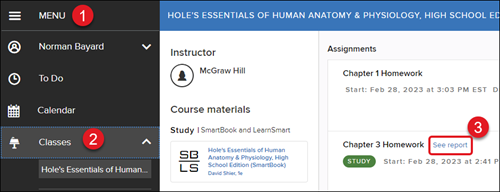
1. Click on the Menu in the top-left.
2. Select the class from the Classes drop-down.
3. Next to the assignment name, click the see report link.
Option 2:
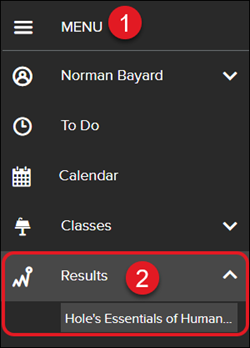
1. Click on the Menu in the top-left.
2. Select the class from the Results drop-down.
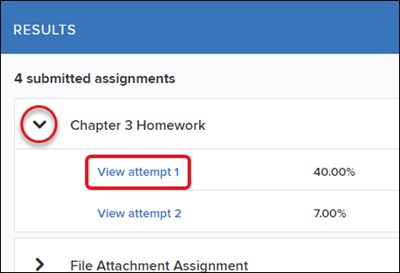
3. On the Results page, you will see all assignments for the selected class that have been submitted. Click the arrow beside the assignment name to view score details for each attempt made for each assignment.
4. Click the View attempt link to open the assignment and review the questions/answers made.