
How do students view Connect assignment submissions using LTI Advantage?
Learn how students view assignment submissions in Connect using LTI Advantage.
Tags
- Higher Ed Student
- Higher Education
- Customer Support
- Connect


Student's Connect assignment scores will automatically sync to the LMS and can be viewed in the respective LMS' grade book. Students can also view the detailed submission feedback in Connect. To do so:
- Students can launch any Connect assignment from the LMS and click on Connect Quick Links followed by Go to my Connect section. You are now on the Connect section home page.
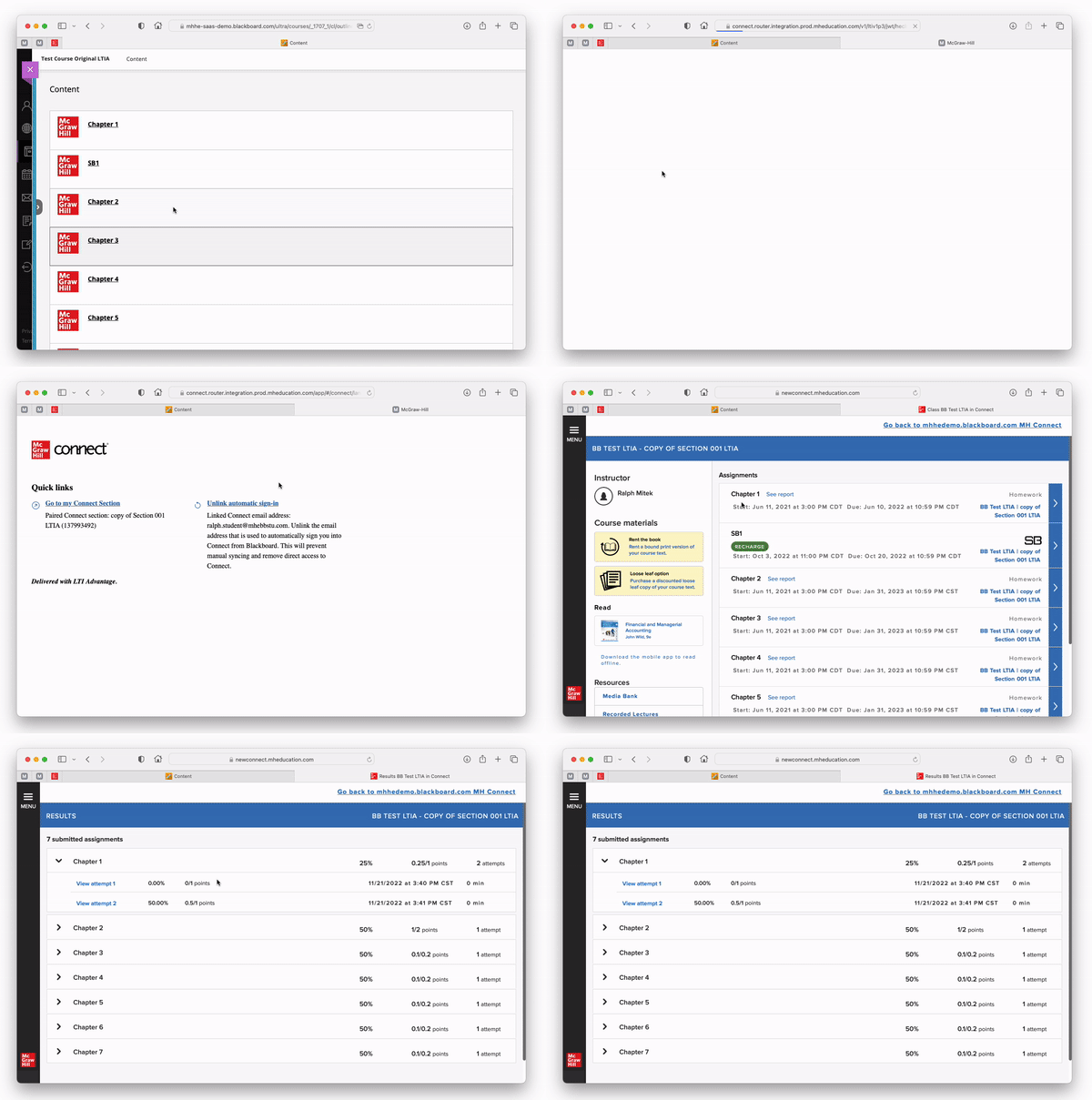
- From the Connect section home, students can click on See report or access the Results section to view their submitted assignments. Click here for more details.
