How do I switch to another project?
Discover how to switch between projects in Create without losing your place or progress.
- Higher Education
- Customer Support
- Create
- User Guides & Account Management
- Instructor


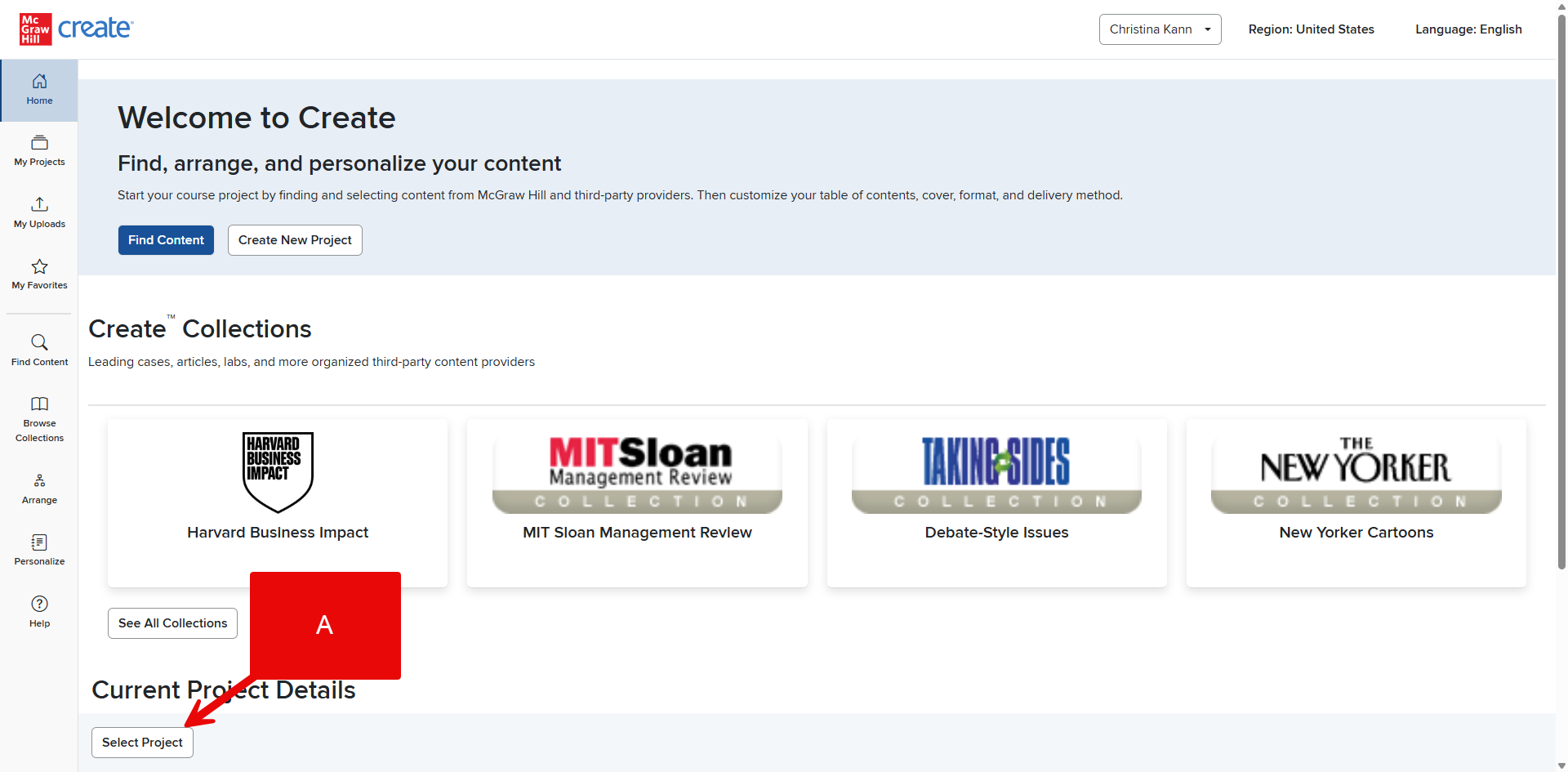
Step 1: While you are working on a Project in Create, locate its title in the bottom left corner.
Step 2: Click on the drop-down arrow beside the title (A).
Step 3: Click on the title of the active Project you wish to switch to. Create will switch to the Project you selected and update the title at the bottom.
OR
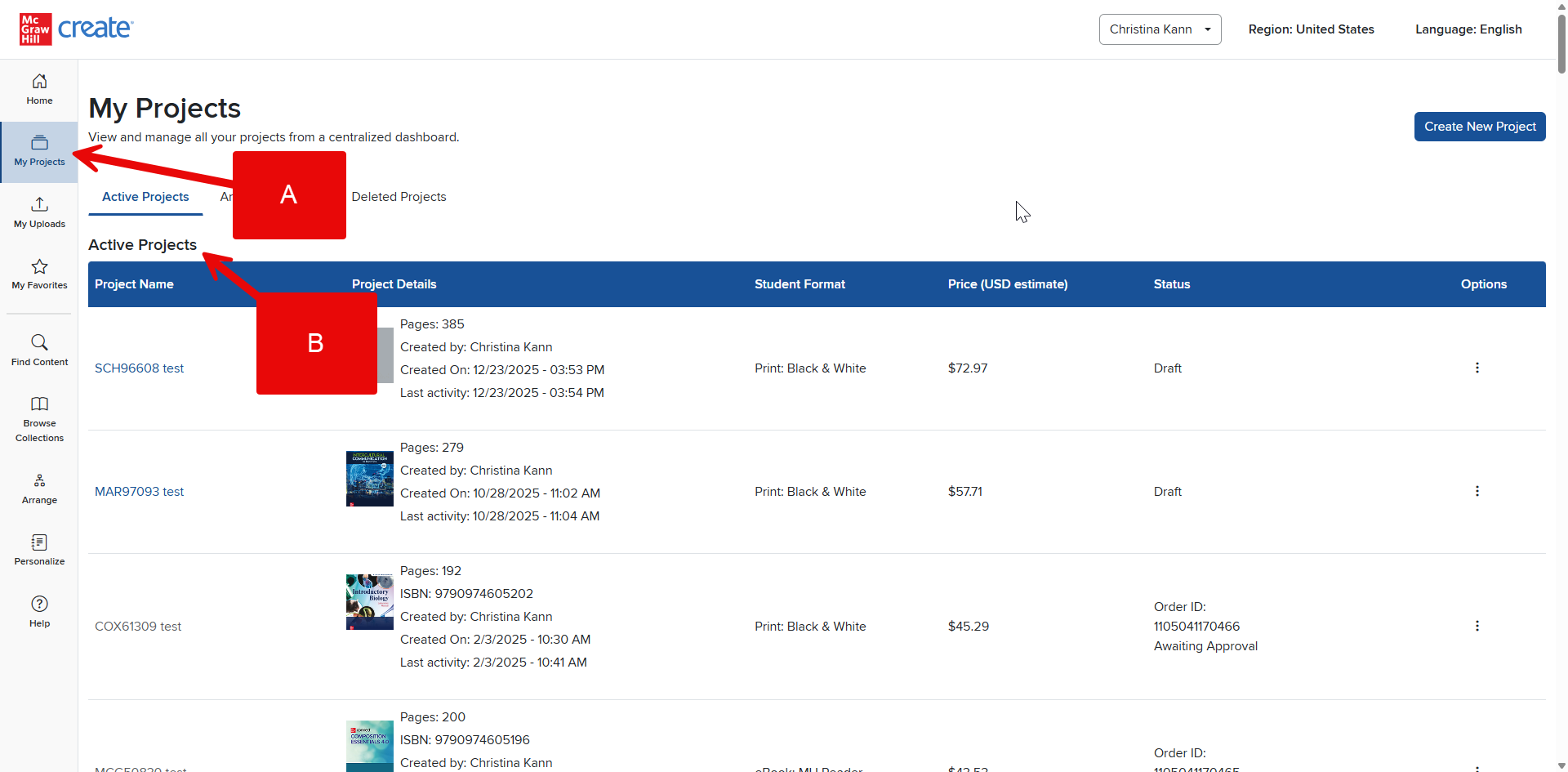
Step 1: Click My Projects from your Account Menu (A).
Step 2: If you already have a Project selected, it will be under the Active Projects header (B). Click on the title of the Project you’d like to work on. You will be taken to the Arrange view for the selected Project.
Note: Only Projects in Draft status can be selected this way.
See How do I switch to another Project? for an alternative way of selecting another Project.