
Connect - Reporting Question Bank or Test Bank Content Issues
Report and resolve content issues found in question or test banks.
- Higher Education
- Customer Support
- Connect
- Instructor


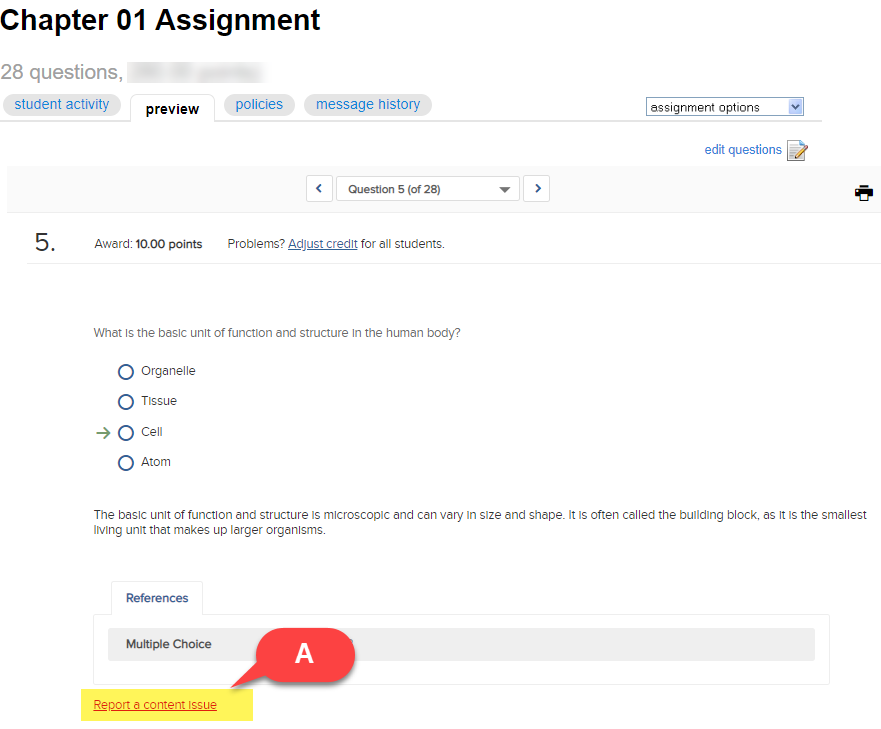
While you are previewing assignment questions and you need to report an issue with the assignment content, use the report a content issue (A) link found along the bottom of the question to send us your inquiry.
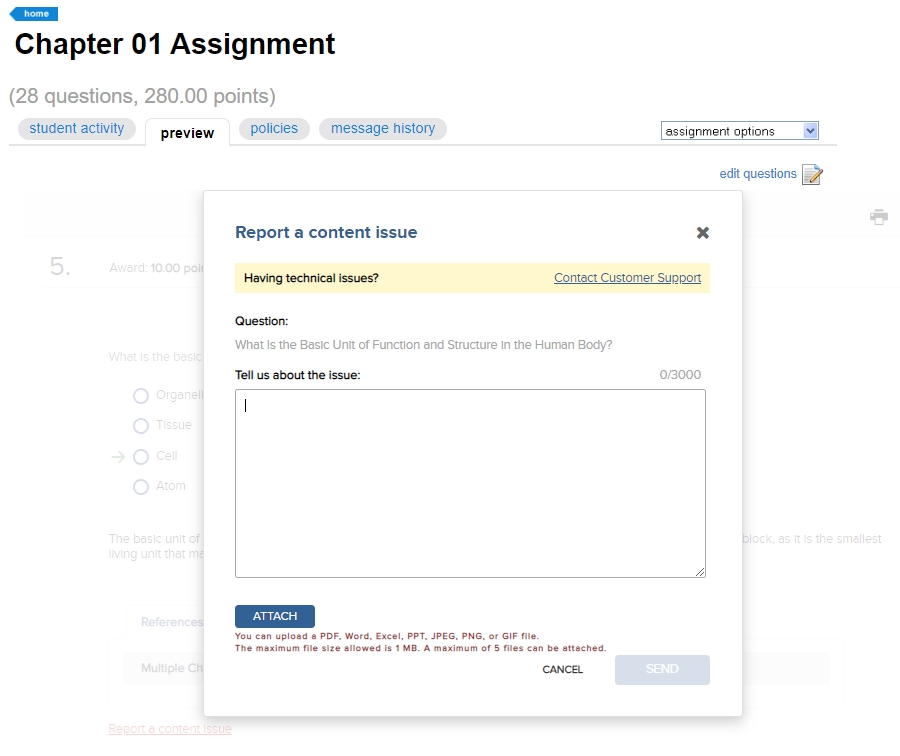
A form will appear allowing you to enter a comment about the issue. You will also be able to attach 5 files, up to a 1 MB file size in PDF, Word, Excel, PPT, JPEF, PNG or GIF format related to the content issue. Once you are finished click send and a support ticket will be created to review the issue.
Note: If you added your own question or edited a question from the question bank / test bank, the question cannot be fixed as it is no longer associated with the textbook question bank / test bank. If you copied an old question from an earlier version of a Connect question, the content might have already been updated/modified/deleted within the question bank. Also, if the content issue was found in an active assignment where students have accessed the assignment, the question content may be locked and cannot be updated. The recommendation is to adjust credit/award credit for the question; see related topics below.
