Connect - Changing and Shifting Assignment Dates
Change or shift assignment dates in Connect to adjust schedules and due dates.
- Higher Education
- Customer Support
- Connect
- Instructor
- Assignment Management


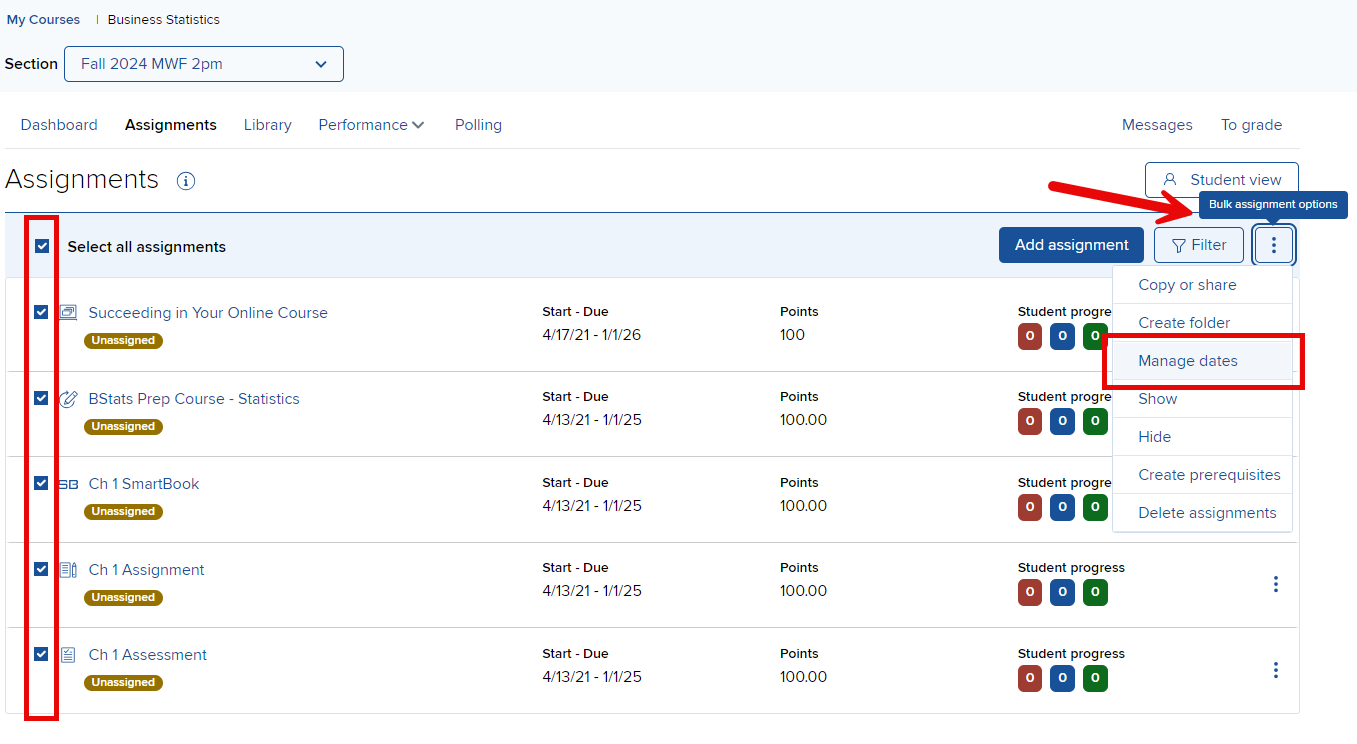
In your section Assignments list, select the assignment(s) that you want to change assignments dates for and click Manage dates.
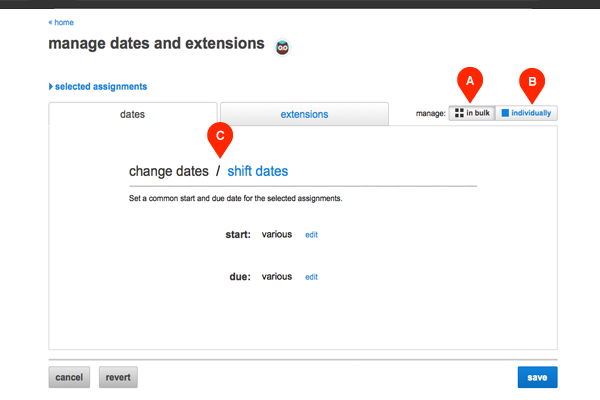
You can change the dates of all selected assignments in the in bulk tab (A), which is automatically selected, or you can change individual assignment dates by clicking the individually tab (B). You click shift dates (C) to push back the selected assignments’ start and due dates by a number of days, weeks or months.
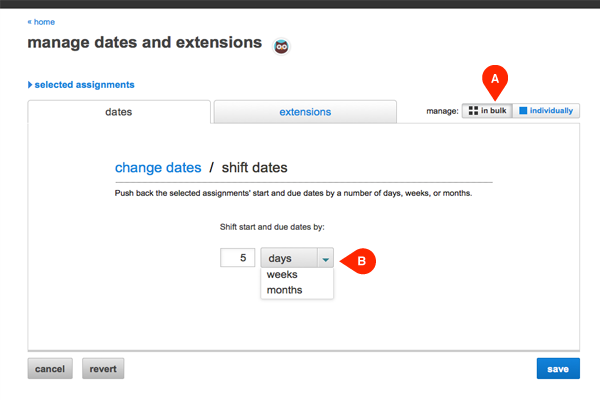
To modify or adjust dates in bulk (A), just input the new dates or specify the number of days, weeks, or months (B) that you wish to delay the start and due dates..
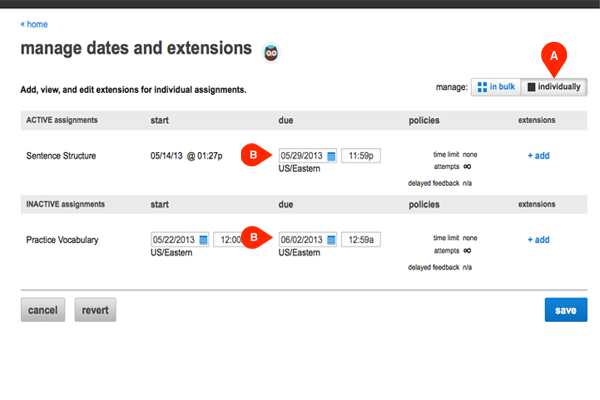
When changing or shifting dates individually (A), enter the new dates (B) each assignment separately.