
Connect - Assignment Prerequisites
Set assignment prerequisites in Connect to control the order in which students complete work.
- Higher Education
- Customer Support
- Connect
- Instructor
- Assignment Management


Prerequisite assignments are assignments that must be taken in a required order. Each assignment must be completed before the next assignment can be taken.
On your Section Home page, select the assignments you want grouped into a prerequisite set (a). From the action menu (b), select select and Click Create Prerequisites (c).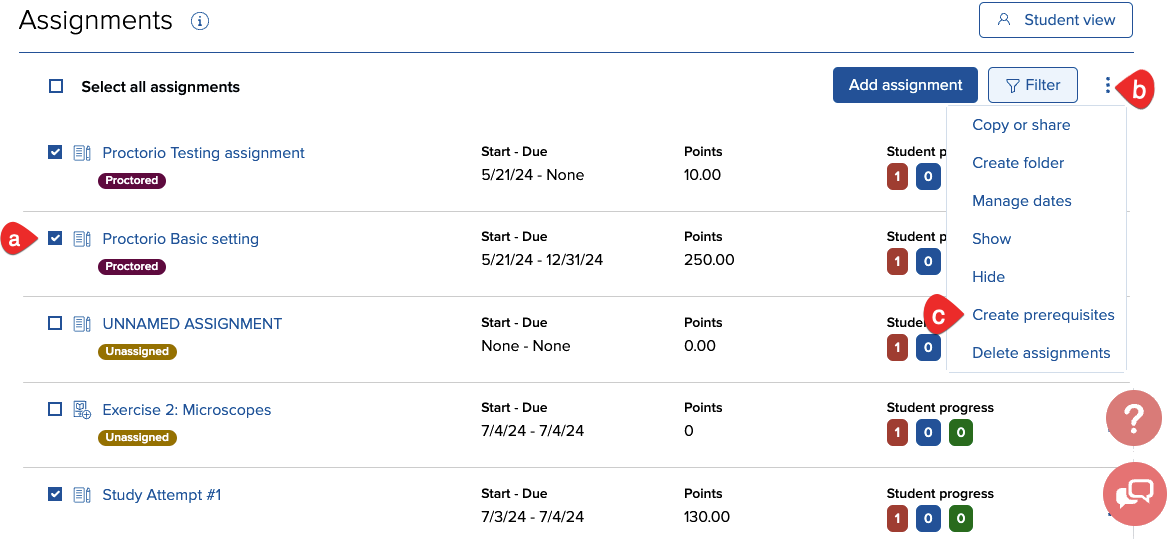
Each time you choose to create a new set of prerequisites, you’ll be prompted with this message. Click Create prerequisites(a) to begin.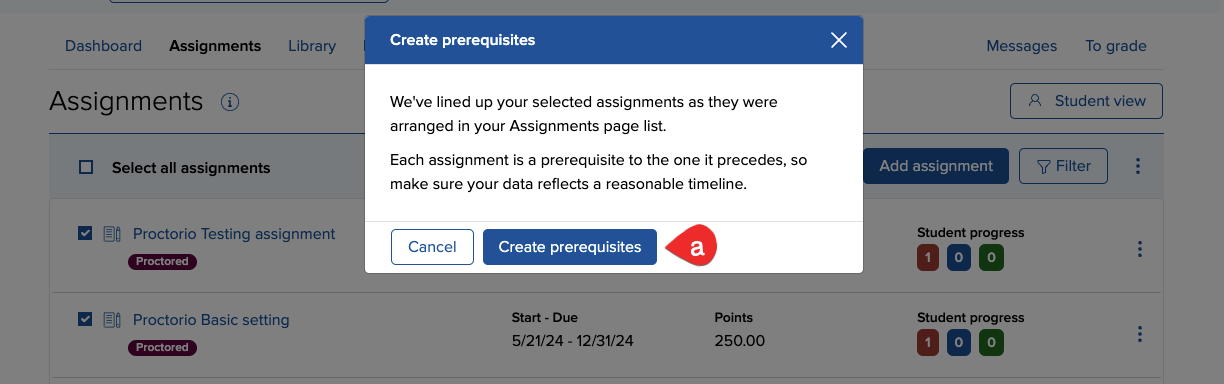
To begin, name your set of prerequisites (A) and add a message with more specific instructions or comments if you wish (optional) (B).
Assignments in the set will be listed in the same order as they appear on your Section Home assignment list (C). To reorder assignments, drag them to the desired location. To add assignments to the top or bottom of the set, click Add (D). To add assignments in between, click the prerequisite (chain link) icon above the desired location (E).
To delete an assignment from the set, hover over it and click the x button (F).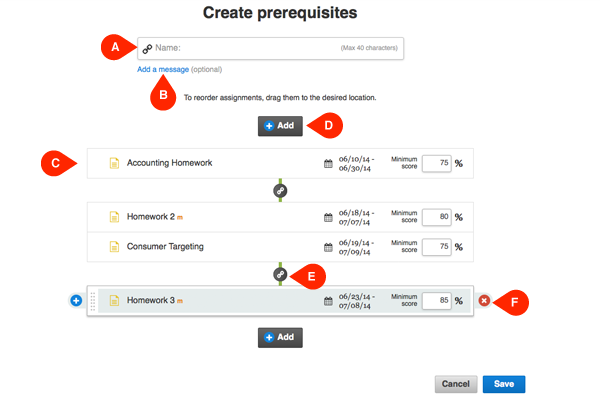
Assignments in the list can also be grouped into clusters (A) if they do not require students to complete them in a specific order. Assignments grouped in clusters can be taken by the student in any order, although they must all be fully completed before the student can move on to the next assignment in the prerequisite set.
To create a cluster, drag assignments into the space between the two prerequisite (chain link) icons.
You can create clusters by hovering over any assignment in the cluster and clicking the + button (B). When you’ve added and arranged all assignments in the entire prerequisite set (including clusters), click Save (D).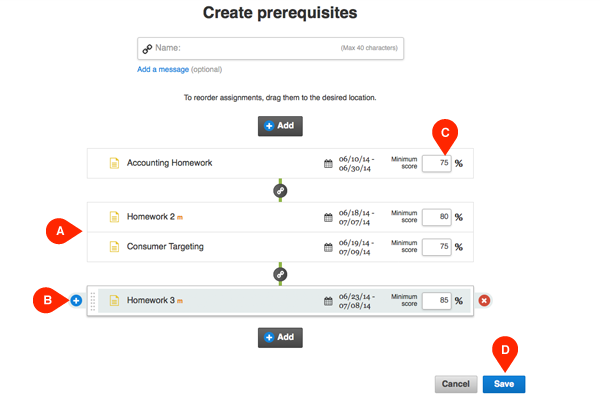
To see all of the assignments in a prerequisite set in your assignment list, hover over the filter menu (A). From the dropdown, hover over Prerequisites (B) and select the set you want to review (C).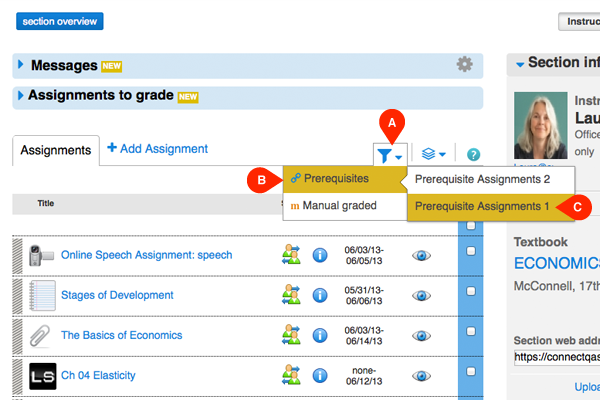
To edit a set of prerequisites, hover over the action menu (A). From the dropdown, hover over Prerequisites (B) and click Edit (C).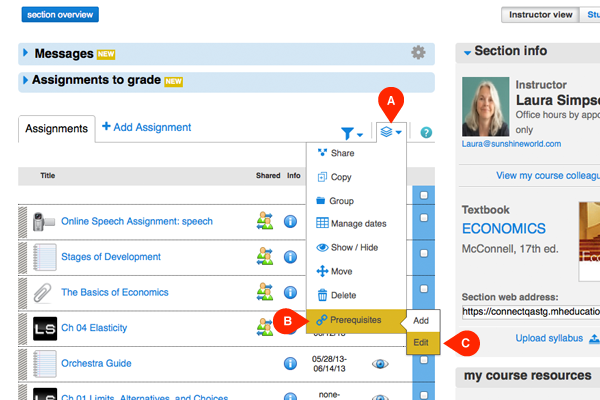
Choose the set of prerequisites you want to edit from the dropdown menu(A). You can also Delete sets (B).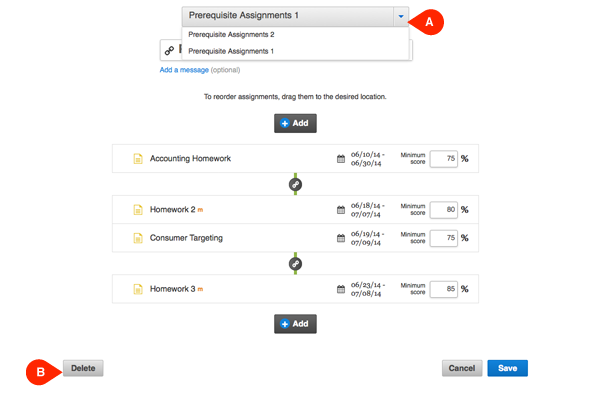
Click here to Contact a Tech Support Representative.