
Number Worlds 2015 Administrator Reports
Access Number Worlds administrator reports to analyze usage, progress, and outcomes.
- Direct Login & Manual-Rostering
- SSO & Auto-Rostering
- SSO & Manual-Rostering
- PreK-12
- Customer Support
- School Administrator
- Direct Login & Auto-Rostering
- Preschool
- Reports & Analytics
- Elementary School
- Middle School
- Math
- Intervention
- Number Worlds 2015


To have access to any Number Worlds Admin Reports, you must make a class and add at least one student. You will also need to have the Organization Administrator role enabled for your account.
Please contact an existing Organization Administrator at your school or district to have the Organization Administrator role enabled for your teacher account. For more information, read the article: How to Add Roles to An Existing User.
For steps on how to create a class and how to add students, read this article: Number Worlds/Building Blocks 2015 - Class Management.
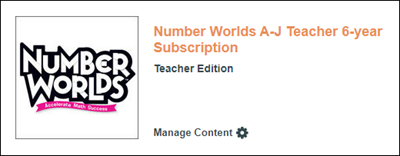
1. From your My ConnectED Programs page, select your Number Worlds A-J Teacher Edition.
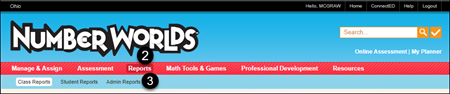
2. Select Reports from the top Navigation menu.
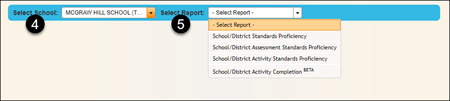
4. Select the School from the drop-down that you would like the report for.
5. Select the Report from the drop-down for the type of report you want for the school.
6. In the Selection Criteria section, select the Class, Grade, and Date Range.
7. Select the Go button to run the report.
