Share Actively Learn Assignments with Colleagues
Share Actively Learn assignments with other teachers in your school to be able to use the same assignment across the course.
- Customer Support
- PreK-12
- Classroom Teacher
- Elementary School
- Middle School
- High School
- Direct Login & Auto-Rostering
- Direct Login & Manual-Rostering
- SSO & Auto-Rostering
- SSO & Manual-Rostering
- Supplemental
- Literacy
- Science
- Social Studies
- Actively Learn
- Grades & Assignments


When you want a colleague to have a copy of an assignment you can Send a copy to colleagues. Recipients can independently edit the assignment, use in their own classes, and it will not affect your original assignment.
1. Click Menu at the top-left.
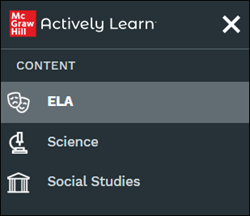
2. Click on ELA, Science, or Social Studies from the Content section of the menu.
Note: Options will vary based on what the district has purchased.
3. Click on a resource tile.
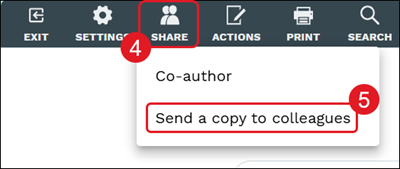
4. Click the Share button at the top.
5. Click Send a copy to colleagues from the menu.
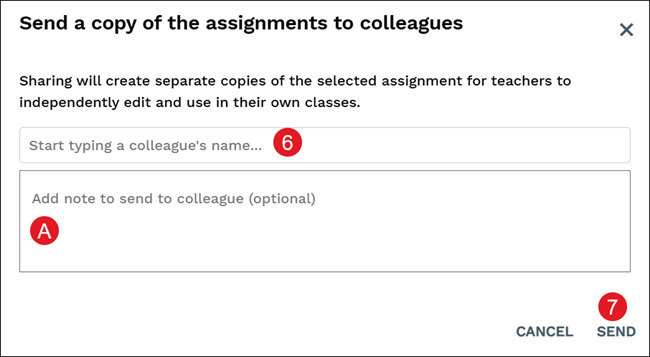
6. Enter a colleague's name in the provided field.
A. Add note for the recipients about the assignment.
7. Click the Send button.