How do I select only chapters or sections to add to my Project?
Find out how to select individual chapters or sections when adding content to your Create project.
Tags
- Higher Education
- Customer Support
- Create
- User Guides & Account Management
- Instructor


Step 1: Click the title of the book in your search results.
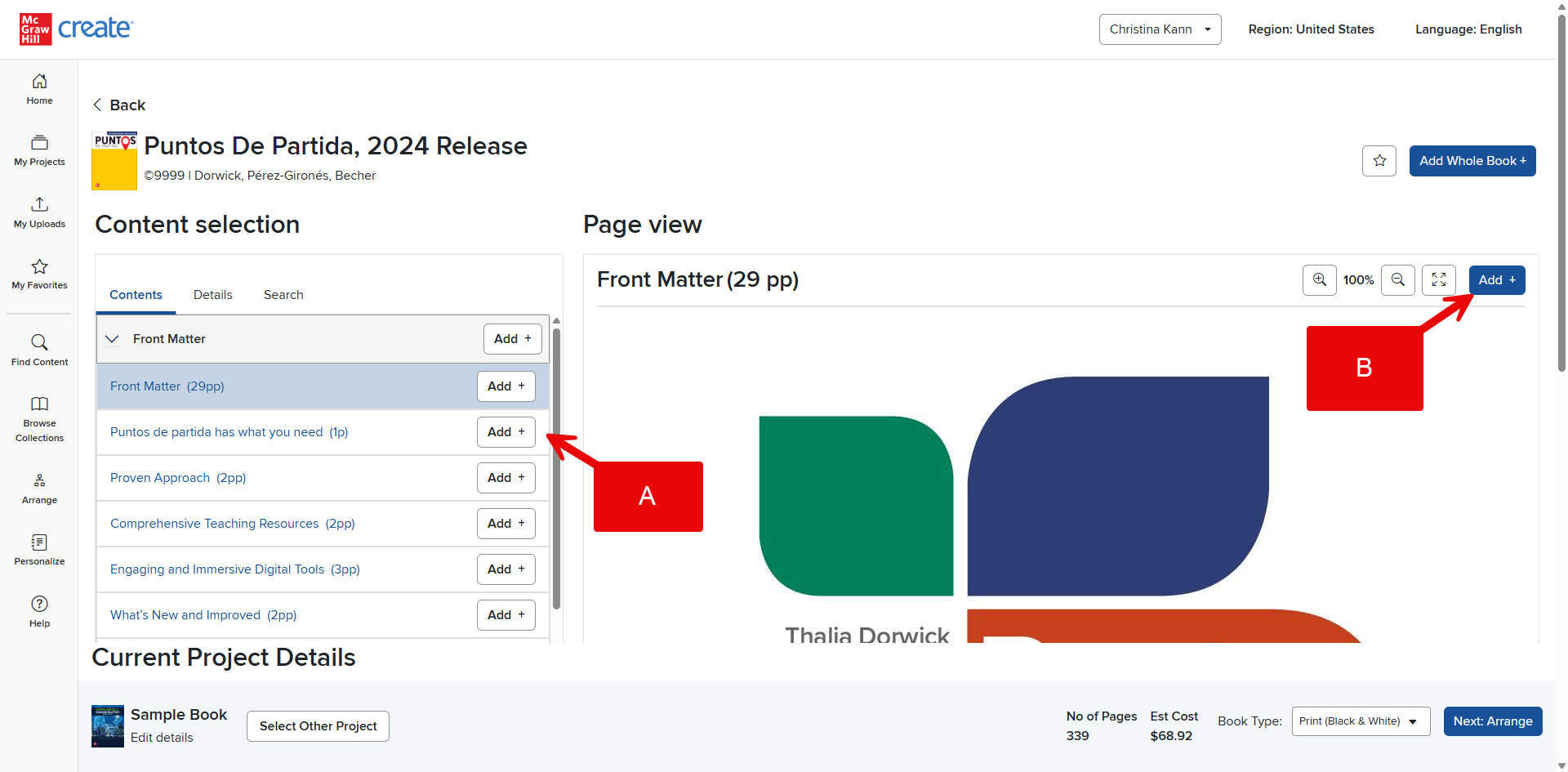
Step 2: Click the plus button to the right of the title of the chapter or section you wish to add in the contents menu (A). Alternatively, open a chapter or section by clicking Add in the top right corner (B).
Once a selection has been added to your Project, the Add button will change to Added in the top right corner and the plus sign in the left menu will change to a minus sign. You can click the minus sign to easily remove something if you make a mistake or change your mind.