Connect - Manual Grading Shared Assignments
Manually grade shared assignments in Connect and manage scoring across sections.
- Higher Education
- Customer Support
- Connect
- Instructor
- Assignment Management


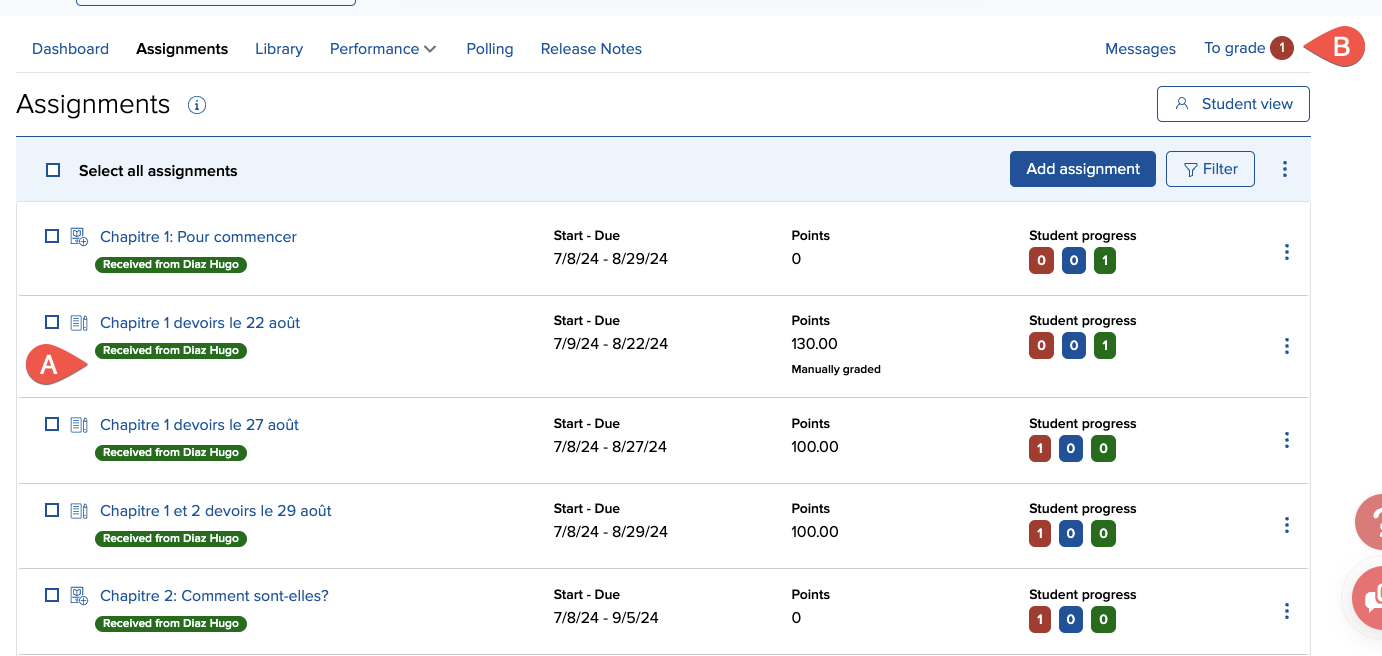
Manual grading means you will need to grade either the entire assignment or parts of it. When you share assignments, or when assignments are shared with you, each instructor is responsible for grading their own students' responses. If you have shared assignments (A) that need to be graded manually, you will be notified in the assignments to grade section (B). Grading shared assignments works the exact same way as grading regular assignments.
You can grade by student, question, or part (depending on the question type). Grade by student allows you to score one student at a time, grading all responses for the assignment. Grade by question lets you grade all student responses to each question individually. If you have multipart questions, use detail grading to score each part of a question for all students before moving on to the next part of the question.