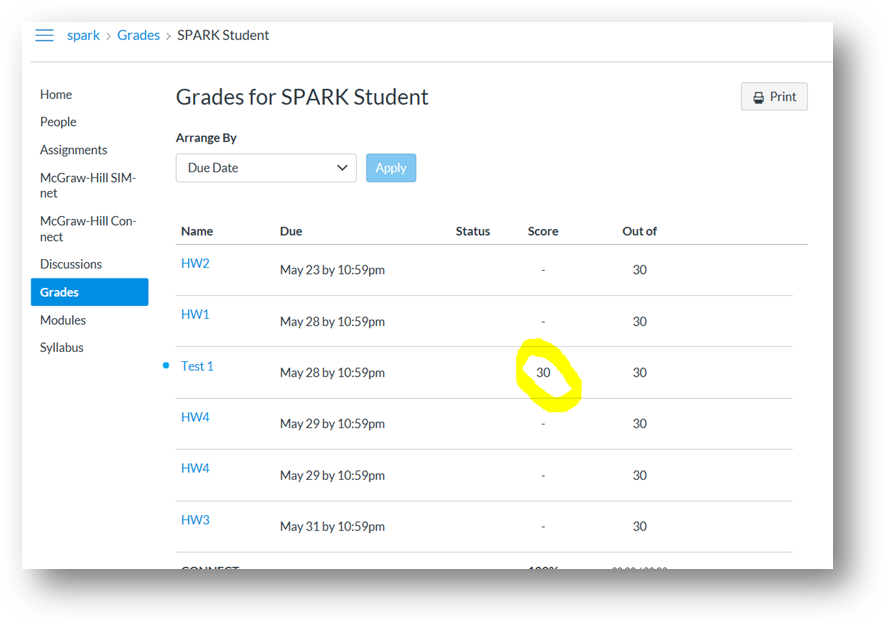
Connect - How to take an assignment in Canvas
Get instructions for completing a Connect assignment in Canvas.
Tags
- Higher Ed Student
- Higher Education
- Customer Support
- Connect


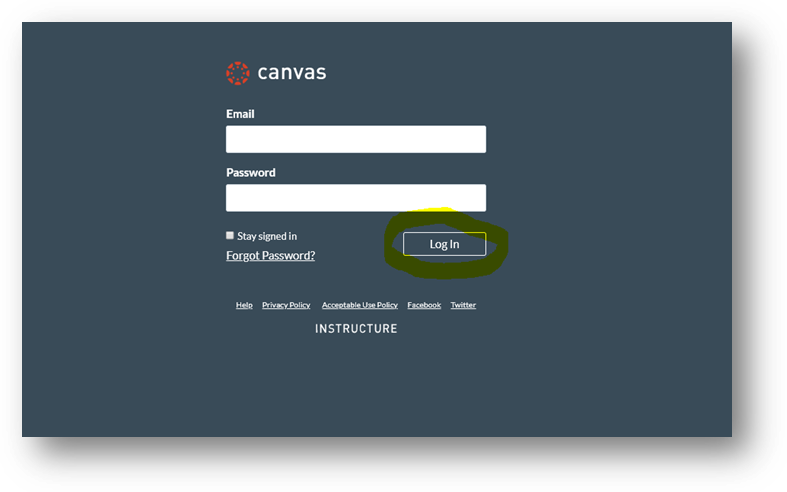
Step 1: Log into Canvas.
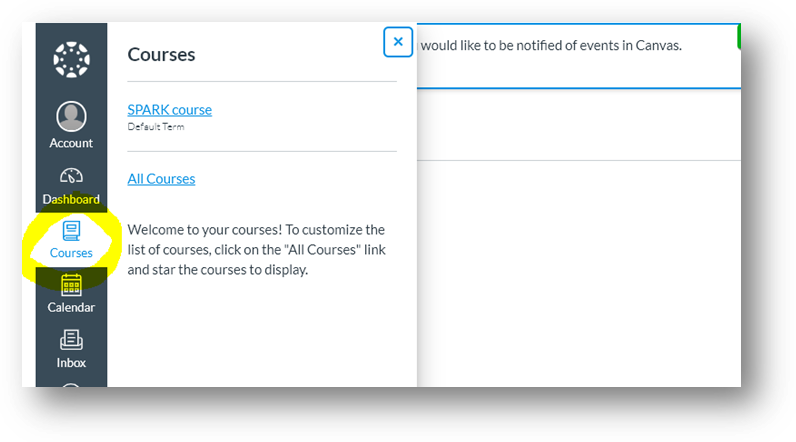
Step 2: Under Courses, locate and enter Canvas course.
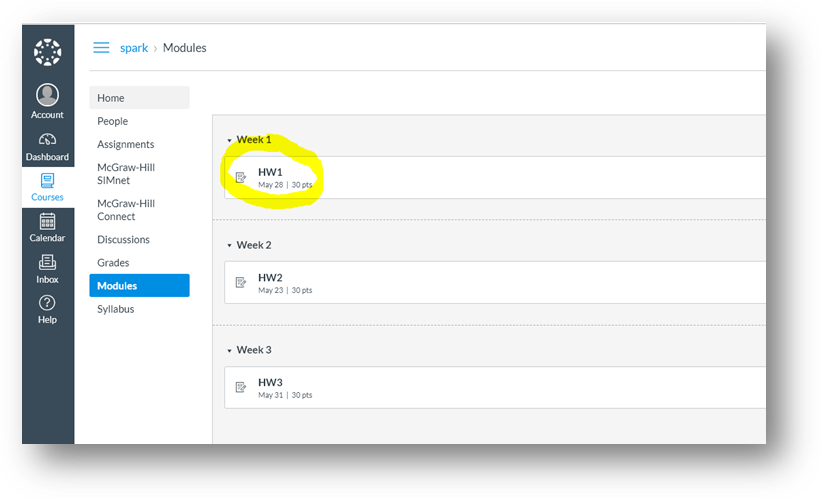
Step 3: Under Modules, locate and click on a Connect assignment link.
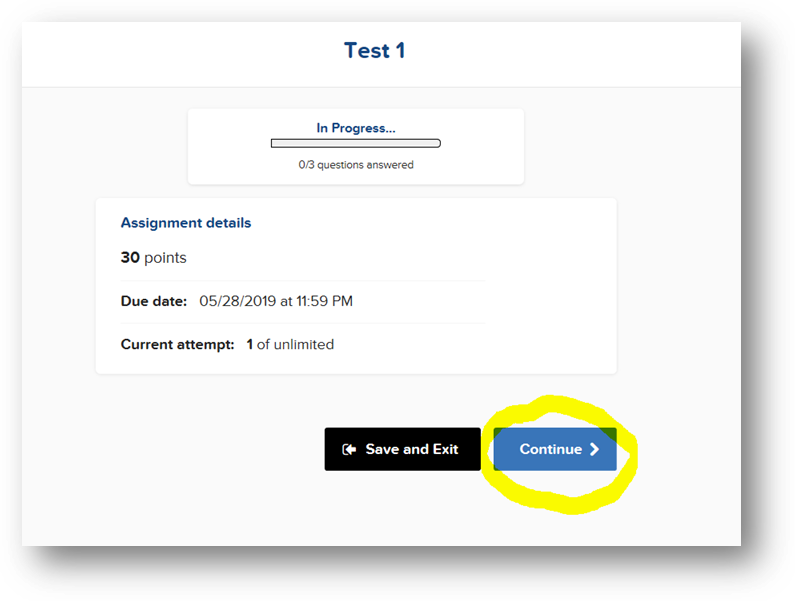
Step 5: Click Continue to begin the assignment.
Once assignment has been completed, click on Submit.
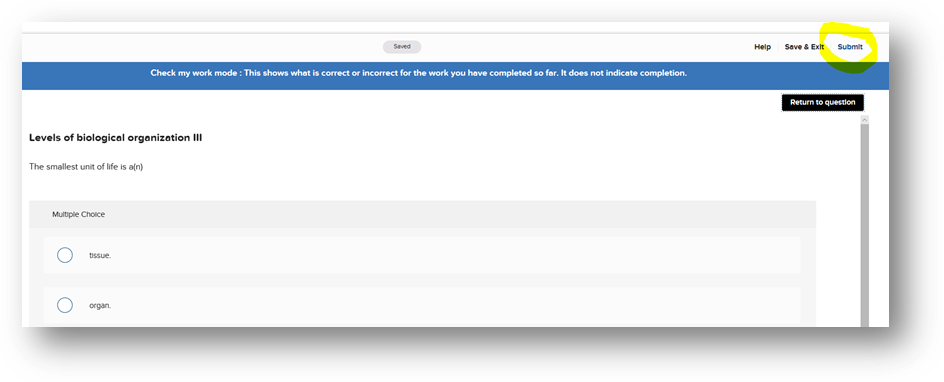
*Upon submission, the student’s Connect score will record in Connect but will also automatically sync over into the Canvas gradebook.