
How do students access the Connect Section Home and eBook using LTI Advantage
Learn how students access the Connect eBook through LTI Advantage integration.
Tags
- Higher Ed Student
- Higher Education
- Customer Support
- Connect
- Instructor


There are several ways students can access the Connect eBook and Connect section home page when using the LTI Advantage integration.
- Instructors can assign reading assignments to students. Students can then access the eBook quickly by launching the reading assignments.
- Instructors can add a Connect launch link in the LMS course (requires configuration for Blackboard and D2L).
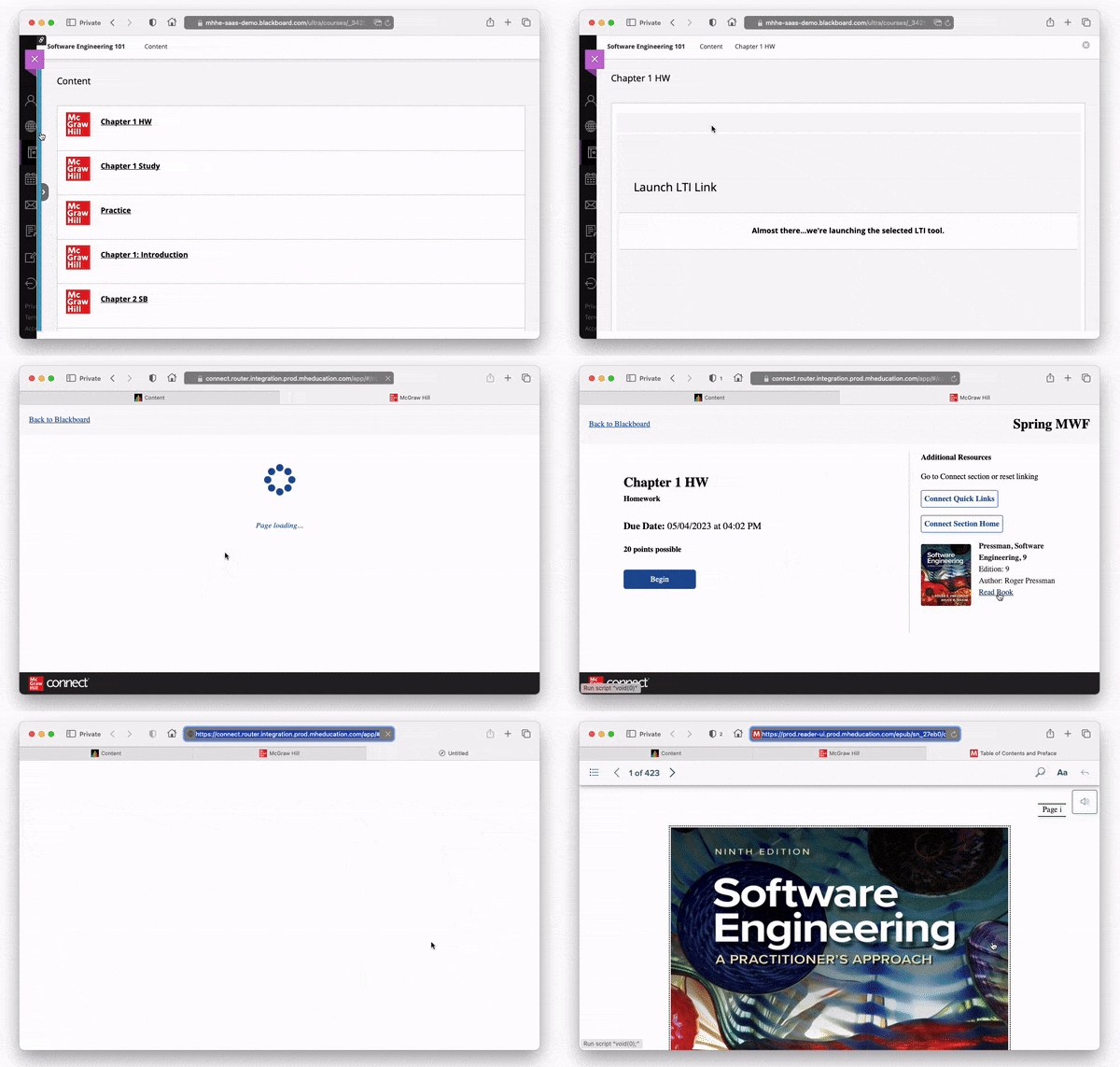
- Students can launch any Connect assignment from the LMS and click on the Read Book link under Additional Resources:
- Students can download the ReadAnywhere mobile app and access their eBook within the app.
- Log in with your Connect account at https://myebooks.mheducation.com.
