Are you a student looking for help with Connect? Visit the Student Connect Support Page 

Sync Your Connect Section with Canvas - Initial Pairing

Discover how to provide a more seamless experience for students by pairing Connect with Canvas. You'll learn how to find the Connect widget/tool in Canvas, pair your Connect course, import individual assignments, and set up Connect assignments in your Canvas gradebook.

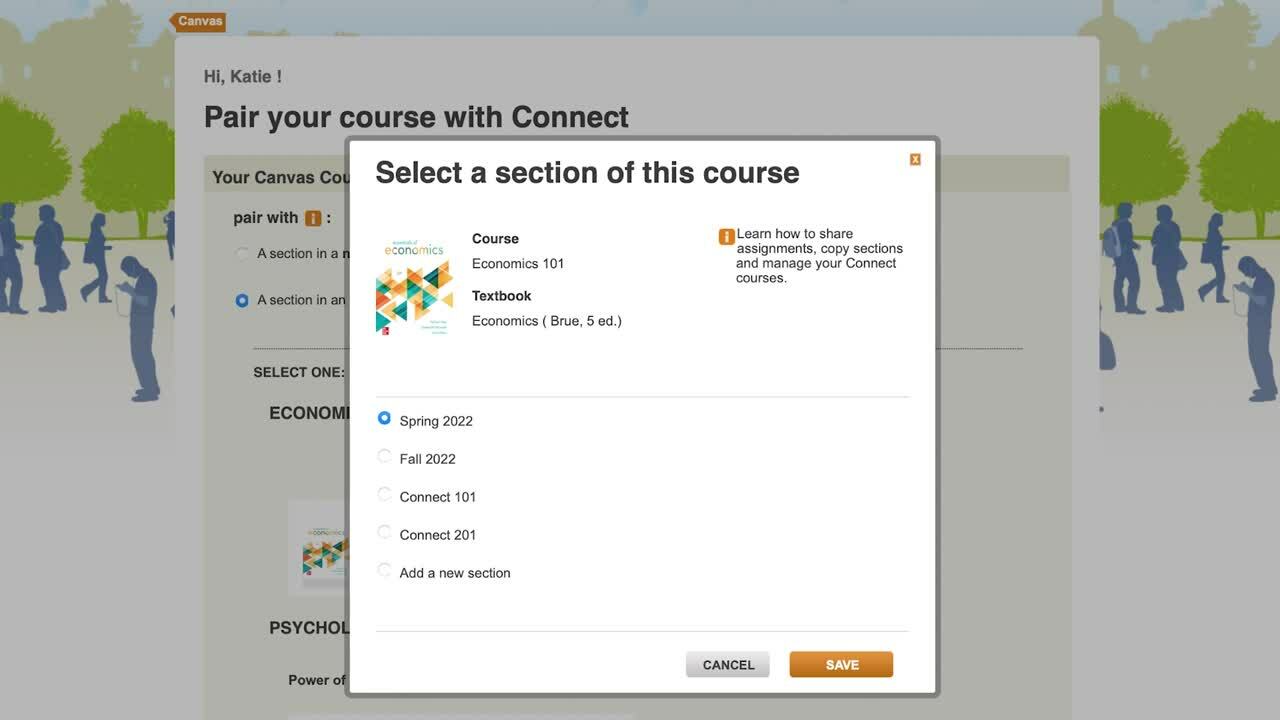
Pair your Connect section with Canvas by locating the LTI 1.1 tool in Canvas, selecting the correct Connect course, deploying assignments, and setting up the option to use gradebook.

Pairing Connect with Canvas gives students a smoother and seamless course experience and helps instructors manage assignments and gradebook setup from within the LMS.

To deploy Connect assignments to Canvas, open your Canvas course and launch McGraw Hill Connect LTI 1.1 tool from the course navigation menu. Pair the Canvas course with the correct Connect section, then choose the Connect assignments you want to deep link in Canvas. After selecting the assignments, deploy or sync them to Canvas so they appear in the course and gradebook.

The deployment of Connect assignments into Canvas allows for grades to sync automatically to the Canvas gradebook.

McGraw Hill Higher Ed Technical Support can assist instructors in troubleshooting integration pairing, assignment deployment, and grade sync issues.

Want to chat? Our team is available to help.

Tech Support Representatives

Visit the Tech Online Support Center or contact us below:

Email & Live Chat:
Sunday: 12:00 PM to 12:00 AM ET
Monday-Thursday: 24 hours ET
Friday: 12:00 AM to 9:00 PM ET
Saturday: 10:00 AM to 8:00 PM ET

Phone:
Sunday: 12:00 PM to 1:00 AM ET
Monday-Thursday: 8:00 AM to 1:00 AM ET
Friday: 8:00 AM to 9:00 PM ET
Saturday: 10:00 AM to 8:00 PM ET

 Phone: (800) 331-5094
 Online: Submit a Support Request
 Chat: Chat with a Representative

You Don’t Have to Do it Alone

Instructors, get personalized 1-to-1 support from our implementation team.

Have a question? Need advice? Whatever you need to ensure you and your students are set up for success, our implementation consultants can help. Just answer a few simple questions so we can best assist you.

Get Started

Find Your Sales Rep

Looking for new course materials, need a desk copy, or want to talk about new McGraw Hill products? Locate contact information for your McGraw Hill sales representative.

Find My Rep

Customer Service Team

Contact customer service for questions regarding pricing, orders, shipping, or returns.

Visit the Customer Service Online Support Center or contact us below:

Hours of Operation:
Monday-Friday: 8:00 AM to 6:00 PM ET

 Phone: (800) 338-3987
 Fax: (800) 953-8691

By Mail:
McGraw Hill
P.O. Box 182605
Columbus, OH 43218