Whether you're new to creating blog posts or just need a refresher, this training hub is your go-to resource. You'll find best practices for writing and formatting engaging blog content, along with step-by-step video guides to help you confidently publish posts on mheducation.com
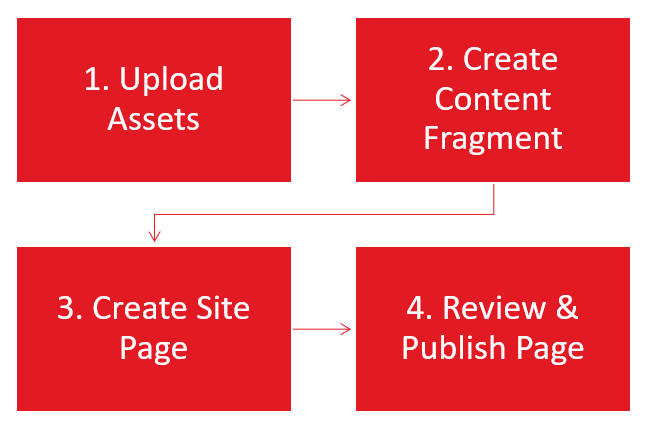
Blog Post Process Overview
Step 1: Upload Blog Assets
Upload blog assets such as PDFs or images into the DAM.
Step 2: Create Blog Content Fragment
Create the blog content fragment and publish it.
Step 3: Create Blog Site Page
Create the blog site page with the content fragment using a Workflow to generate the page automatically.
Step 4: Review & Publish Blog Page
Review the site page and use Workflow to request publication. Note: you can schedule it for future publication in this step.

Content Gathering Toolkit
Before creating a blog post in AEM, start by gathering content based on the required fields. Use this Toolkit to streamline content gathering.
How Create a Blog Post in AEM
AEM Training Videos
- Watch step-by-step videos with expert nariation.
- Use the "Guide Me" button in the bottom right corner of each video to launch step-by-step walkthroughs.
- First-time users: it will prompt you to install the Scribe extension (quick and easy).
Still have questions? Email an AEM expert: DCMteam@mheducation.com (expect responses within 24 hours during standard business hours)
Click the arrow icon in the lower right corner of any video to launch a guided walkthrough. This will open a side panel with step-by-step instructions: